As an Amazon Associate I earn from qualifying purchases. This page contains affiliate links, and I may earn a commission at no extra cost to you.
Which 4K Streaming Device Is Actually Worth Buying in 2026?
If your TV's built-in smart platform feels sluggish, or you want a consistent streaming experience across every screen in the house, a dedicated 4K streaming device is one of the most satisfying upgrades you can make. The question is: which one? Roku, Amazon Fire TV, and Apple TV 4K all sit at the top of the market in 2026, but they suit very different people. This guide cuts through the noise and tells you exactly who should buy what — no vague hedging, no filler.
At a Glance: Comparison Table
| Device | Resolution / HDR | Price Band | Best For | Buy |
|---|---|---|---|---|
| Roku Streaming Stick 4K+ | 4K, HDR10+, Dolby Vision | Budget–Mid | Neutral, app-agnostic streamers | Check today's price on AmazonFree returns · No extra cost to you · Prices update daily |
| Amazon Fire TV Stick 4K Max (2nd Gen) | 4K, HDR10+, Dolby Vision | Budget–Mid | Amazon Prime members and Alexa households | Check today's price on AmazonFree returns · No extra cost to you · Prices update daily |
| Apple TV 4K (3rd Gen, 2022+) | 4K, HDR10+, Dolby Vision | Premium | iPhone/iPad/Mac households wanting the best experience | Check today's price on AmazonFree returns · No extra cost to you · Prices update daily |
Note: Pricing shifts regularly — check the links above for the current price on Amazon before buying.
Roku Streaming Stick 4K+: The No-Nonsense Pick
Design and Build
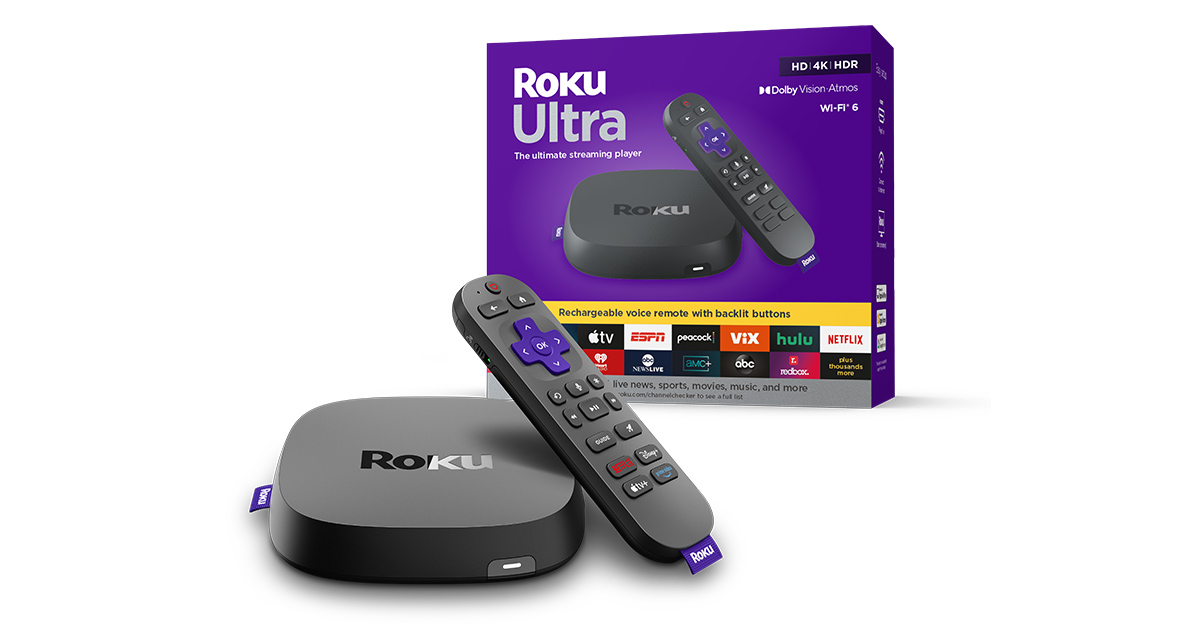
Roku's stick plugs directly into your TV's HDMI port and disappears behind the set. The remote is refreshingly simple — physical shortcut buttons, a headphone jack for private listening, and a voice button that works with both Alexa and Google Assistant (handy if you haven't committed to one ecosystem). Build quality feels solid for the price band.
Key Features
- Supports 4K, HDR10, HDR10+, and Dolby Vision — solid HDR coverage across all the main formats
- Roku OS is famously neutral: it doesn't push its own subscriptions aggressively or bury apps you actually use
- The Roku Channel provides free, ad-supported content from day one — useful even if you cancel paid subscriptions
- Works with Alexa, Google Assistant, and Apple HomeKit — rare flexibility for a budget device
- Private Listening via the remote's 3.5mm jack is genuinely useful for late-night watching
Performance
Day-to-day navigation is smooth and responsive. App launch times are competitive with the Fire TV Stick — slightly quicker than older Roku models. One real-world caveat: if you run many apps simultaneously, you may notice occasional slowdowns. It's not a dealbreaker, but the Apple TV 4K is noticeably snappier in back-to-back use. For the vast majority of people watching Netflix, Disney+, or YouTube, Roku keeps up without complaint.
Value
The Roku Streaming Stick 4K+ sits in the budget-to-mid price band — typically cheaper than Apple TV 4K by a meaningful margin. For what you get (full HDR support, a great remote, ecosystem-neutral OS), it punches well above its weight.
Pros
- Genuinely neutral OS — no pushy upsells or buried apps
- Excellent HDR format support for the price
- Private Listening built into the remote
- Works with multiple voice assistants
Cons
- Ads appear on the Roku home screen (they're not intrusive, but they're there)
- Not as fast as Apple TV 4K under load
- No local storage for games or apps beyond basic streaming
Who should buy the Roku? Anyone who doesn't want to be locked into Amazon or Apple's world. If you split your time between Netflix, Disney+, Paramount+, and a handful of others, Roku's neutral approach is a genuine strength. 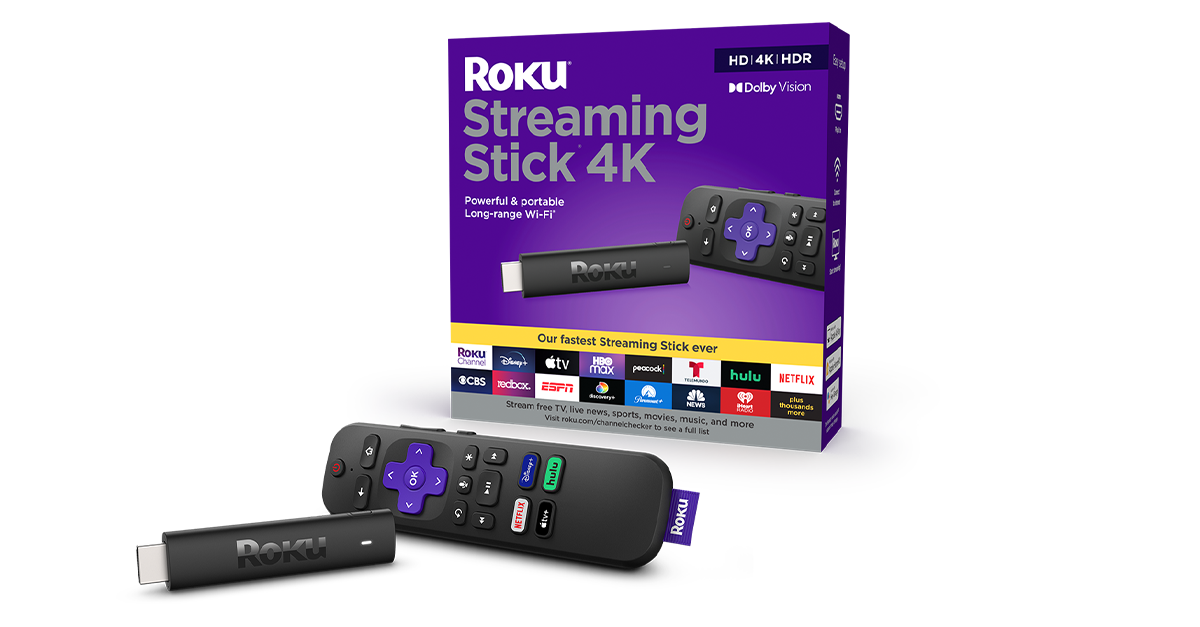
Amazon Fire TV Stick 4K Max (2nd Gen): The Prime Powerhouse
Design and Build
Like the Roku, the Fire TV Stick 4K Max is a discreet HDMI dongle. It's slightly chunkier than its competitors but tucks away neatly. The Alexa Voice Remote is well-designed — the dedicated Alexa button is genuinely useful if your household already uses Echo speakers, and the TV controls (volume, power) work reliably with most sets.
Key Features
- 4K, Dolby Vision, HDR10, HDR10+, and HLG support — as comprehensive as Roku at this tier
- Wi-Fi 6E support on the Max variant gives noticeably better streaming stability on congested home networks
- Deep Alexa integration: ask Alexa to play specific shows, control smart home devices, check the weather, all from your sofa
- Ambient Display mode turns your TV into a digital art display when idle — a nice touch
- Fire TV's interface surfaces Amazon Prime content prominently, but all major apps (Netflix, Disney+, Apple TV+) are present
Performance
The Fire TV Stick 4K Max is the quickest stick-form streamer in this trio. Wi-Fi 6E makes a real difference if your router supports it — buffering on 4K HDR content is rare even on a busy home network. The Alexa integration is fast and reliable; asking it to jump to a specific show or skip ahead by a few minutes works more often than not. Where it falls short is subtlety: Amazon's UI constantly nudges you toward Prime Video content, which can feel cluttered if that's not your primary service.
Value
The Fire TV Stick 4K Max sits in a similar price band to the Roku — solidly mid-range. Amazon frequently discounts it during Prime Day and Black Friday, so if you can time a purchase, it represents excellent value.
Pros
- Wi-Fi 6E delivers genuinely better 4K streaming on modern routers
- Best Alexa integration of any streaming stick
- Fastest performance of the stick-form options in this comparison
- Regularly discounted by Amazon
Cons
- Amazon Prime content is heavily promoted — can feel like an extended advert if you're not a Prime member
- No 3.5mm private listening on the remote (requires pairing Bluetooth headphones)
- Still displays ads on the home screen
Who should buy the Fire TV Stick 4K Max? Amazon Prime subscribers who also use Alexa smart home devices will get the most from this. The Wi-Fi 6E upgrade over the standard Fire TV Stick is worth the small extra outlay if your router supports it. 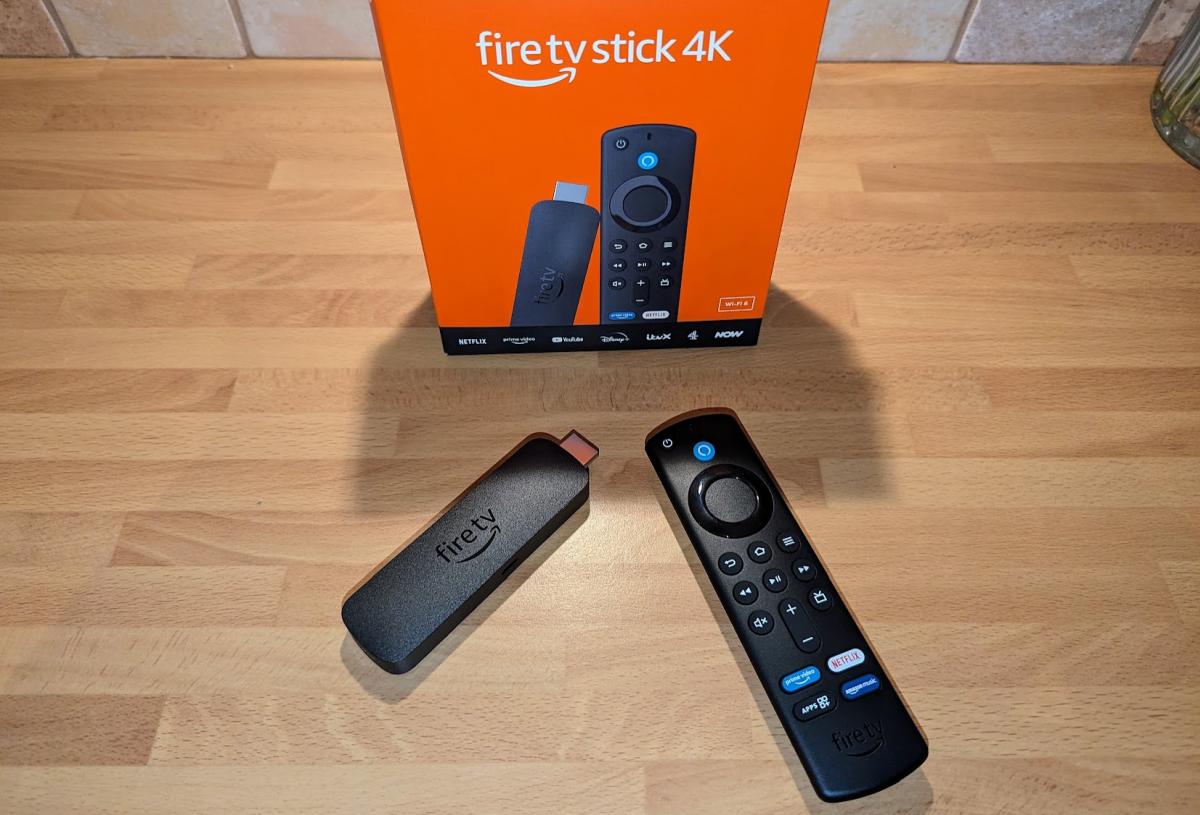
Apple TV 4K (3rd Gen): The Premium Choice
Design and Build
Apple TV 4K is a proper box — not a stick — about the size of a thick coaster. It sits beside your TV rather than hiding behind it, connected via an HDMI cable (included). Build quality is premium: a small, cool-running aluminium unit that feels overengineered in the best sense. The Siri Remote is compact and intuitive once you get used to its touch-sensitive clickpad — love it or hate it, it's genuinely excellent for navigating long content lists.
Key Features
- A15 Bionic chip (same family used in iPhones) — dramatically more powerful than any streaming stick on the market
- 4K, Dolby Vision, HDR10, HDR10+, Dolby Atmos audio — full premium format support
- Thread and Matter smart home hub built in — controls Apple HomeKit and Matter-compatible devices natively
- AirPlay: stream content from iPhone, iPad, or Mac directly to your TV with zero setup
- Apple Arcade gaming, Apple Fitness+, iCloud Photos on your TV — a genuinely broader device than just a streaming box
- SharePlay for watching content in sync with friends remotely
Performance
Nothing else in this comparison comes close on raw performance. The A15 Bionic chip means app launches are near-instant, menus are buttery smooth, and it handles 4K HDR content without breaking a sweat. If you've ever noticed a slight judder or stutter on cheaper streamers, you won't here. It also makes a genuine smart home hub — controlling lights, locks, and thermostats from the TV interface is a genuinely useful bonus. The catch is the price: it costs roughly two to three times what the Roku or Fire TV Stick 4K Max costs. If you're not in the Apple ecosystem, that premium buys you less.
Value
Premium-priced and worth every penny — if you're already using Apple devices. iPhone users who use AirPlay, iCloud Photos, or Apple Arcade will find the Apple TV 4K is the best-integrated streaming box money can buy. For Android or Windows households, the value calculation shifts significantly toward Roku or Fire TV.
Pros
- Fastest, smoothest UI of any streaming device at this tier
- Full Dolby Vision and Atmos support
- Built-in Thread/Matter smart home hub
- AirPlay integration is seamless for Apple device households
- No ads anywhere in tvOS — clean, premium experience
Cons
- Significantly more expensive than the competition
- The value drops sharply if you're not in the Apple ecosystem
- The Siri Remote's touch pad has a learning curve
- Requires an HDMI cable and a dedicated surface — less discreet than a stick
Who should buy the Apple TV 4K? iPhone and iPad users who want the smoothest possible experience and don't mind paying a premium. It's also the best pick if you want a capable smart home hub baked into your TV setup. 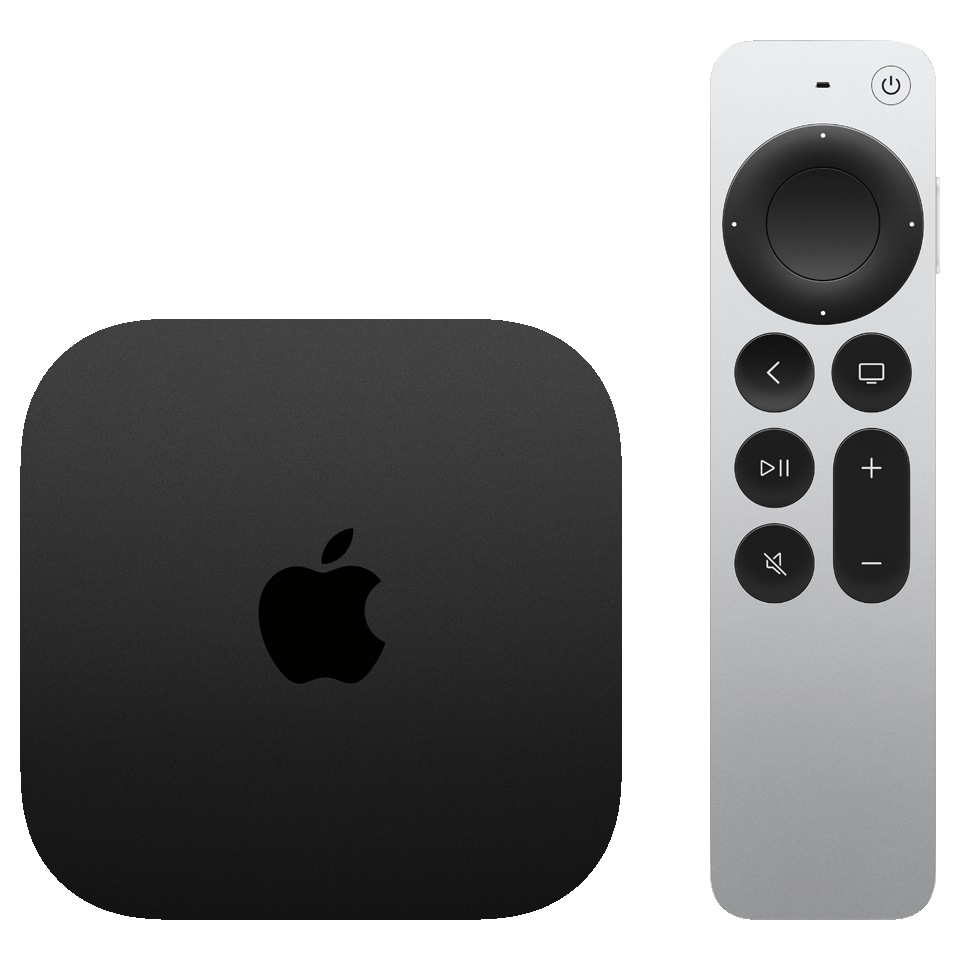
Head-to-Head: How They Compare on What Matters
| Category | Roku Stick 4K+ | Fire TV Stick 4K Max | Apple TV 4K |
|---|---|---|---|
| Speed / Responsiveness | Good | Very Good | Excellent |
| HDR Support | Dolby Vision, HDR10+ | Dolby Vision, HDR10+ | Dolby Vision, HDR10+ |
| Voice Assistant | Alexa + Google | Alexa (deep integration) | Siri |
| Ecosystem Neutrality | ★★★★★ | ★★★☆☆ | ★★☆☆☆ |
| Smart Home Hub | HomeKit / Alexa / Google | Alexa / Matter | Thread / Matter / HomeKit |
| Ads on Home Screen | Yes (mild) | Yes (prominent) | No |
| Price Band | Budget–Mid | Budget–Mid | Premium |
Alternatives to Consider
Google TV Streamer (2025) — The Android-First Alternative
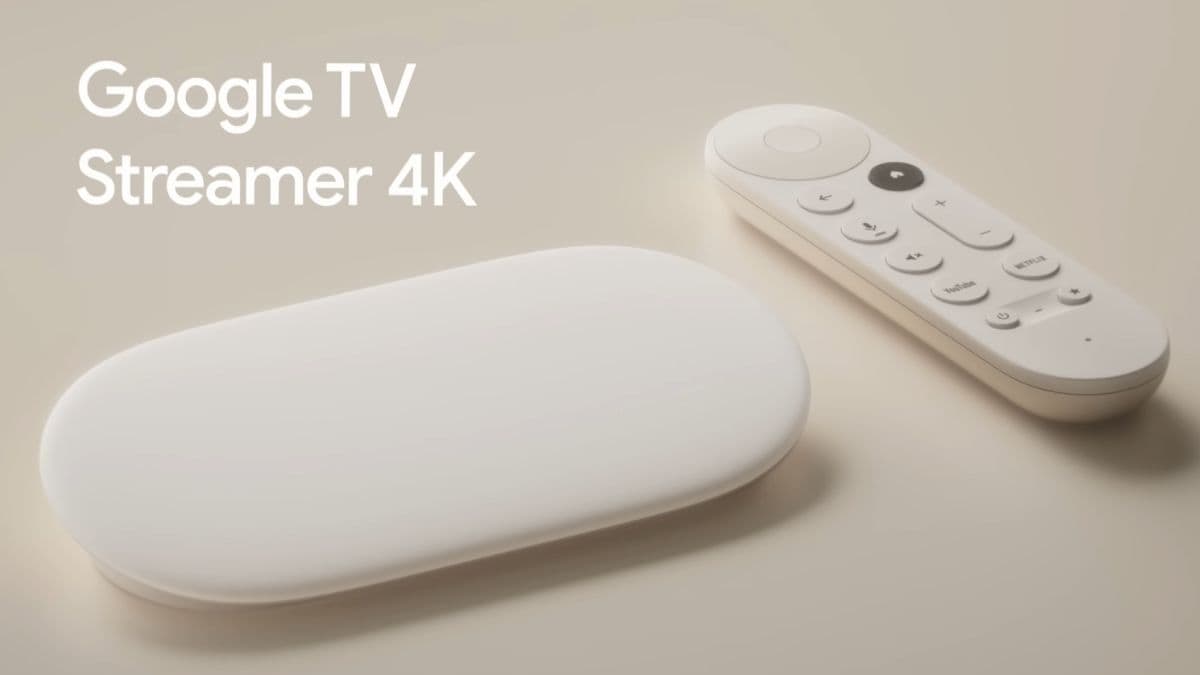
If your household runs on Android phones and Google services, the Google TV Streamer is a compelling alternative to all three options above. It's a small puck-shaped device that replaces the old Chromecast with Google TV, runs a speedy processor, supports 4K Dolby Vision, and integrates tightly with Google Home, YouTube, and Google Assistant. It sits in the mid-range price band — more than a Roku stick but less than Apple TV 4K — and is arguably the best choice for Android users that the Fire TV Stick is for Prime members. Worth a look before you commit. 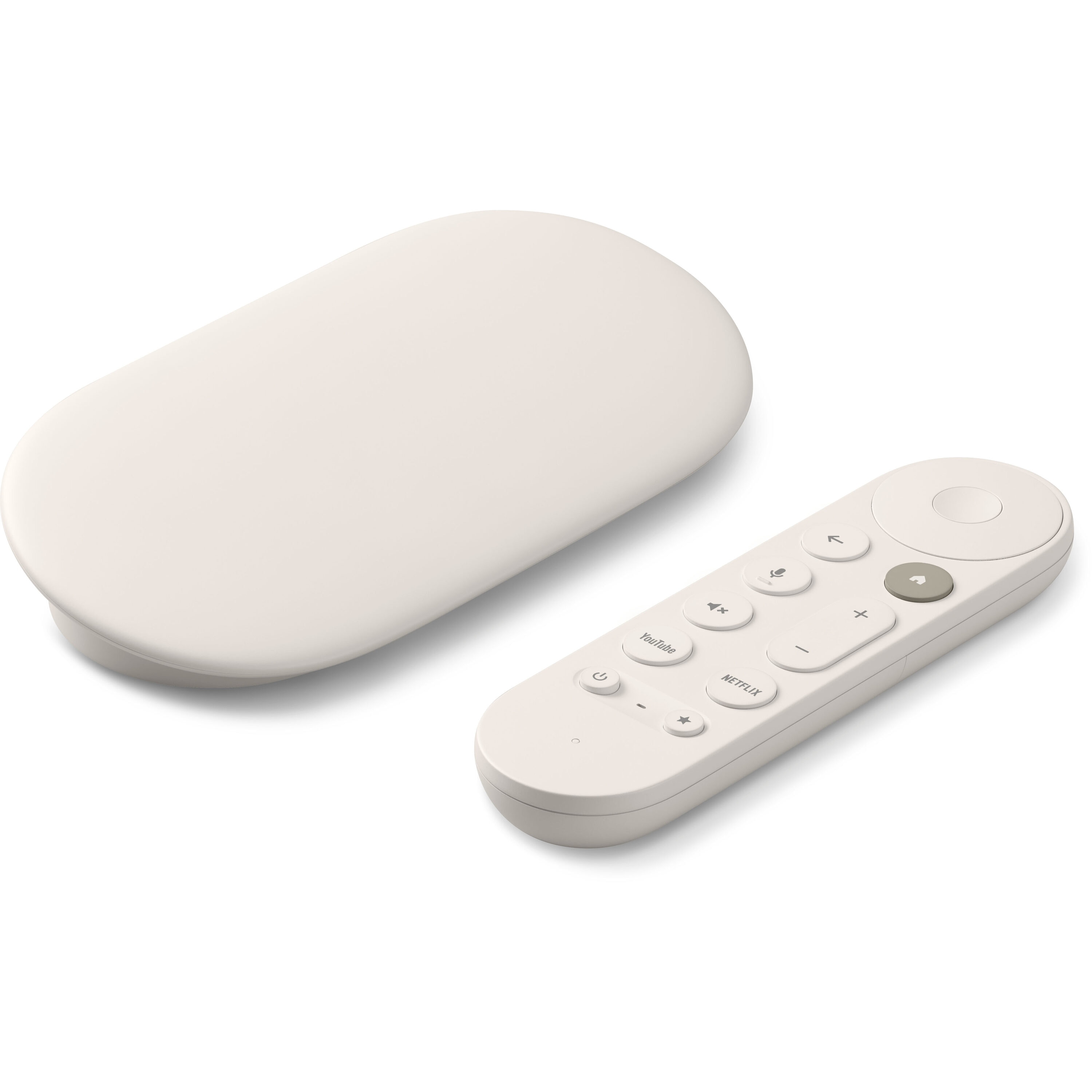
Roku Express 4K — The Wallet-Friendly Budget Pick
If you just want reliable 4K streaming without any extras and you're watching your spend, the Roku Express 4K delivers the same neutral Roku OS and 4K HDR support at a lower entry price than the Streaming Stick 4K+. You lose the remote's voice button and private listening jack, but the core streaming experience is solid. A great shout for a spare bedroom TV or for gifting. 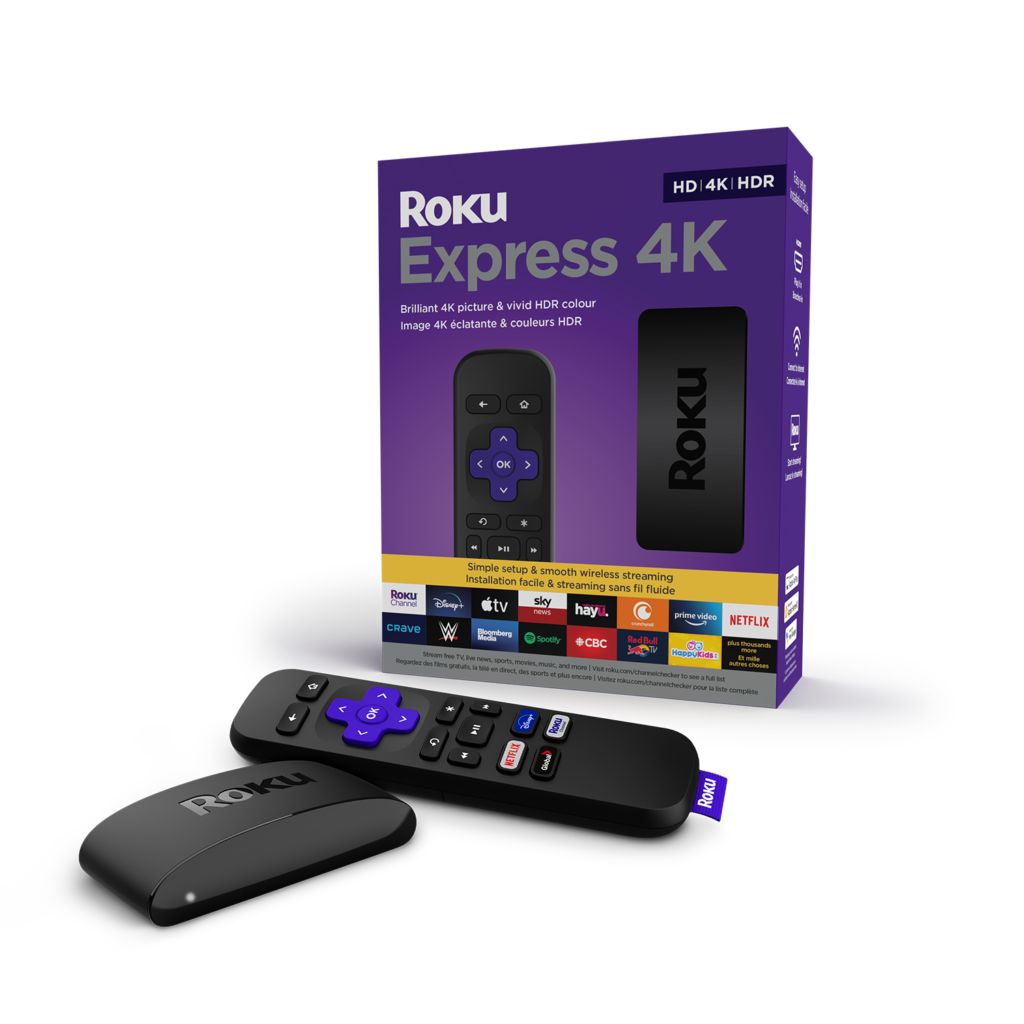
Our Verdict: Which 4K Streaming Device Should You Buy in 2026?
There's no single wrong answer here — each device genuinely suits different people. Here's the short version:
- Buy the Roku Streaming Stick 4K+ if you use multiple streaming services and want a neutral, ad-light experience at a fair price.
- Buy the Fire TV Stick 4K Max if you're a committed Amazon Prime member, have Alexa speakers at home, or want the fastest stick-form streamer with Wi-Fi 6E.
- Buy the Apple TV 4K if you're deep in the Apple ecosystem, want the absolute best performance, and value an ad-free, premium interface — and the price doesn't put you off.
Our top recommendation for most people is the Amazon Fire TV Stick 4K Max — it threads the needle between price, performance, and features better than any other stick in 2026. But if you already own several Apple devices, spending up on Apple TV 4K is one of those purchases you won't regret.
👉 Check the best price on the Fire TV Stick 4K Max todayFree returns · No extra cost to you · Prices update daily
Prices and availability correct at time of writing — always confirm the latest details before purchasing. Specs listed are based on publicly available manufacturer information and may be updated by manufacturers without notice.