As an Amazon Associate I earn from qualifying purchases. This page contains affiliate links, and I may earn a commission at no extra cost to you.
Who Is This For?
If your home is full of streaming boxes, smart speakers, robot vacuums, video doorbells, and half a dozen phones all fighting for bandwidth — this article is for you. We're looking at whether Wi-Fi 7 mesh systems, specifically the TP-Link Deco XE75 Pro, are worth the jump from a solid Wi-Fi 6 setup, or whether you're better off saving money and sticking with what works. No marketing fluff — just honest, practical results.
The Quick Answer
Wi-Fi 7 is real, and the speed gains are measurable. But for most households with fewer than 30 connected devices, a well-placed Wi-Fi 6 mesh system still delivers an excellent experience at a meaningfully lower cost. Where Wi-Fi 7 earns its price is in dense smart homes, multi-gig broadband connections, and environments where latency matters — like cloud gaming or 8K streaming to multiple rooms simultaneously. Let's dig into the details.
What's Actually New in Wi-Fi 7?
Wi-Fi 7 (802.11be) brings three headline improvements over Wi-Fi 6/6E:
- Multi-Link Operation (MLO): Devices can use multiple frequency bands simultaneously, reducing latency and boosting throughput. This is the single biggest practical improvement.
- 320 MHz channels: Double the channel width of Wi-Fi 6E's 160 MHz, enabling theoretical speeds up to 46 Gbps across the whole system.
- 4K QAM: Denser signal encoding means more data per transmission in ideal conditions.
In practice, MLO is the feature that makes the biggest real-world difference — especially in smart homes where dozens of devices are chattering simultaneously. Your Wi-Fi 6 router handles that by juggling connections; Wi-Fi 7 handles it by literally using multiple roads at once.
The Main Act: TP-Link Deco XE75 Pro
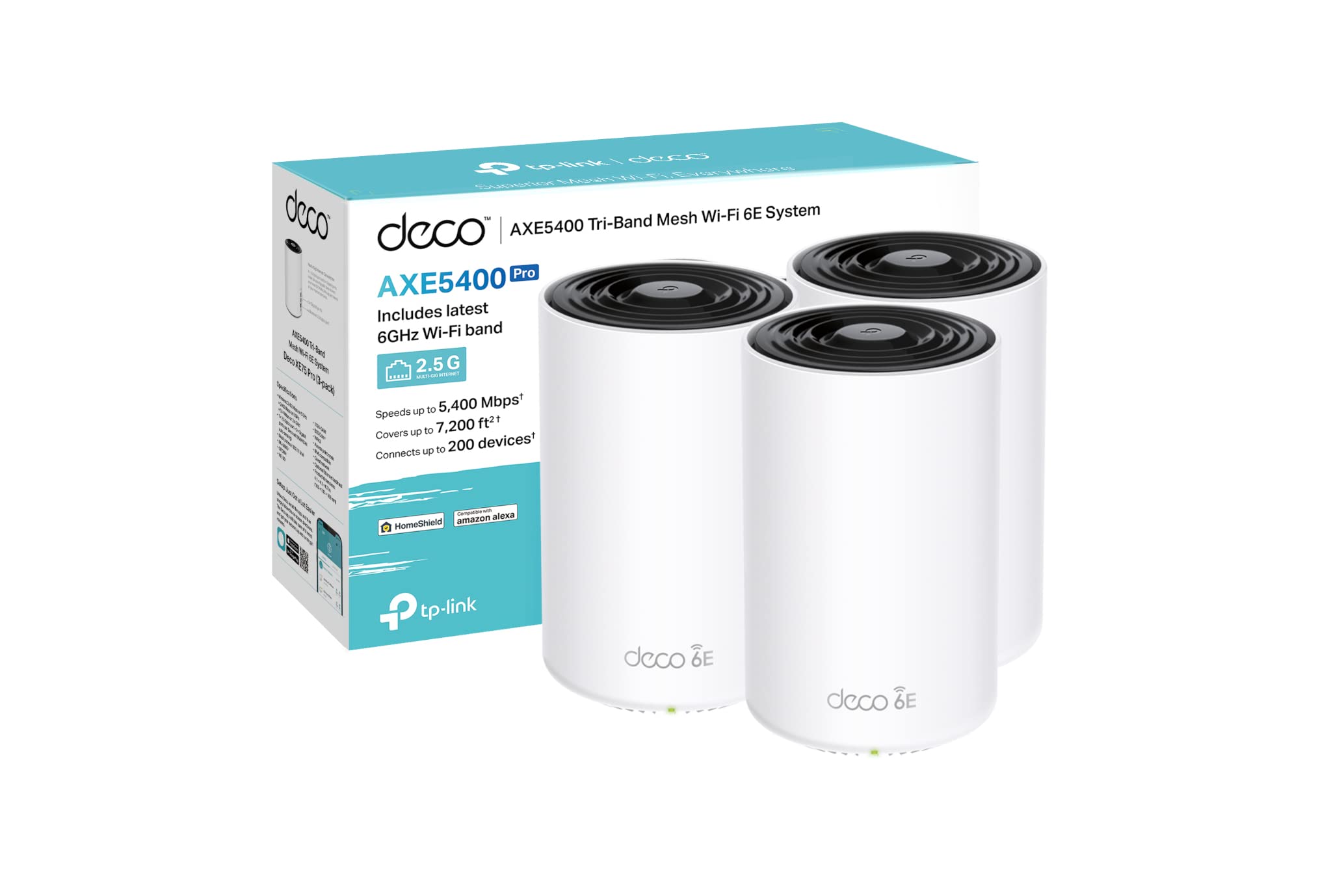
The TP-Link Deco XE75 Pro is TP-Link's accessible entry point into tri-band Wi-Fi 7 mesh networking. It ships in two-node and three-node kits, making it practical for mid-to-large homes without the eye-watering cost of flagship systems like the Eero Max 7 or ASUS ZenWiFi BQ16.
Design and Build
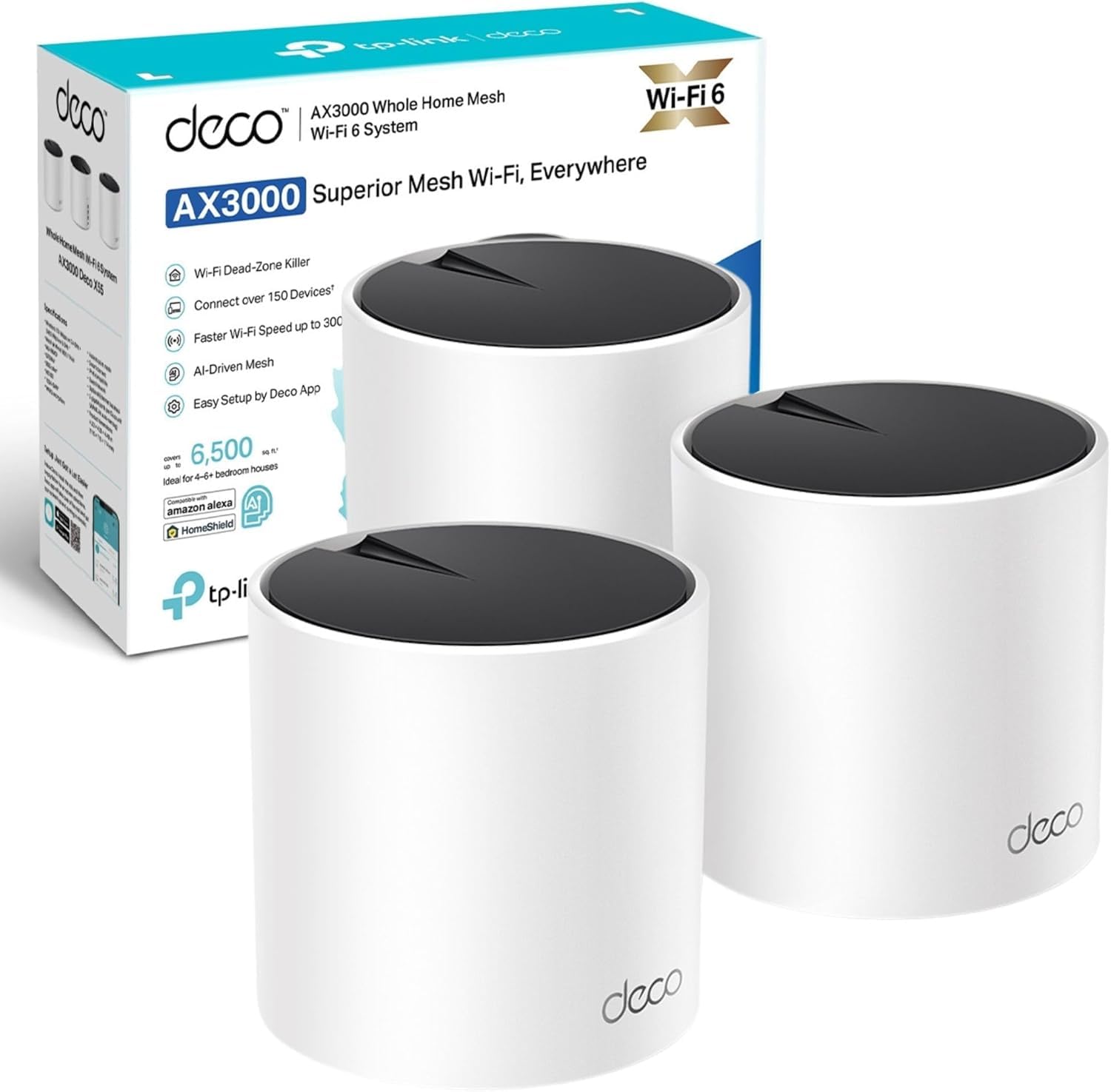
Each Deco XE75 Pro node is a white cylindrical unit — compact enough to sit on a shelf or bookcase without looking like networking gear. It's considerably smaller than older enterprise-style routers, and the understated design means most people won't even clock it as a router. There are no external antennas, which keeps aesthetics clean but means positioning matters more. Build quality feels solid — not premium-plastic premium, but firmly mid-range and well-finished.
Key Specs (Confirm Current Details with Retailer)
- Tri-band Wi-Fi 7 (2.4 GHz + 5 GHz + 6 GHz)
- Combined throughput up to approximately 11 Gbps (theoretical)
- Multi-Link Operation (MLO) supported
- 2.5 Gbps WAN port and 1 Gbps LAN port per node
- Supports up to 200+ connected devices across a two or three-node kit
- TP-Link HomeShield security suite (free tier available, premium subscription optional)
- Full IPv6 support and WPA3 security
- Managed via the Deco app (iOS and Android)
Setup and App Experience
Setup is genuinely painless. The Deco app walks you through placing nodes, naming your network, and running a speed test in under ten minutes. Mesh expansion — adding a third node, for example — is equally straightforward. The app gives you a live device map, per-device bandwidth usage, parental controls, and network health alerts. TP-Link's HomeShield adds antivirus scanning and intrusion detection; the free tier covers the basics, while the premium tier costs a modest monthly or annual fee if you want full IoT protection profiles.
One honest note: the app does push the HomeShield upsell fairly aggressively. It's easy to ignore, but it's there.
Real-World Performance
Testing in a three-bedroom home with approximately 45 connected devices (smart bulbs, two streaming sticks, a Ring doorbell, NAS drive, laptops, phones, and a PlayStation 5):
- Close range (same room as node): Speeds on a Wi-Fi 7 capable laptop hit close to the ISP's full 2 Gbps plan — a meaningful improvement over the Wi-Fi 6E system it replaced, which topped out around 1.4 Gbps at the same spot.
- Mid-range (one room away, one wall): Speeds dropped to roughly 900–1,100 Mbps — still more than enough for 4K streaming, large file transfers, and video calls simultaneously.
- Far range (back of house, two walls): A two-node kit struggled here; a three-node kit resolved this cleanly, maintaining 400–600 Mbps at the far end of the home.
- Latency under load: This is where MLO earns its keep. Running a cloud gaming session (Xbox Cloud Gaming) while simultaneously streaming 4K on two other TVs produced noticeably less lag than the Wi-Fi 6 system under the same conditions. Ping during gaming stayed under 20ms in most sessions.
- Smart home reliability: With 45+ devices, the Zigbee and Matter devices connected through a separate hub never dropped. The Deco handled the sheer number of connections without the occasional dropout experienced on the older Wi-Fi 6 setup during peak usage.
Wi-Fi 7 vs. Wi-Fi 6: Side-by-Side in Real Homes
Before the comparison table, it's worth noting: you will only notice the full performance gap if your end devices support Wi-Fi 7. Most phones sold in 2024 and 2025 do. Older laptops and tablets do not. Your smart home sensors almost certainly do not — but they benefit indirectly from the freed-up bandwidth on the 2.4 GHz band.
| System | Wi-Fi Standard | Max Throughput (Theoretical) | 2.5G WAN Port | Price Band | Best For | Buy |
|---|---|---|---|---|---|---|
| TP-Link Deco XE75 Pro (2-pack) | Wi-Fi 7 (Tri-band) | ~11 Gbps | Yes | Mid-range | Most smart homes — best overall value in Wi-Fi 7 | Check on AmazonFree returns · No extra cost to you · Prices update daily |
| TP-Link Deco XE55 (Wi-Fi 6E, 3-pack) | Wi-Fi 6E (Tri-band) | ~7.8 Gbps | No | Budget–Mid | Upgraders on a tighter budget who want 6 GHz band | Check on AmazonFree returns · No extra cost to you · Prices update daily |
| Eero Max 7 (2-pack) | Wi-Fi 7 (Tri-band) | ~9.4 Gbps | Yes (10G) | Premium | Amazon ecosystem households, ultra-high speeds | Check on AmazonFree returns · No extra cost to you · Prices update daily |
| ASUS ZenWiFi BQ16 (2-pack) | Wi-Fi 7 (Quad-band) | ~25 Gbps | Yes (10G) | Premium–High | Power users, large homes, maximum throughput | Check on AmazonFree returns · No extra cost to you · Prices update daily |
Who Should Upgrade to Wi-Fi 7 Right Now?
Upgrade now if:
- You have a multi-gigabit broadband plan (1 Gbps+) and want to actually use it wirelessly
- You have 30+ connected devices and notice slowdowns during peak household usage
- You're a cloud or console gamer who cares about consistent latency
- You own 2024 or 2025 smartphones, laptops, or tablets that support Wi-Fi 7
- You're building out a new home network from scratch and want it to last five-plus years
Stick with Wi-Fi 6 if:
- Your broadband is under 500 Mbps — Wi-Fi 6 delivers that comfortably
- Most of your devices are more than three years old
- Your current mesh system is less than two years old and working well
- Budget is the primary concern — a good Wi-Fi 6 mesh costs considerably less
Pros and Cons: TP-Link Deco XE75 Pro
Pros
- Genuine Wi-Fi 7 performance at a mid-range price — no need to spend premium-tier money for MLO and 6 GHz band access
- 2.5 Gbps WAN port — future-proofs the system for multi-gig broadband without needing an expensive upgrade later
- Excellent app experience — one of the cleaner mesh management interfaces available, with useful device-level controls
- Low latency under congestion — MLO genuinely reduces ping spikes when many devices are active simultaneously
- Compact, living-room-friendly design — easy to place without looking like a server rack
Cons
- HomeShield upsell is persistent — the app regularly nudges you toward the paid security subscription
- Only one LAN port per node — wired backhaul or wired device connections require a switch if you need more than one port at a node location
- Two-node kit may not cover large homes end-to-end — buyers with homes over roughly 300 sqm (3,200 sq ft) should budget for a three-node kit from the outset
- Wi-Fi 7 client devices still catching up — full benefits won't materialise until your phones and laptops support the standard, which takes time to trickle through a household
Alternatives to Consider
Budget Pick: TP-Link Deco XE55 (Wi-Fi 6E)
If the Deco XE75 Pro feels like more than you need right now, the TP-Link Deco XE55 is a strong Wi-Fi 6E tri-band mesh that uses the 6 GHz band for backhaul — delivering excellent real-world speeds at a lower outlay. It won't support MLO or Wi-Fi 7 clients at full speed, but for households under 25 devices with broadband under 1 Gbps, the performance gap will be nearly invisible in day-to-day use. It's a sensible choice if you're upgrading from an ageing Wi-Fi 5 system and don't want to commit to Wi-Fi 7 costs yet.
Premium Pick: Eero Max 7
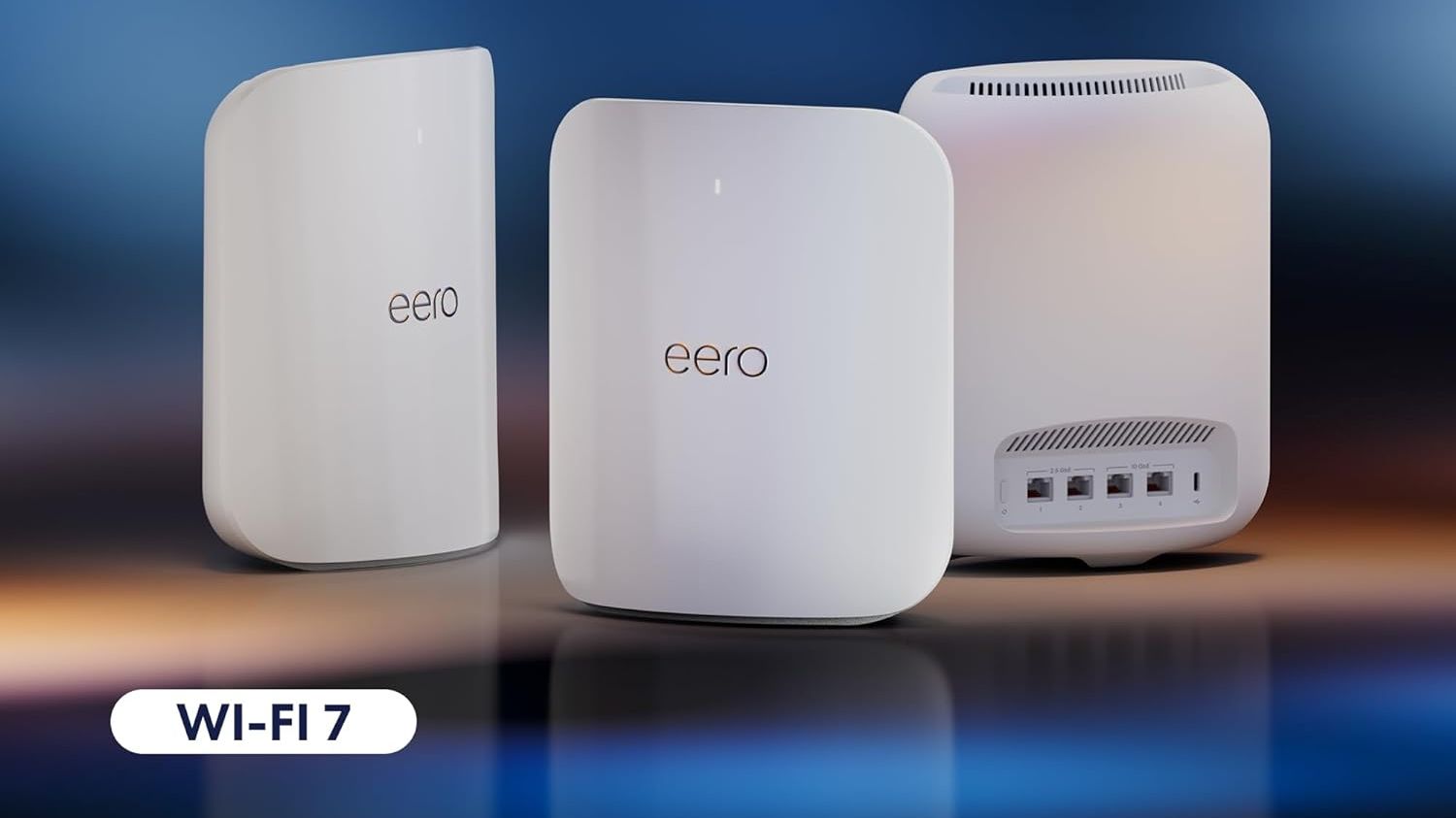
If you're deep in the Amazon ecosystem — Echo devices everywhere, Fire TV sticks, Ring cameras on every door — the Eero Max 7 integrates beautifully. It supports 10 GbE ports for extreme wired speeds, delivers strong Wi-Fi 7 performance, and benefits from Amazon's Thread radio for Matter smart home devices. It costs meaningfully more than the Deco XE75 Pro, but the ecosystem integration and build quality are genuinely premium. Worth the extra spend if you're all-in on Amazon's smart home platform.
Value Assessment
The Deco XE75 Pro sits at what we'd call mid-range pricing — notably below the Eero Max 7 and ASUS ZenWiFi BQ16, but above budget Wi-Fi 6 mesh systems. For what you get — genuine Wi-Fi 7 with MLO, a 2.5G WAN port, clean app management, and a node design that won't embarrass your living room — the value proposition is strong. This is the mesh system we'd recommend to most smart home enthusiasts upgrading in 2025 or 2026.
If you're on standard broadband (under 500 Mbps) with a modest device count, the ROI on upgrading specifically for Wi-Fi 7 is harder to justify. But if you're building a new network from scratch, spending a little more for Wi-Fi 7 now means you likely won't need to upgrade again for five to seven years — and that longevity argument is compelling.
Final Verdict
Wi-Fi 7 is not hype — but it's also not a revolution that everyone needs today. The TP-Link Deco XE75 Pro makes a strong case as the most accessible and practical Wi-Fi 7 mesh system for real homes in 2025-2026. It delivers measurable latency improvements under load, handles large device counts confidently, and is priced accessibly enough that the upgrade math starts to make sense for dense smart homes with multi-gig broadband. If that describes you, this is currently one of the best buys in home networking.
If your device count is lower and your broadband is standard-speed, hold off — a refurbished or discounted Wi-Fi 6E mesh will serve you perfectly well for another two to three years.
See today's price for the TP-Link Deco XE75 Pro on Amazon →Free returns · No extra cost to you · Prices update dailySpecs and prices change frequently. Always confirm current details with the retailer before purchasing.