As an Amazon Associate I earn from qualifying purchases. This page contains affiliate links, and I may earn a commission at no extra cost to you.
Most educational toys end up gathering dust in a cupboard within forty-eight hours of unboxing. Coding robots are particularly prone to this fate when parents buy either an oversimplified toy that offers zero lasting challenge or an intimidating, fragile gadget that requires an engineering degree to configure. Finding the sweet spot means matching the robot to your child's genuine cognitive stage, their patience level, and your household's tolerance for screen time.
Whether you want a durable, screen-free companion for a five-year-old or an advanced sensor-packed sphere capable of running real Python syntax, today's market has matured significantly. Rather than flashy gimmicks with single-button party tricks, the best options provide structured learning paths that grow alongside a child's problem-solving skills. Based on technical specifications, educational curriculum standards, and verified owner feedback, this guide examines the three leading coding robots available today to help you spend your money wisely.
Quick Comparison: Top Coding Robots
The table below provides a quick overview of how the top contenders stack up across core hardware features, coding methods, and price bands.
| Robot | Target Age | Coding Style | Price Band | Best Attribute | Buy |
|---|---|---|---|---|---|
| Sphero BOLT | 8+ to Adult | Draw, Scratch Blocks, Python/JS | Premium (Around $180) | Advanced sensors & clear shell | Check today's price on Amazon |
| Wonder Workshop Dash | 6 to 11 Years | Blockly, Wonder, Path (Visual) | Mid-to-High (Around $150) | Expressive personality & voice | Check today's price on Amazon |
| Learning Resources Botley 2.0 | 5 to 9 Years | Remote Programmer (100% Screen-Free) | Budget (Around $65) | No tablets or app updates needed | Check today's price on Amazon |
What to Look for Before Buying a Coding Robot
Before pulling out your credit card, you need to understand the structural differences between these devices. Buying the wrong tier leads directly to frustration.
Screen-Free vs App-Enabled Ecosystems
The first major fork in the road is hardware dependency. Screen-free robots rely on tactile remotes, physical coding cards, or tile sequences. They eliminate digital distractions and keep younger children focused entirely on spatial logic, directional sequences, and obstacle avoidance. App-enabled robots, conversely, unlock exponential flexibility: they allow nested loops, conditional logic (if/then statements), variable tracking, and sensor feedback. If your goal is preparing an older child for computer science, an app-connected robot is essential.
Progression and Lifespan
A good coding robot should not become obsolete the moment your child grasps simple linear sequencing. Look for robots that offer tiered programming modes. The best ecosystems offer a progression path that starts with visual path drawing, advances to block-based coding (such as Google Blockly or Scratch), and eventually opens up text-based syntax like JavaScript and Python. If a robot only supports one rigid input method, its realistic window of interest is measured in weeks, not years.
Durability and Power Delivery
Robots roll off tables, crash into skirting boards, and get stepped on. Polycarbonate or high-grade ABS construction is non-negotiable. Pay attention to battery architecture as well: sealed lithium-ion cells with inductive or USB charging are far more convenient than disposable AAA batteries, though disposable batteries mean you never have to wait two hours for a recharge mid-play session.
Sphero BOLT: The Unrivalled Powerhouse for Serious Learners
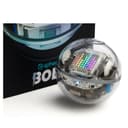
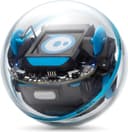
The Sphero BOLT App-Enabled Robot sits at the pinnacle of educational consumer robotics. Housed within a completely sealed, scratch-proof clear plastic sphere, BOLT lets learners look directly at the inductive charging coil, motor drives, gyroscope, and processor board humming inside. It turns abstract computing concepts into immediate, physical reality.
Design and Hardware Specifications
What sets the BOLT apart from lesser rolling spheres is its remarkable sensor suite. Inside the waterproof shell, Sphero packed an ambient light sensor, an accelerometer, a magnetometer (digital compass), a gyroscope, and 360-degree infrared communications that allow multiple BOLT units to talk to each other. Dominating the top hemisphere is an 8x8 programmable LED matrix. This display can be coded to present directional arrows, scrolling text messages, animations, or real-time sensor output like current speed.
Power is handled via an inductive charging cradle. You simply drop the ball into the cup, eliminating fragile USB ports that young children might damage. Sphero rates the internal battery for more than 4 hours of continuous active drive time—drastically outlasting the 45-minute limits typical of cheaper remote toys.
Coding Environment and Flexibility
The Sphero Edu app remains the gold standard in educational software. It supports three distinct modes of interaction:
- Draw: Younger beginners draw continuous paths on screen that BOLT translates into speed and directional vector coordinates.
- Blocks: An intuitive Scratch-like canvas where students drag and drop loops, logic operators, colour selectors, and sensor readouts.
- Text: A fully featured JavaScript and Python coding window where users can write, debug, and execute actual syntax.
Because the app connects to an active global community of educators, owners gain instant access to thousands of ready-made challenges, math games, obstacle courses, and physics simulations.
Trade-Offs and Limitations
The BOLT is not without quirks. Because it is a smooth sphere rolling on internal counterweights, it requires a quick calibration ("aiming") step via Bluetooth every time you place it down to establish which direction is forward. Furthermore, while the waterproof shell makes it nearly indestructible, it struggles on deep-pile carpets where traction drops substantially compared to hard floors or commercial tiles.
Wonder Workshop Dash: The Engaging Personality Engine
If Sphero BOLT is the precise instrument for aspiring engineers, the Wonder Workshop Dash Coding Robot is the character-driven tutor designed to captivate younger primary school children. Deployed in tens of thousands of elementary classrooms worldwide, Dash combines physical expression with approachable robotics.
Design and Mechanical Character
Dash features a distinct three-wheeled pyramid base topped with an independently articulating head. Unlike basic wheeled carts, Dash can nod, look around, turn towards sound, and express recognisable behavioural states through illuminated LED eye rings and multi-colour chest lights. It ships fully assembled right out of the box, accompanied by building brick connectors that let kids snap on their own Lego blocks to build bulldozers, launchers, or custom carriages.
Hardware includes real-time obstacle detection sensors on the front and rear, dual drive motors for tight zero-radius turns, internal microphones to detect claps or spoken voice commands, and an integrated speaker. The rechargeable battery delivers up to 5 hours of continuous play via micro-USB charging.
Software Suite and Usability
Wonder Workshop divides the learning curve across a suite of standalone apps (available on iOS, Android, and Fire OS):
- Go & Path: Introductory apps allowing children to steer Dash, change light patterns, record custom voice sounds, and map out simple path tracks with visual cues.
- Blockly: The core educational workspace where kids drag drag-and-drop code blocks to build complex conditional behaviour, such as instructing Dash to patrol a hallway, halt if an obstacle appears within 20cm, sound an alarm, and retreat backwards.
- Wonder: A state-machine canvas that conceptualises coding as an interconnected web of behaviours rather than traditional linear lines of code.
Trade-Offs to Consider
Dash does not support text-based programming (such as Python or JavaScript), making it less suitable for teenagers or advanced middle-school students. Additionally, Wonder Workshop has shifted certain premium instructional challenges and lesson packs behind subscription tiers, although the core coding apps remain free to use.
Learning Resources Botley 2.0: The Pure Screen-Free Logic Builder
For parents wary of handing another tablet or smartphone to a four- or five-year-old, the Learning Resources Botley 2.0 The Coding Robot is a breath of fresh air. It strips away apps, Bluetooth pairing menus, and screen glare entirely in favour of tactile, hands-on mechanical programming.
How Screen-Free Coding Works
Botley 2.0 is controlled via an included handheld Remote Programmer equipped with large, colour-coded directional buttons, an execute button, and modifier toggles. Children lay out visual coding cards or building tiles on the floor to plan their path, then punch the sequence of commands directly into the remote. Pressing the "Transmit" key sends the entire algorithmic string via infrared to Botley, who promptly executes the instructions step-by-step.
Despite having no screen, Botley 2.0 supports sophisticated computational fundamentals:
- Sequencing chains up to 150 individual steps.
- Object detection and avoidance modes with sound feedback.
- Black line tracking using downward-facing optical sensors.
- Night vision light sequences and dynamic colour-changing headlight eyes.
Build Quality and Power Considerations
Botley is constructed from chunky, high-impact plastic designed to withstand rough drops and direct toddler handling. It includes detachable robot arms that can push small balls or accessories across the floor. However, power management requires attention: Botley requires 3 AAA batteries, and the remote programmer requires 2 AAA batteries (5 total). There is no built-in rechargeable battery, so keeping rechargeable AAA cells on hand is strongly advised.
Alternatives to Consider
If none of these three main contenders fit your specific project or budget requirements, consider these established alternatives:
1. The Budget Screen-Free Alternative
If you love the screen-free concept of the Learning Resources Botley 2.0 but want an even simpler form factor for smaller preschool hands, look at basic screen-free coding mice or turtle bots. However, Botley 2.0 remains our primary recommendation in the sub-$70 band due to its massive 150-step memory buffer and object detection features.
2. The Modular Engineering Alternative
If your child is more interested in physical mechanics, gear ratios, and modular robotics than a pre-assembled rolling unit, explore programmable robotics kits that integrate motors and microcontrollers onto building block skeletons. Keep in mind that buildable kits require significantly more setup time before the first line of code can be tested.
Final Verdict and Recommendation
Choosing the right coding robot comes down to matching the interface with your child's age group and learning environment:
For children aged 8 and up—or any learner who wants to bridge the gap between block-based drag-and-drop programming and real-world Python/JavaScript—the Sphero BOLT App-Enabled Robot is our top overall pick. Its incredible internal sensor array, durable waterproof shell, and comprehensive Sphero Edu software give it unmatched longevity across elementary, middle, and high-school curriculums.
If you are shopping for a younger child between the ages of 6 and 10 who will respond best to an expressive, charming robot with personality and voice reactions, choose the Wonder Workshop Dash Coding Robot. It remains the friendliest introduction to classroom-grade visual coding.
Finally, if you want zero screen time, zero app updates, and a straightforward way to introduce 5- to 8-year-olds to spatial logic and sequencing, the Learning Resources Botley 2.0 The Coding Robot delivers outstanding value without touching a tablet.