As an Amazon Associate I earn from qualifying purchases. This page contains affiliate links, and I may earn a commission at no extra cost to you.
Choosing the Right Electronic Building Kit Without Wasting Your Cash
Buying an electronic building kit can feel surprisingly risky. Spend money on the wrong box, and you either end up with a pile of fragile components that require an engineering degree to understand, or a simplistic plastic toy that loses its appeal after twenty minutes. Finding the sweet spot comes down to matching the hardware with the builder's actual interest: pure circuit logic, real microcontrollers with C++ programming, or mechanical robotics.
Electronic kits generally fall into three distinct camps. First are snap-together modular boards, designed strictly for younger learners or absolute beginners wanting to see how circuits behave without dealing with breadboards or code. Second are microcontroller development bundles—centred around platforms like Arduino—which demand wiring discipline and text coding. Third are mechanical robotics kits that combine metal fabrication, sensors, and visual block programming.
This buying guide cuts through manufacturer marketing to evaluate four of the most popular, currently available kits. Based on published specifications, verified customer experiences, and component durability, here is how each option stacks up so you can spend your budget wisely.
Quick Comparison: 4 Leading Electronic Building Kits
| Kit Name | Target Skill Level | Key Hardware Highlight | Price Band | Our Verdict | Where to Buy |
|---|---|---|---|---|---|
| Snap Circuits Classic SC-300 | Beginner / Kids (Ages 8+) | 60+ snap-fit pieces, plastic grid, no tools required | Mid-range | The ultimate zero-friction introduction to basic analog and digital circuits. | Check today's price on Amazon |
| Official Arduino Starter Kit K000007 | Beginner to Intermediate Maker | Genuine Arduino Uno Rev3, 170-page project book, 12 projects | Premium | The gold standard for learning real microcontroller coding with authentic hardware. | Check today's price on Amazon |
| ELEGOO UNO R3 Project Super Starter Kit | Budget-Minded Beginner | UNO R3 clone board, 24 module types, sensor expansion | Budget | Unbeatable component-per-dollar value for self-directed tinkerers. | Check today's price on Amazon |
| Makeblock mBot Robot Kit | Ages 12+ / Robotics Enthusiast | Anodised aluminium frame, sensor suite, multi-model builds | Premium | Robust mechanical chassis ideal for transitioning from block coding to robotics. | Check today's price on Amazon |
Detailed Breakdown of Top Electronic Building Kits
1. Snap Circuits Classic SC-300 Electronics Exploration Kit
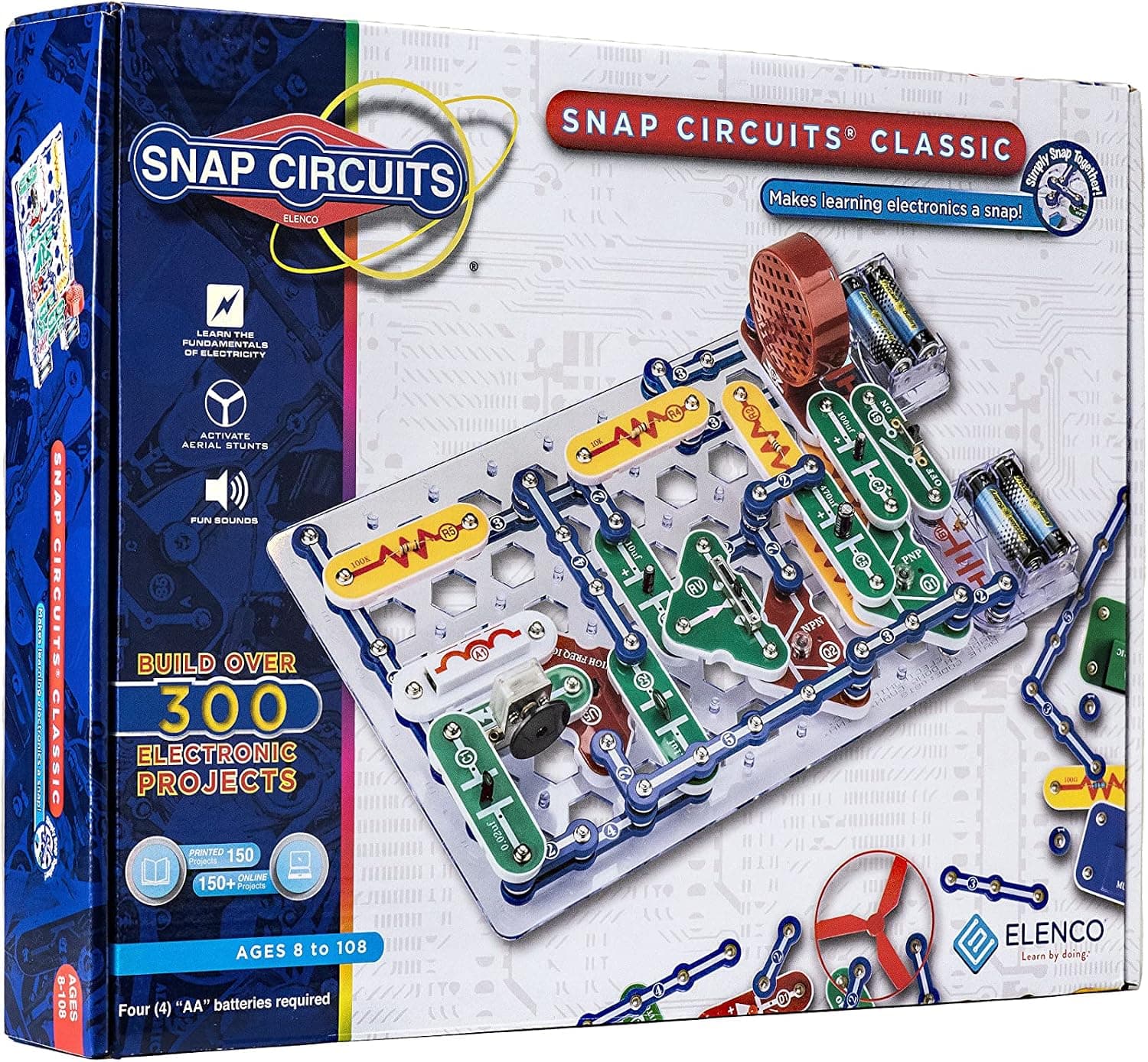
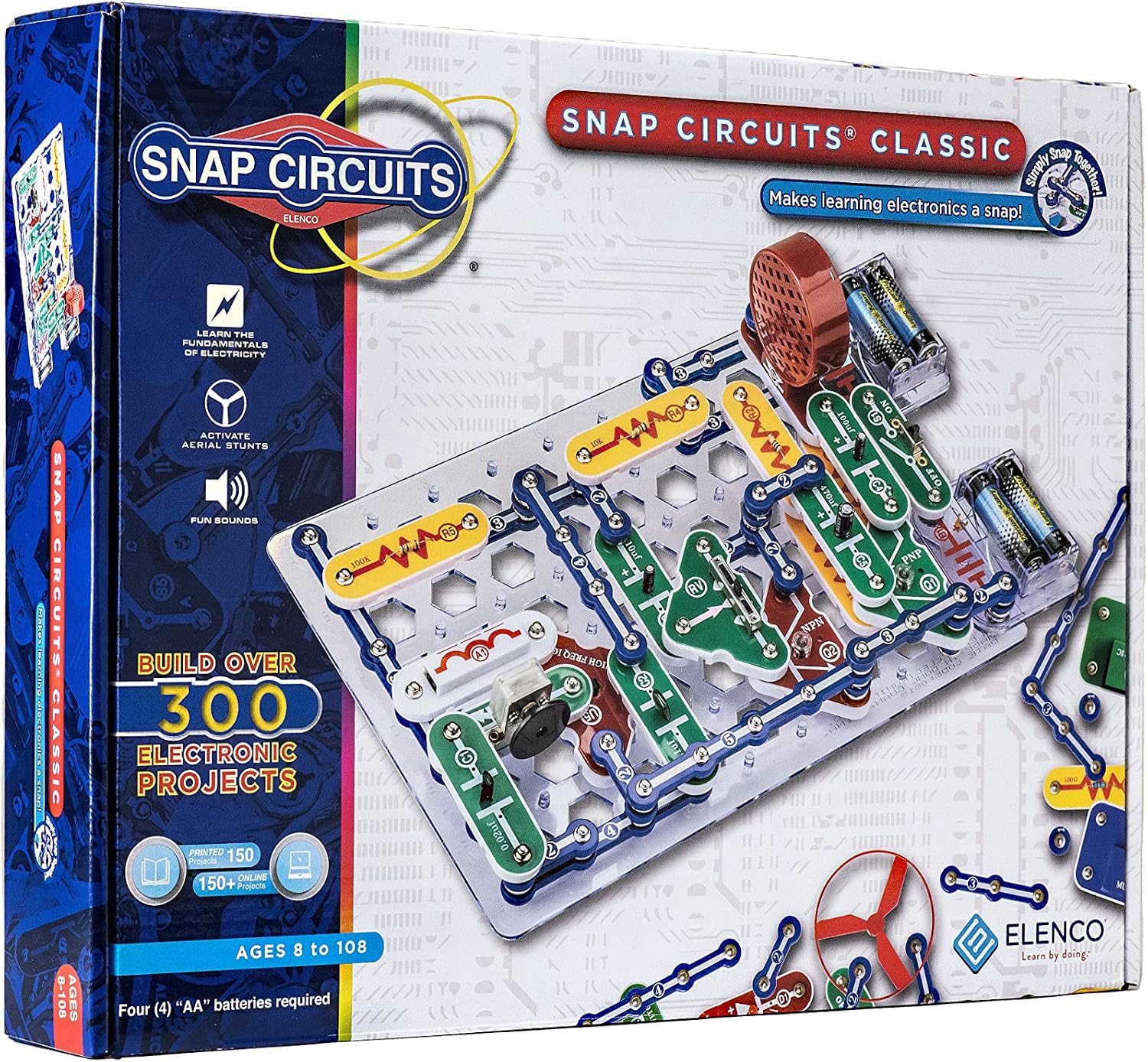
If you want to introduce electrical engineering principles to an eight-year-old or an adult who despises tiny jumper wires, the Check today's price on Amazon remains the standard by which all solderless beginner kits are judged. Built by Elenco, this kit eliminates breadboards entirely, replacing fiddly wires with robust plastic components that snap securely onto an interlocking base grid using metal press-stud connectors.
Design and Build Quality
The engineering behind Snap Circuits is remarkably clever. Each component—from slide switches and variable resistors to integrated speaker modules and transistors—is encased in colour-coded, heavy-duty ABS plastic. Components feature clear schematic symbols printed directly on their tops. The underlying metal snap connectors survive years of repeated assembly and disassembly without bending or losing contact integrity, solving the most common failure point of traditional educational kits.
Projects and Learning Value
The SC-300 includes over 60 individual components capable of building more than 300 distinct projects. The included full-colour instruction manuals walk builders through practical devices, including:
- Functional AM radio receivers
- Adjustable-tone burglar alarms
- Two-finger touch lamps and doorbells
- Visual sound-meter displays
- Light-controlled electronic music circuits
What sets this kit apart is immediate gratification. A child or beginner can snap a working circuit together in under three minutes, test it, and observe Ohm's law and current paths in real time. There is no software setup, no driver installation, and no debugging syntax errors.
Where It Falls Short
The primary limitation is open-ended programmability. The SC-300 is purely an electronics exploration kit, not a coding platform. Once a builder masters how the logic gates, capacitors, and switches interact, there is no native path to write custom software or control motors through script. Additionally, it requires four standard AA batteries, which are not included in the box.
- Pros: Zero tools or soldering required; indestructible snap connectors; over 300 guided circuit builds; fantastic full-colour manual.
- Cons: Lacks programming capabilities; requires separate AA batteries; fixed physical dimensions limit bespoke project enclosures.
2. Official Arduino Starter Kit K000007
For makers ready to cross the boundary into genuine microcontroller programming, the Check today's price on Amazon is widely considered the quintessential foundation. Unlike third-party clones that simply dump parts into a carton, this genuine Arduino kit is an end-to-end curriculum packaged with an Italian-manufactured Arduino Uno Rev3 board and a comprehensive 170-page project manual.
Hardware Integrity and Components
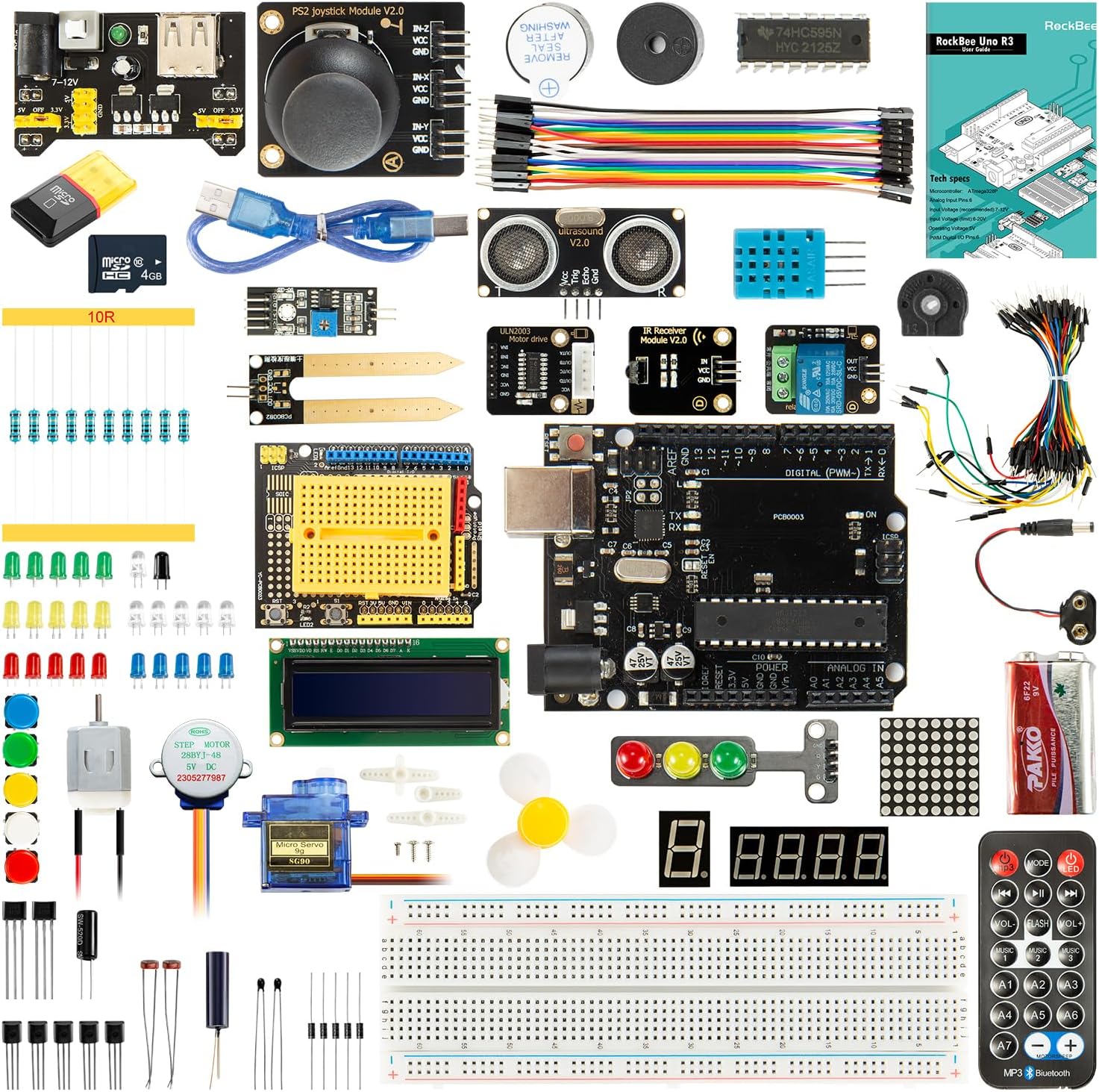
Inside the box, you receive an authentic ATmega328P-based Arduino Uno board, a solid breadboard, a sturdy wooden mounting base, and an extensive selection of discrete components: LEDs, pushbuttons, potentiometers, a temperature sensor, an LCD screen, a small DC motor, a servo, and tilt switches. Because the board is genuine Arduino hardware manufactured in Italy, component tolerances and USB serial driver compatibility are flawless across Windows, macOS, and Linux systems.
The Project Book: The Core Selling Point
You can buy cheap electronic loose parts anywhere, but the physical 170-page project book included here justifies the premium price. It covers 12 structured, hands-on projects that bridge the gap between basic electrical theory and C++ code. Rather than just asking you to wire up an LED, the book explains:
- How digital and analog inputs differ at the register level
- Pulse-width modulation (PWM) for motor and light dimming
- How to parse sensor values into readable data on an LCD display
- Constructing an interactive musical instrument (Theremin-style) using photoresistors
Drawbacks to Keep in Mind
The Official Arduino Starter Kit is priced at a noticeable premium compared to clone kits containing twice as many loose components. If you are already an experienced programmer or an electronics hobbyist who knows how to wire breadboards, you are paying for an introductory book you might not need.
- Pros: Genuine Italian-made Uno Rev3 board; exceptional step-by-step project book; immaculate component quality; instant IDE compatibility without weird USB drivers.
- Cons: Higher cost per component than third-party clones; breadboard jumpers require patience and fine motor skills.
3. ELEGOO UNO R3 Project Super Starter Kit
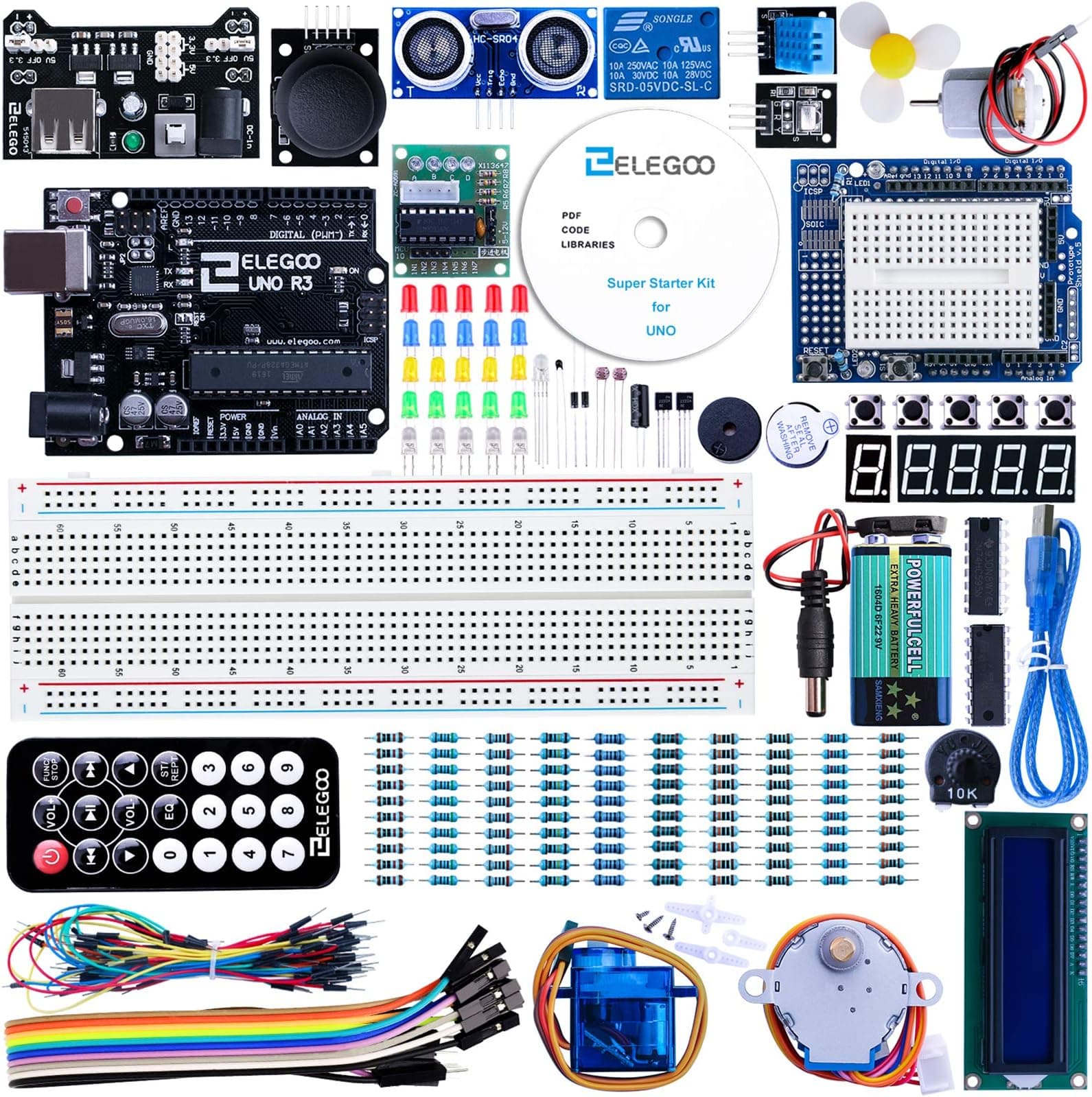
If you want the full Arduino microcontroller experience without paying for official branding and premium printed publishing, the Check today's price on Amazon represents the undisputed value benchmark in the maker community. ELEGOO has built a solid reputation for reliable microcontroller clones and modular expansion boards at budget-friendly price points.
Component Volume and Flexibility
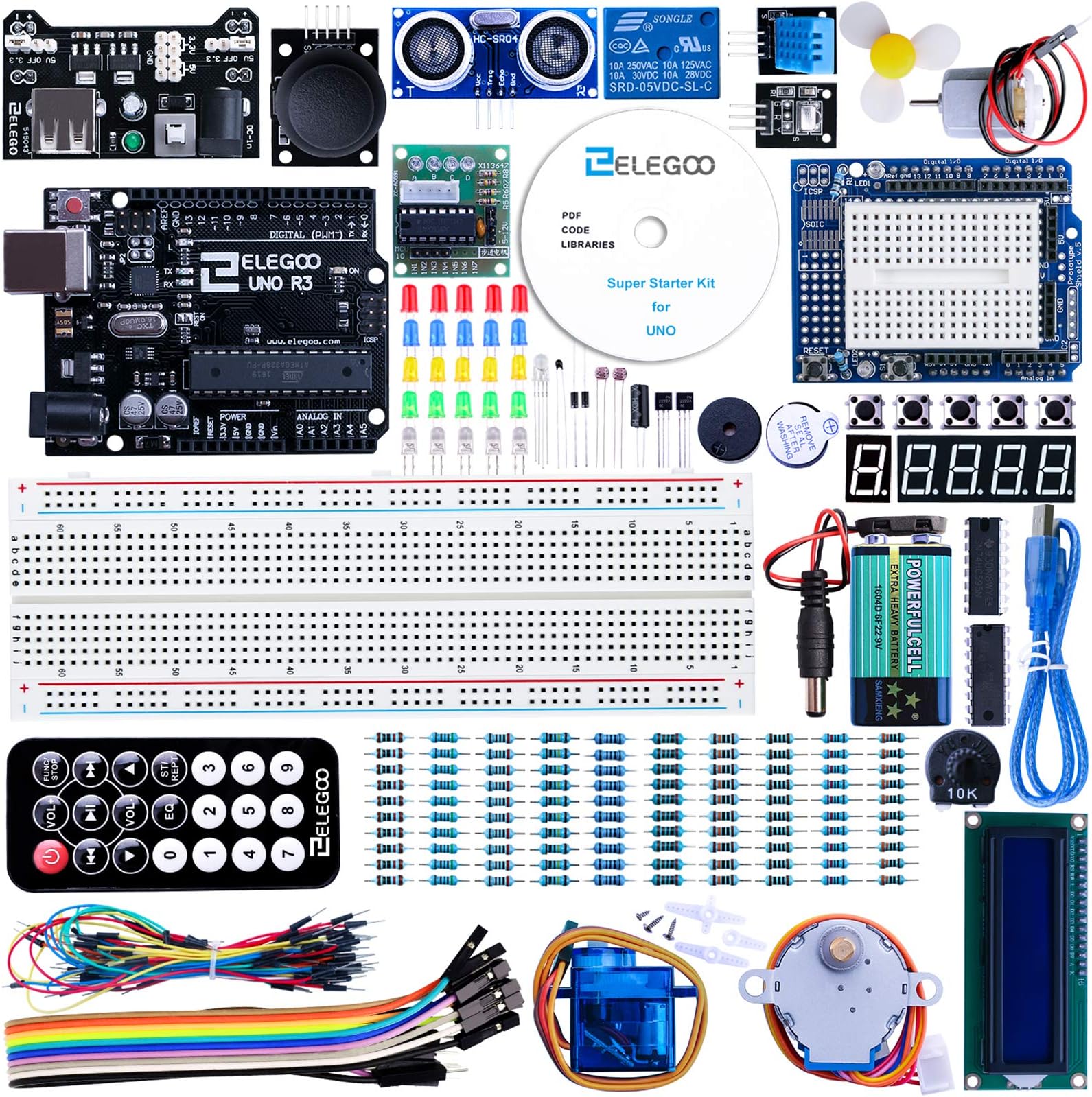
The kit centres around the ELEGOO UNO R3 board, which is fully compatible with the official Arduino IDE software and code libraries. Where ELEGOO wins is the sheer density of hardware included in the compact tackle-box style casing. You get 24 distinct module types, including:
- Ultrasonic distance sensor and infrared receiver with remote
- 5V relay module for controlling external high-voltage circuits
- Stepper motor with dedicated ULN2003 driver board
- 7-segment numeric displays and 1602 LCD module with pin headers
- Soil moisture/water level sensing board and sound detection module
Learning Curve and Documentation
Rather than a bound physical book, ELEGOO provides a digital archive (via downloadable PDF and code tutorials) containing over 20 structured lessons. The tutorials are clear and functional, guiding you through wiring diagrams and providing complete code sketches you can copy directly into the Arduino IDE.
Where It Cuts Corners
Because ELEGOO keeps costs low, the digital documentation occasionally contains rough English translations or minor typos in schematic diagrams. Additionally, the jumper wires and passive resistors are packed tightly in plastic bags without individual printed labels, meaning you will need to read resistor colour bands or use a multimeter to verify values before slotting them into the breadboard.
- Pros: Outstanding component-per-dollar ratio; includes complex modules like stepper motors and relays; 100% compatible with Arduino IDE; reusable storage box.
- Cons: Documentation is digital-only (PDF); component packaging requires sorting; instructions lack the polished pedagogical narrative of the official kit.
4. Makeblock mBot Robot Kit
For builders who find breadboards and raw resistors uninspiring and prefer seeing their creations physically roll across the floor, the Check today's price on Amazon shifts the focus directly onto robotics and mechanical integration. Designed primarily for ages 12 and up, this kit marries industrial-grade mechanical components with an accessible coding workflow.
Chassis and Mechanical Engineering
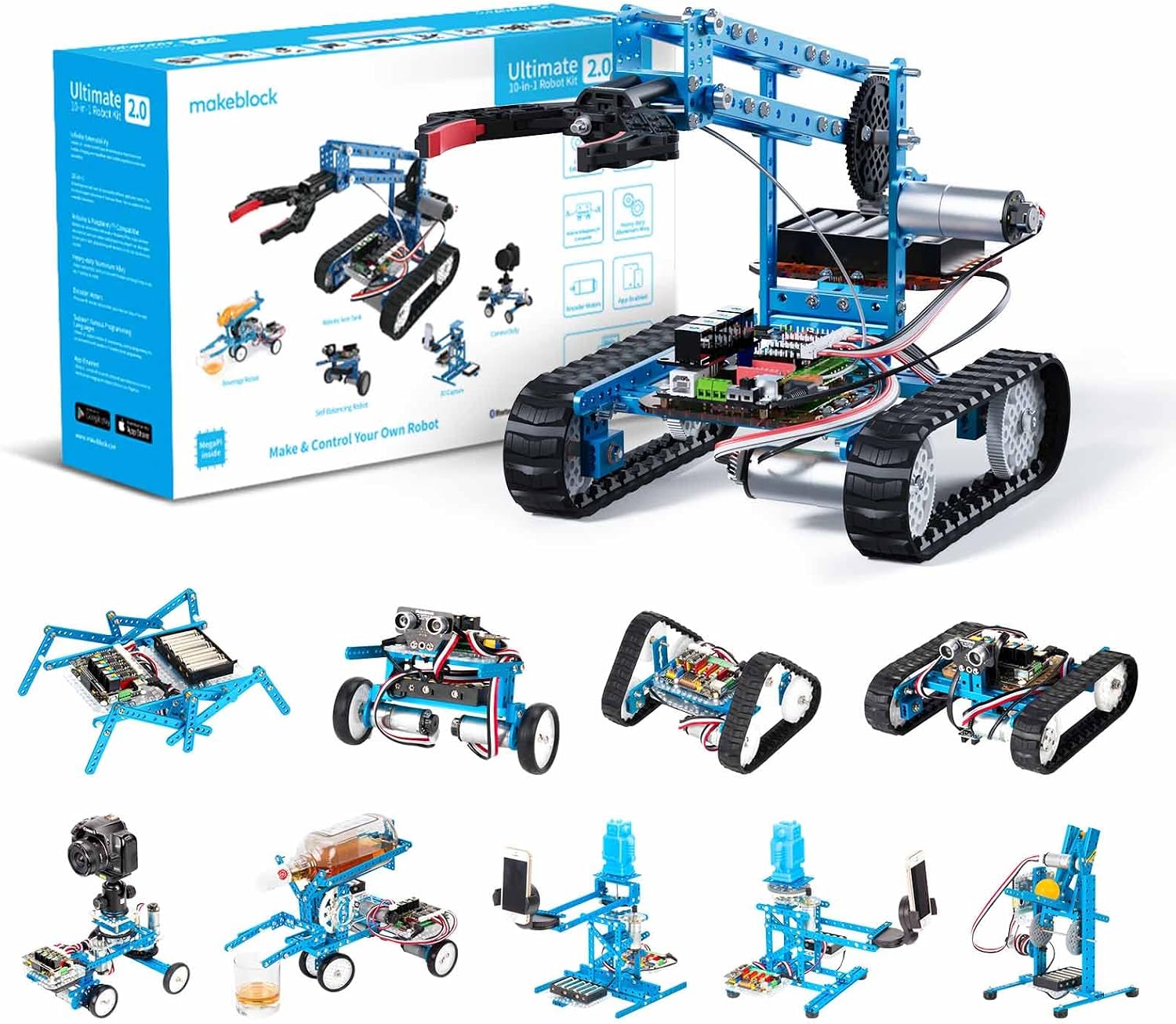
Unlike flimsy plastic robotics toys, the mBot utilizes high-strength, anodised aluminium alloy structural pieces featuring precision threaded grooves. The main controller is protected by a solid plastic shell that shields the PCB from dropped tools or clumsy fingers. The kit allows users to build up to 10 distinct physical configurations, ranging from a basic dual-wheel differential-drive rover to robotic arms and track-driven mini-tanks.
Sensors and Programming Ecosystem
The mBot is powered by an onboard microcontroller compatible with both Scratch-based block programming (via Makeblock’s mBlock software) and raw C++ / Arduino code. The hardware suite includes:
- Dual ultrasonic sensors for automated obstacle avoidance
- Dual optical line-following modules for navigating mapped tracks
- Integrated RGB LEDs, buzzer, and light sensor
- Bluetooth / 2.4GHz wireless connectivity for real-time mobile app and PC control
The progression path is exceptionally well thought out: a younger student can begin by driving the robot via a smartphone app, transition to drag-and-drop block coding to solve maze challenges, and eventually switch the interface to view and edit real text-based Arduino code.
Key Trade-offs
The mBot is the most expensive single kit featured in this guide. It is also tailored specifically toward mobile mechanical robotics rather than general electronic prototyping. If your goal is to learn how to design individual circuits, wire up discrete transistors, or build home automation sensors from scratch, the mBot is not the right tool.
- Pros: Heavy-duty aluminium construction; dual Scratch/Arduino coding support; multiple mechanical chassis designs; superb line-following and obstacle-avoidance sensors.
- Cons: Highest price band; focused purely on robotics rather than generic circuit design; requires proprietary expansion parts for larger custom builds.
What to Look for Before Buying an Electronic Building Kit
1. Breadboard Prototyping vs Modular Snapping
If you are buying for someone under the age of 10 or someone with limited patience for debugging loose connections, modular press-stud systems like Check today's price on Amazon prevent frustration. Breadboards are the industry standard for real circuit prototyping, but inserting delicate wire pins into tight contact tracks requires steady hands and a tolerance for troubleshooting when a wire sits one row off.
2. Coding Integration vs Hardware-Only Logic
Decide early whether coding is a requirement. Kits that focus strictly on hardware logic (switches, relays, resistors, timers) teach pure physics and circuit fundamentals. Microcontroller kits like the Check today's price on Amazon require a computer to write, compile, and upload code. If the user doesn't have regular access to a laptop or desktop PC, microcontroller kits will simply sit on a shelf gathering dust.
3. The Quality of the Project Guide
A box of 500 components is completely useless without structured guidance. Beginner makers do not fail because the silicon chips are broken; they fail because poor manuals leave them confused. The official Arduino manual and Snap Circuits guides are heavily illustrated, whereas budget alternatives like the Check today's price on Amazon rely on PDF downloads that demand more independent troubleshooting.
Alternatives to Consider
If none of the four core kits matches your exact requirements, consider these two alternative routes:
- For Pure High-End Robotics: If you want to scale up from basic educational rovers into complex mechanical systems with programmable arms and caterpillar treads, investigate advanced multi-model packages within the Check today's price on Amazon ecosystem, which offer greater motor torque and advanced sensor brackets for seasoned teens.
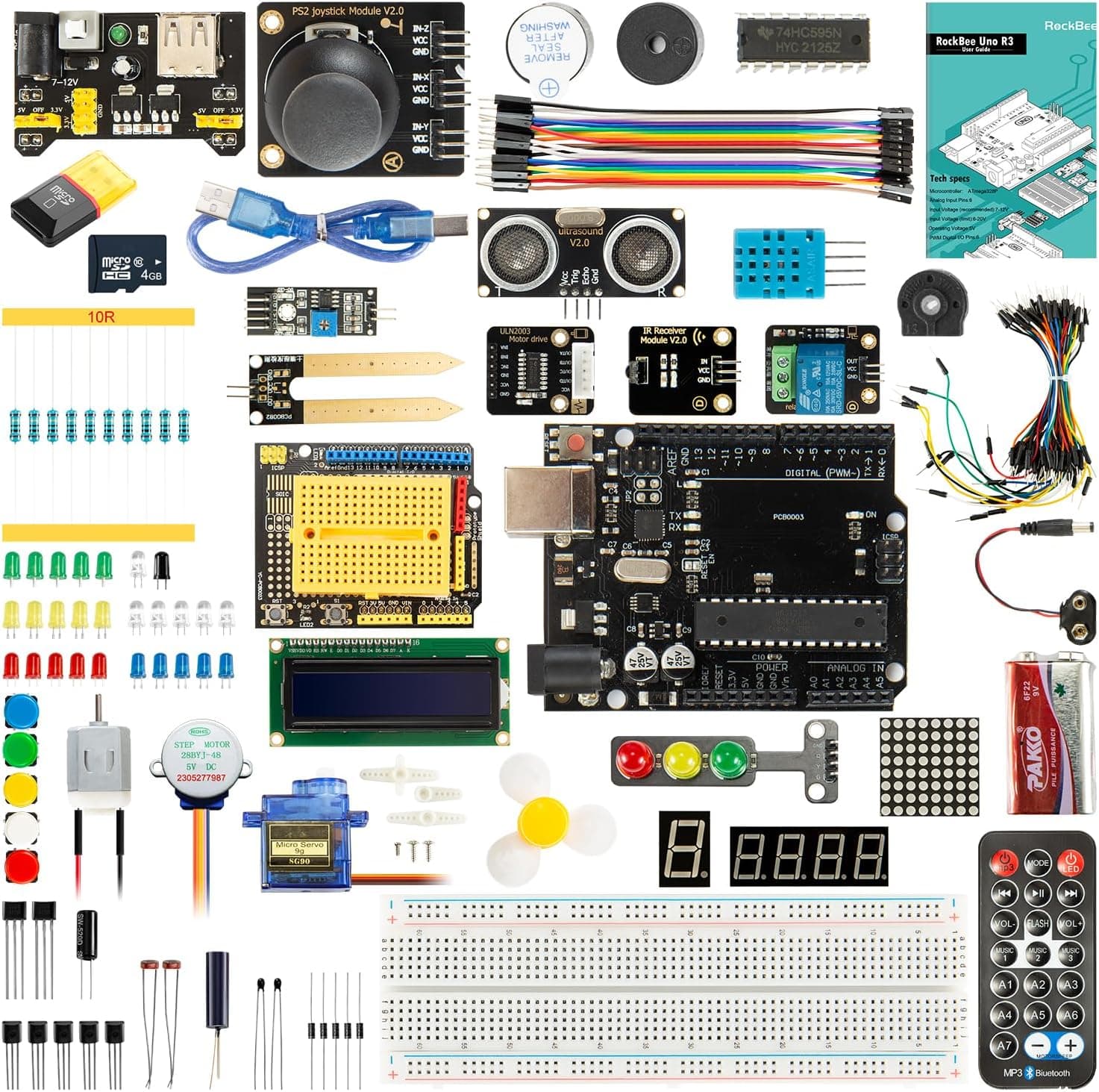
- For Minimalist Budget Breadboarding: If you already know the basics of programming and simply need a vast array of discrete sensors and jumper cables without paying for brand pedigree, the Check today's price on Amazon provides the highest sheer module count for any maker working on a strict budget.
Final Verdict
For younger learners and beginners who want to master circuit fundamentals without writing code or risking loose wire connections, the Snap Circuits Classic SC-300 remains the easiest recommendation. However, if the goal is to develop genuine, career-relevant programming and electrical prototyping skills, the Official Arduino Starter Kit K000007 earns our top pick. Its combination of an authentic, durable Italian Uno board and an expertly written physical project book makes the learning curve enjoyable rather than intimidating.