As an Amazon Associate I earn from qualifying purchases. This page contains affiliate links, and I may earn a commission at no extra cost to you.
Finding STEM Toys That Actually Build Skills (Without Rotting on a Shelf)
Most STEM kits sold today suffer from one of two fatal flaws: they are either boring assembly exercises that offer zero open-ended play after twenty minutes, or chaotic piles of plastic parts backed by confusing, buggy software. Buying an educational kit for a child or teenager requires balancing mechanical assembly, software accessibility, and long-term replay value.
A great robotics kit or building set should meet a young learner at their current skill level while providing a clear ramp toward more complex concepts. For absolute beginners, block-based visual coding and snap-together parts lower the barrier to entry. For teens and intermediate tinkerers, hardware compatibility with platforms like Arduino or text-based languages like Python and JavaScript provides a genuine foundation for computer science and mechanical engineering.
Based on published manufacturer specifications, educational curriculum standards, and verified feedback from parents and educators, we have analyzed six of the top-performing STEM kits available today. Whether you are looking for a screen-free structural physics builder or a rugged programmable robot ball, this guide outlines the real-world trade-offs, setup requirements, and learning outcomes for each set.
STEM Kits Comparison Summary
| Product | Key Specs | Price Band | Best For | Link |
|---|---|---|---|---|
| Makeblock mBot Coding Robot Kit | 15-min assembly, Block-to-Arduino coding, aluminum frame | Mid-Range | Beginner to intermediate robot coders | Check price on Amazon |
| Sphero BOLT | Programmable LED matrix, advanced sensors, inductive charging, 4+ hr battery | Premium | Classrooms and screen-based block/text coding | Check price on Amazon |
| ELEGOO Smart Robot Car Kit V4.0 | UNO R3 (Arduino) core, line-tracking, IR control, breadboard wiring | Budget-Friendly | Teens interested in electronics and true text coding | Check price on Amazon |
| LEGO Technic NASA Mars Rover Perseverance 42158 | High-grade ABS mechanical assembly, functional suspension, display focus | Premium | Mechanical construction enthusiasts and space buffs | Check price on Amazon |
| Sphero Mini Activity Kit | Ping-pong size, 28-pc construction set, bumper cover, obstacle accessories | Budget-Friendly | Younger kids starting out with basic app coding | Check price on Amazon |
| Thames & Kosmos Structural Engineering | 285+ pieces, 20 models, 36-page manual, zero batteries needed | Mid-Range | Hands-on physics and structural architectural building | Check price on Amazon |
Detailed Breakdown of the Top STEM Kits & Building Sets
1. Makeblock mBot Coding Robot Kit
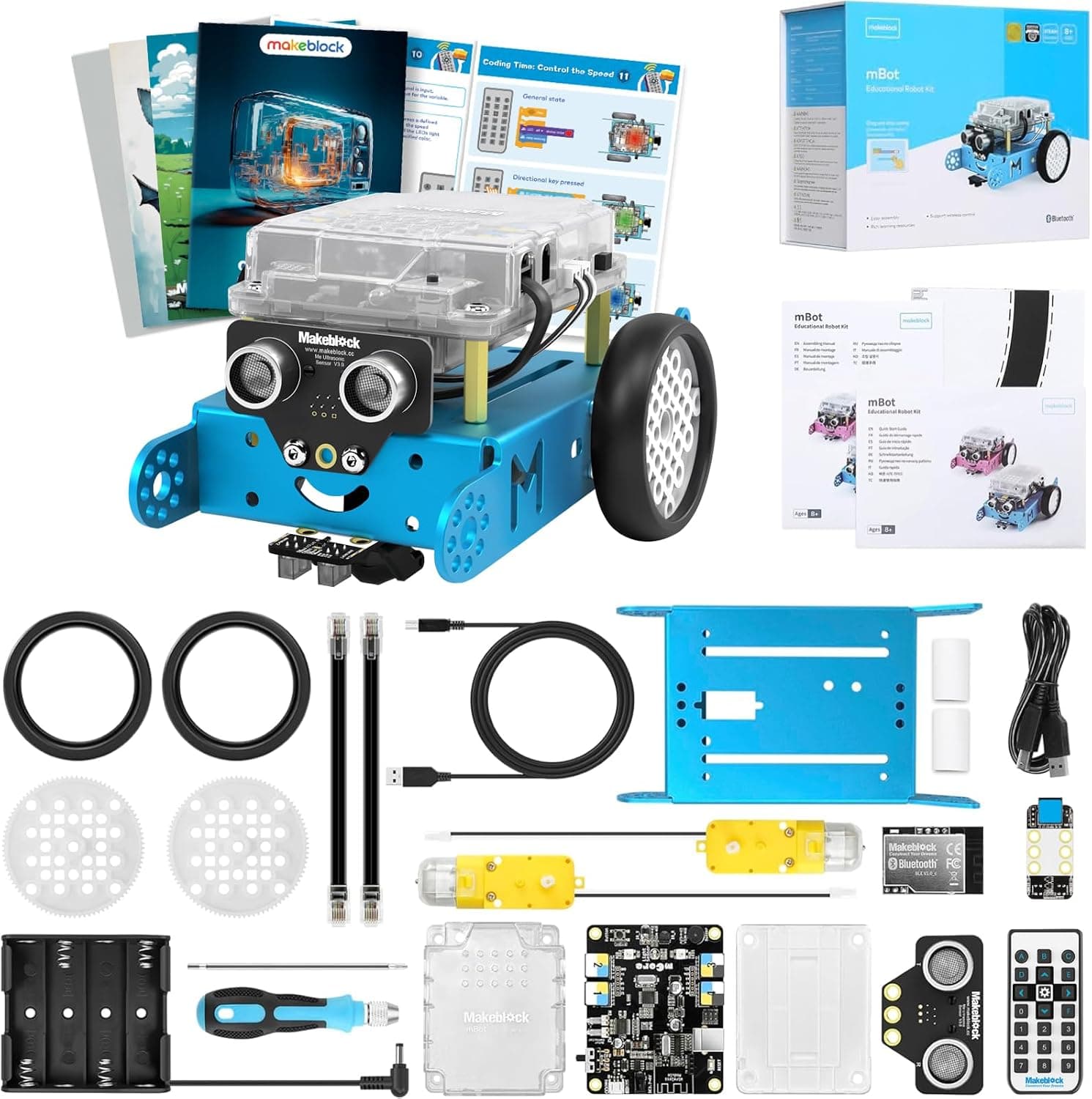
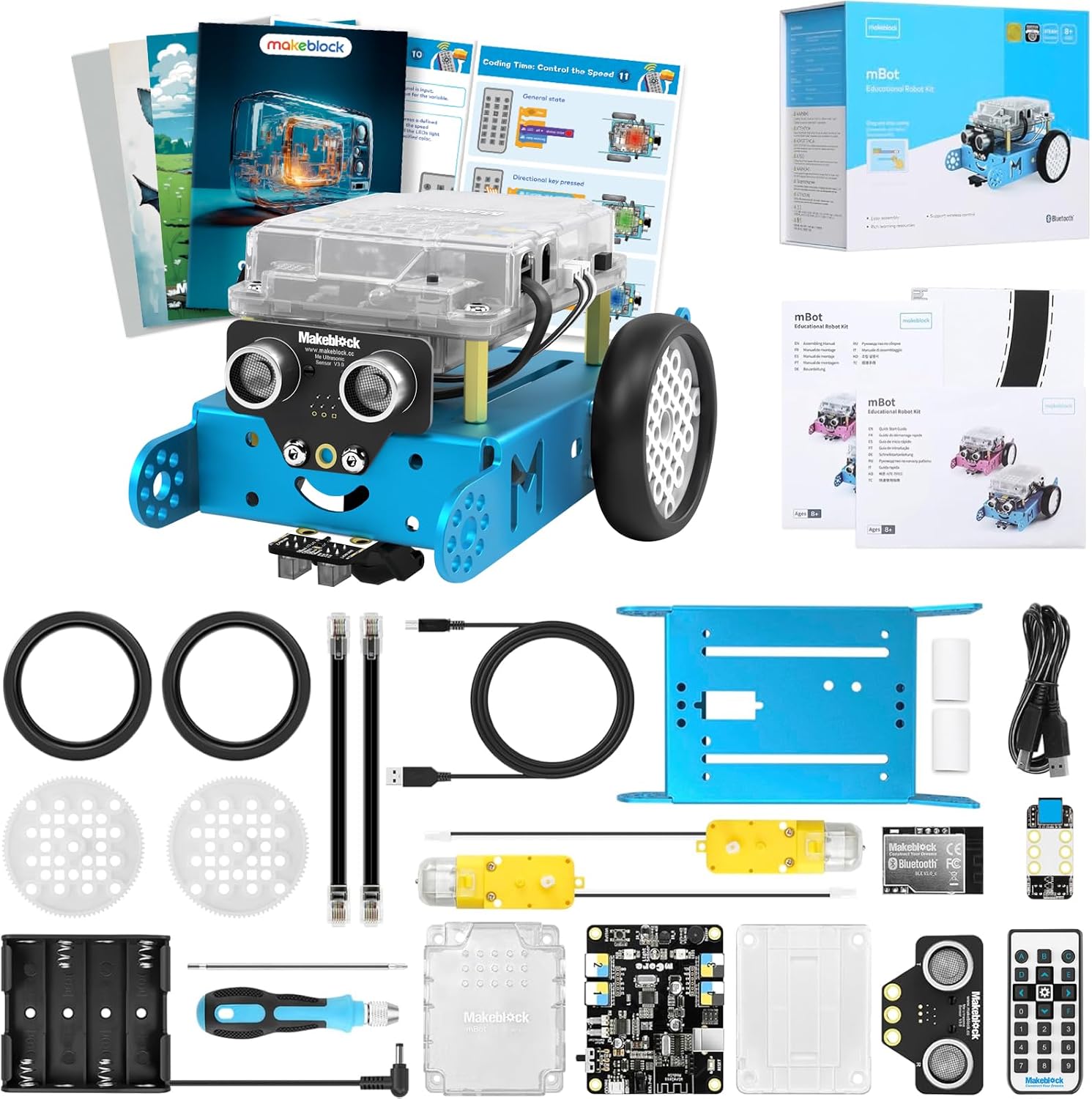
The Makeblock mBot Coding Robot Kit is widely regarded in educational technology circles as one of the most accessible entry points into physical computing. Built around a sturdy, anodized aluminum chassis, the mBot is designed to endure accidental drops and rough play far better than all-plastic alternatives.
Assembly is remarkably straightforward. Manufacturer documentation notes that the robot can be fully built in approximately 15 minutes using the included dual-purpose screwdriver and clear visual diagrams. This quick hardware build prevents young builders from suffering setup fatigue before they even open the coding app. Once assembled, the kit features four main operational modes out of the box: line-following, ultrasonic obstacle avoidance, manual infrared remote control, and custom programmable routines.
Software integration is where the mBot excels. The software interface utilizes block-based coding (derived from Scratch) that allows kids to drag and drop logic sequences. As confidence grows, the platform allows users to toggle the view to display actual C++ and Arduino code side-by-side with their visual blocks. This bridge between playful visual logic and syntax-driven programming makes it an exceptional tool for pre-teens.
Pros:
- Extremely durable blue aluminum alloy structure
- Fast 15-minute mechanical assembly with clear step-by-step instructions
- Seamless software progression from block coding to Arduino C++
- Rich expansion ecosystem available for future upgrades
Cons:
- Requires standard AA batteries unless you buy a separate lithium battery pack
- App interface can occasionally suffer connection stutters on older tablets
2. Sphero BOLT App-Enabled Robot Ball
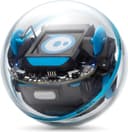
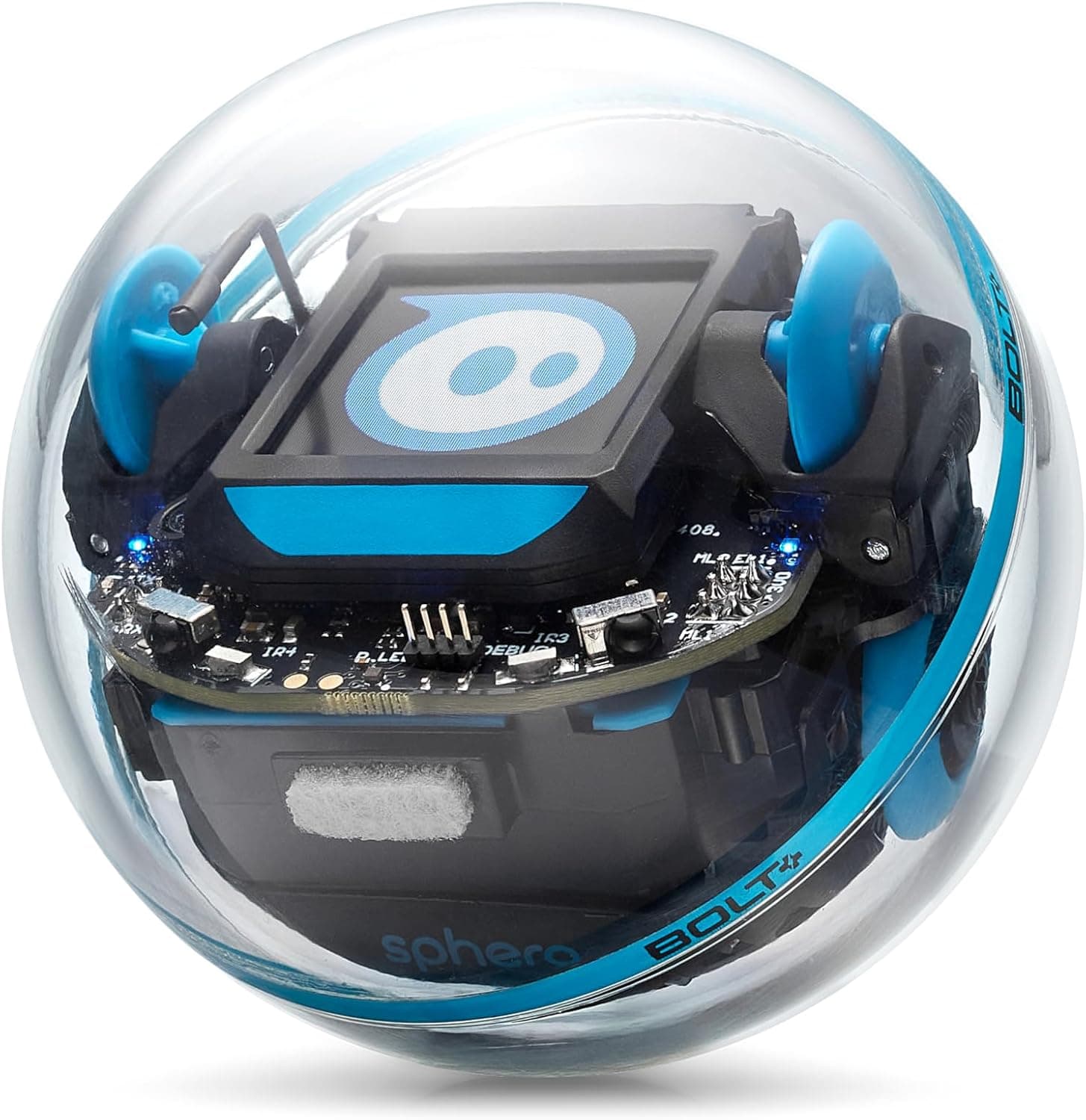
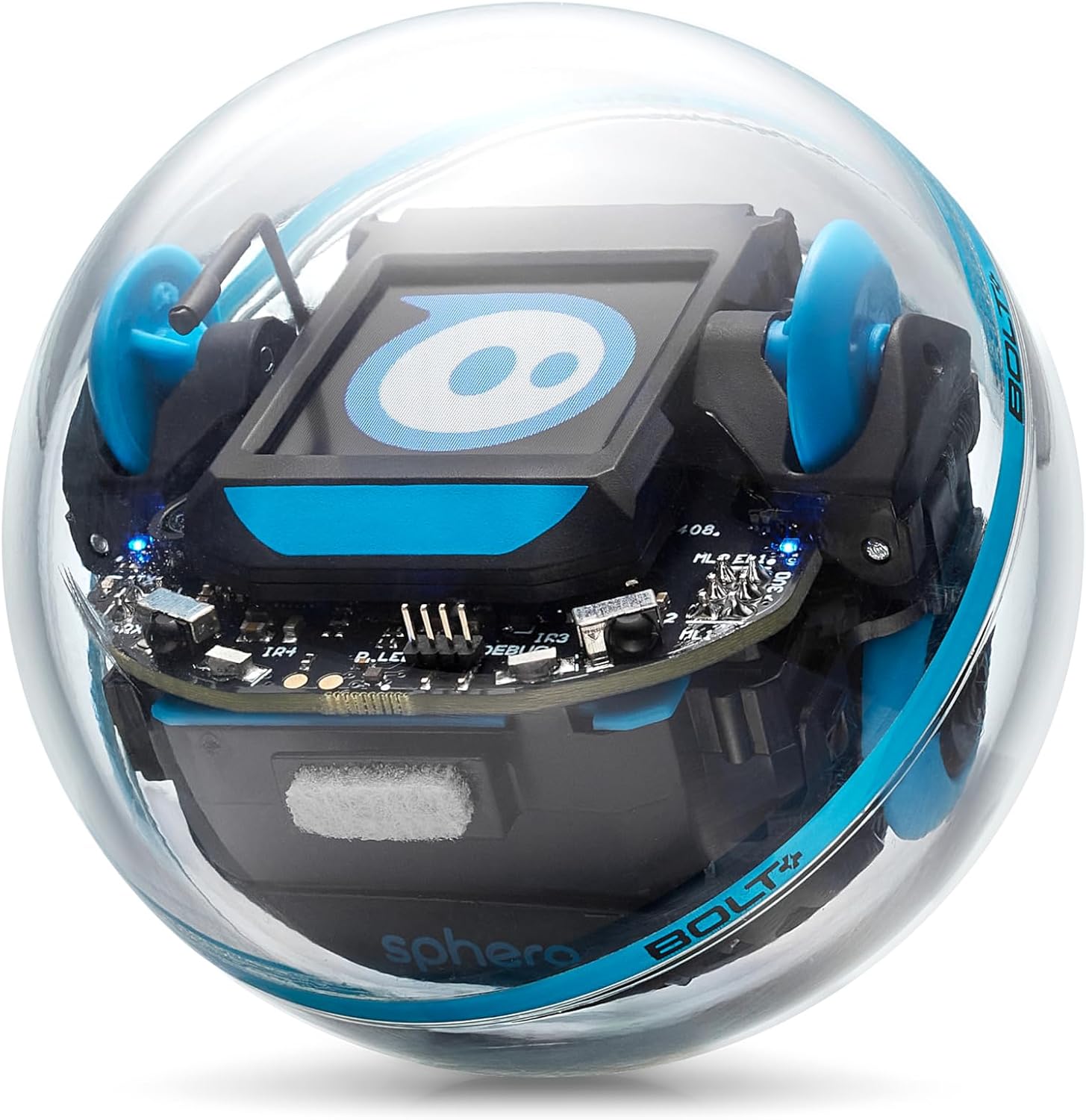
If hardware durability and sensor depth are top priorities, the Sphero BOLT App-Enabled Robot Ball stands in a class of its own. Encased in a clear, high-impact polycarbonate shell, the BOLT is completely waterproof, scratch-resistant, and sealed against dust. This clear design lets kids physically see the internal circuit boards, motors, and sensors operating in real time.
Unlike simple remote-controlled spheres, the BOLT is packed with hardware feedback systems. It features a bright 8x8 LED matrix display that can be programmed to show custom animations, sensor data, or game graphics. Internally, the sphere houses an ambient light sensor, gyroscope, accelerometer, magnetometer, and infrared sensors that allow multiple BOLT units to communicate with one another.
Programming happens through the robust Sphero Edu app, which supports three distinct learning tiers: Draw mode (for beginners), Block mode (for intermediate logic), and full Text coding in Python and JavaScript. With over 4 hours of continuous continuous play on a single inductive charge, the BOLT requires zero battery swaps, making it ideal for intensive home use or classroom assignments.
Pros:
- Indestructible, waterproof clear chassis reveals internal tech
- 8x8 LED matrix adds immediate visual output to written code
- Multi-year learning curve spanning Draw, Block, Python, and JavaScript coding
- Inductive wireless charging dock eliminates external ports
Cons:
- Higher price point than basic rolling robot toys
- No physical assembly required, which may disappoint kids who prefer building frames
3. ELEGOO Smart Robot Car Kit V4.0
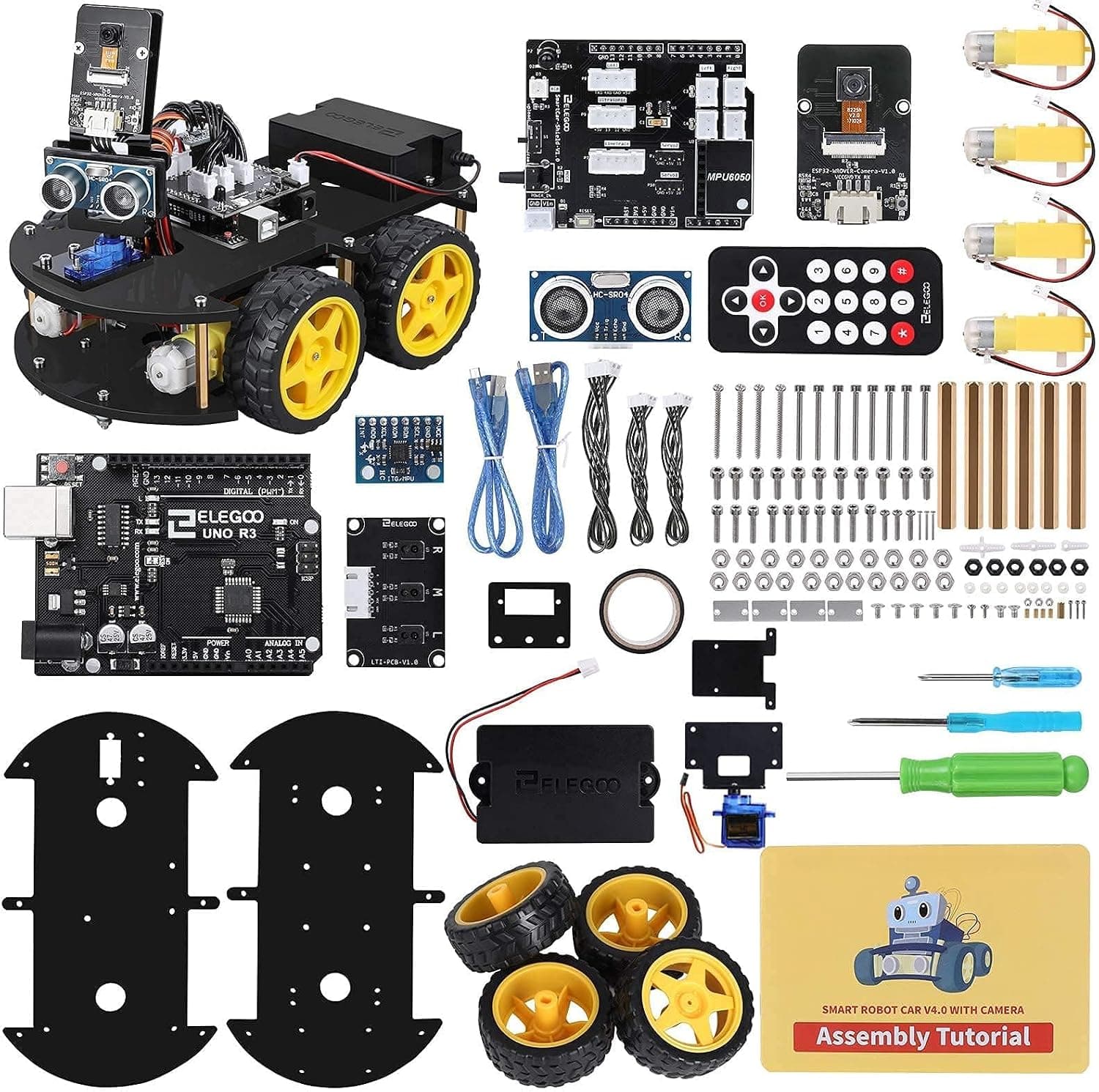
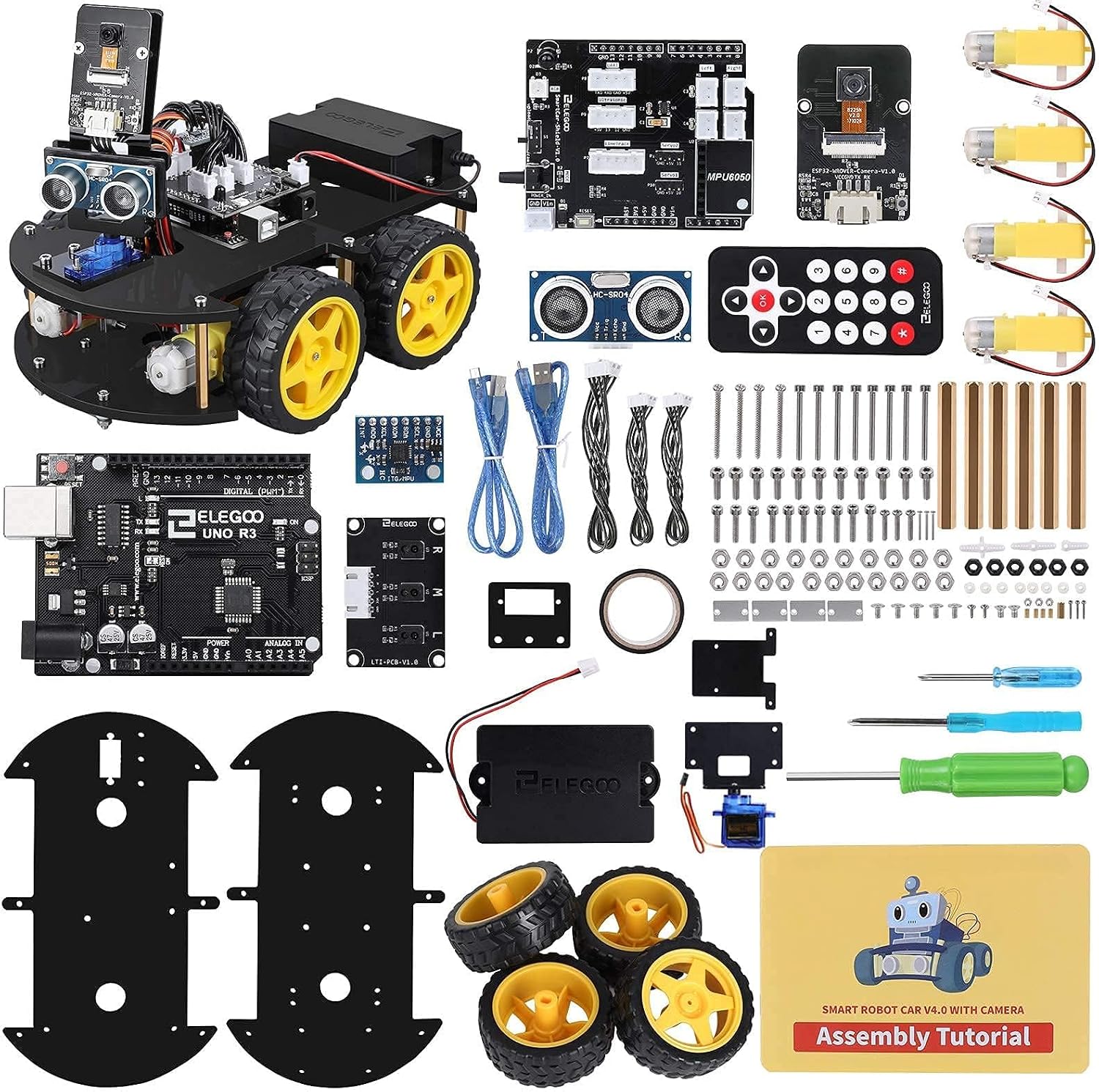
For older kids, teenagers, and high school students who want to build authentic electronics from the ground up, the ELEGOO Smart Robot Car Kit V4.0 offers incredible depth for its price point. Unlike turn-key robot toys, this kit provides a real microcontroller board (UNO R3, fully compatible with Arduino IDE), individual sensors, and raw wiring components.
Building the ELEGOO V4.0 requires patience and care. Users mount wheels, wire up motor driver modules, connect ultrasonic distance sensors, and plug individual jumper wires into expansion boards. This hands-on process teaches fundamental concepts of circuit design, voltage distribution, and signal routing that fully integrated consumer robotics bypass entirely.
Out of the box, the car can be programmed to perform line tracking, follow obstacle avoidance algorithms, or respond to IR remote and mobile app commands via Bluetooth. Because the underlying hardware relies on open-source Arduino standards, teenagers are not locked into a single app ecosystem—they can write standard C/C++ code using the official Arduino IDE desktop application.
Pros:
- Teaches genuine electronics assembly, circuit layout, and jumper wiring
- Powered by standard Arduino UNO R3 hardware for limitless customization
- Extremely cost-effective given the volume of sensors and modules included
- Includes pre-formatted expansion slots for custom sensor additions
Cons:
- Higher assembly difficulty level; unsuitable for younger kids without adult guidance
- Requires downloading desktop software and managing USB driver configurations
4. LEGO Technic NASA Mars Rover Perseverance 42158
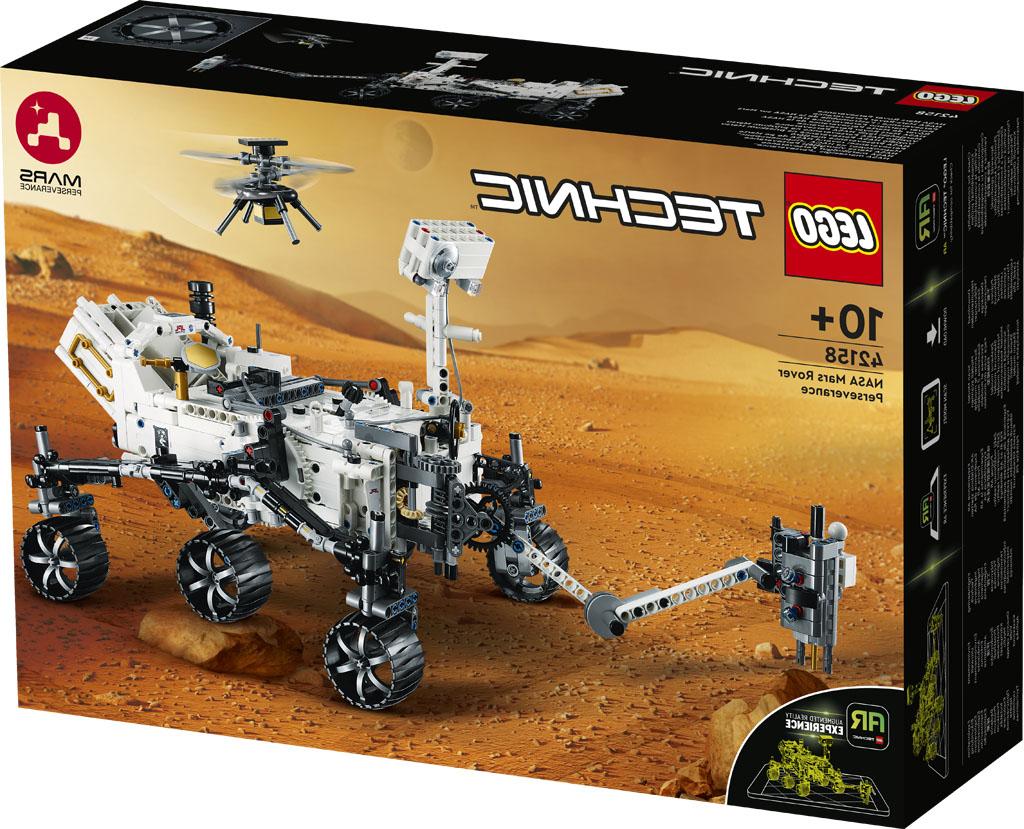
Not every high-value STEM kit requires a smartphone app or a microcontroller. The LEGO Technic NASA Mars Rover Perseverance 42158 focuses heavily on mechanical engineering, planetary space science, and gear physics. Designed for older children and teens, this set recreates the complex rocker-bogie suspension system used by NASA to traverse rugged Martian terrain.
Constructed from high-grade ABS plastic elements, the Perseverance set challenges builders to construct intricate gearboxes, 360-degree steering linkages, and articulated robotic arms. The finished model accurately reflects the physical mechanics of the real space rover, offering practical insights into how mechanical engineers solve mobility challenges in extreme environments.
The build process requires focus and precision, making it an excellent project for teens who enjoy complex architectural or mechanical challenges. Once complete, the model serves as an educational display piece that clearly demonstrates mechanical force transfer through visible gear assemblies and suspension pivot points.
Pros:
- Authentic recreation of NASA's rocker-bogie six-wheel suspension mechanics
- Complex gearboxes teach mechanical translation and torque reduction
- High construction quality with durable ABS components
- Screen-free engineering challenge that builds Spatial awareness
Cons:
- Does not include native electronic coding modules
- Requires significant dedicated table space during assembly
5. Sphero Mini Activity Kit
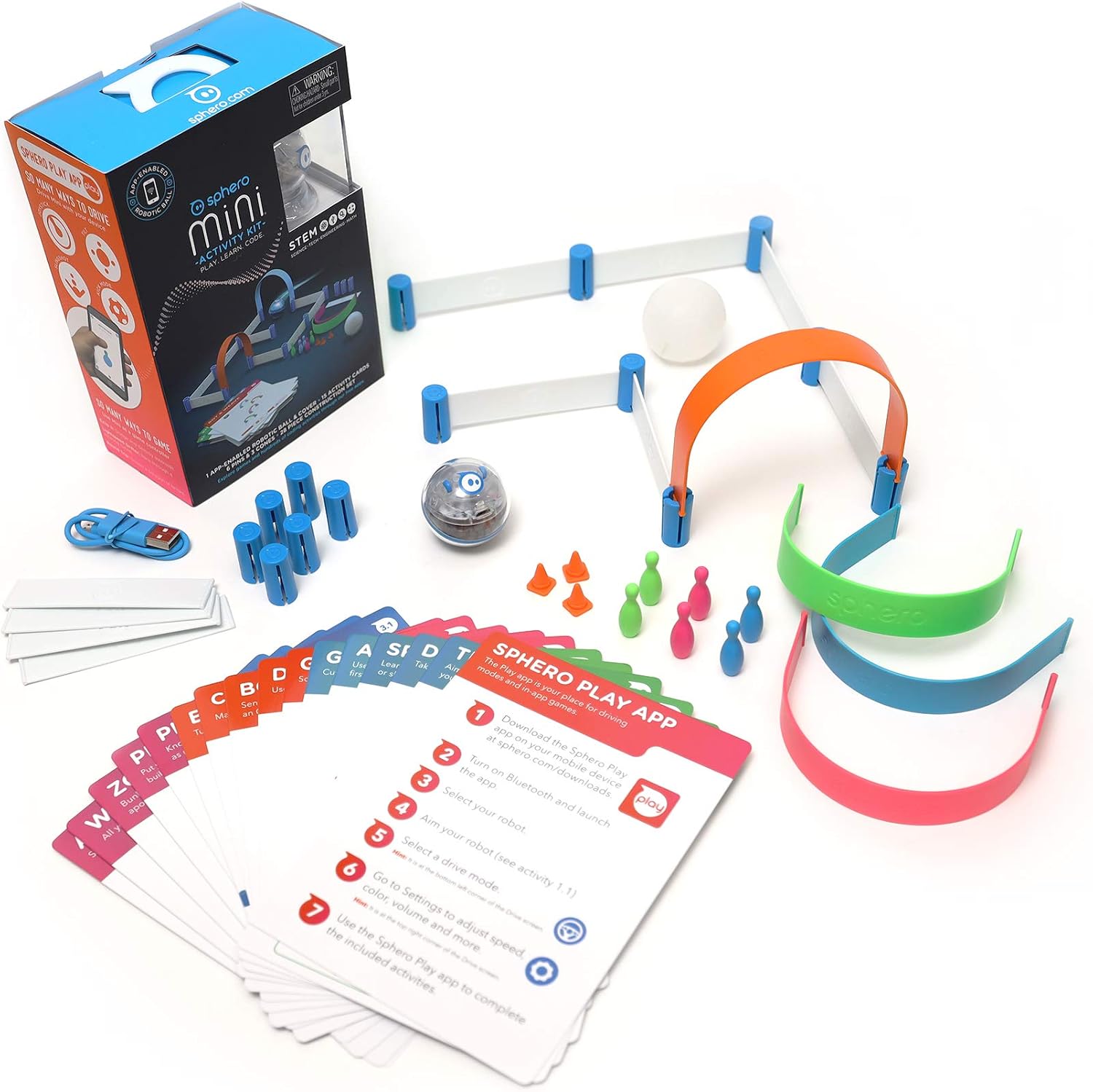
For younger children who might feel intimidated by full-size robotics kits, the Sphero Mini Activity Kit packs impressive functionality into a package roughly the size of a ping-pong ball. Despite its compact footprint, the robot houses a gyroscope, accelerometer, and a customizable RGB LED light.
The Activity Kit format elevates the standalone Sphero Mini sphere by including a 28-piece construction set, 15 STEM activity cards, mini bowling pins, and traffic cones. Kids use the modular plastic rails and connector pieces to build custom obstacle courses, mazes, and ramps, turning abstract code commands into immediate physical navigation challenges.
Control options are versatile. Through the Sphero Play app, kids can maneuver the ball using joystick controls, slingshot gestures, or tilt steering. When ready for actual programming, the Sphero Edu app allows drag-and-drop block coding commands to control movement speed, light color, and rotation. It is an affordable, complete starter kit that fits easily on a small desk.
Pros:
- Affordable price point makes it an ideal introductory STEM gift
- Included 28-piece construction set provides instant maze building
- Compact size requires minimal storage space
- Uses the same polished Sphero Edu software platform as higher-end models
Cons:
- Micro-USB charging interface instead of wireless inductive charging
- Smaller internal battery yields roughly 45 minutes of run time per charge
6. Thames & Kosmos Structural Engineering Bridges & Skyscrapers
Understanding physical physics, tension, and compression is just as important as learning computer code. The Thames & Kosmos Structural Engineering Bridges & Skyscrapers kit is a purely physical building set designed to teach structural architectural principles without any digital screens or batteries.
Containing over 285 interchangeable structural pieces, the kit allows builders to assemble 20 distinct model projects. These include truss bridges, arch bridges, suspension bridges, cantilever structures, and soaring high-rise skyscraper frameworks. The included 36-page, full-color experiment manual walks builders through step-by-step assemblies while explicitly explaining the engineering concepts behind each design.
Through hands-on construction, kids discover how diagonal cross-bracing distributes load forces, how tension cables support weight over wide spans, and why specific geometric shapes resist deformation under stress. It is a fundamental STEM tool for visual learners who love architectural design and physics experiments.
Pros:
- 100% screen-free tactile learning experience
- Teaches vital structural concepts: compression, tension, shear, and load limits
- 36-page manual functions as a mini structural engineering curriculum
- Modular components allow open-ended architectural experimentation
Cons:
- Some small plastic connectors require firm thumb pressure to lock securely
- No motorized or digital elements included
Buying Guide: How to Choose the Right STEM Set
Choosing the ideal STEM or building set comes down to identifying the specific skill your child wants to develop, their patience level, and their current tech comfort.
1. Coding vs. Mechanical Building
Determine whether the primary goal is software mastery or physical engineering. Kits like the Sphero BOLT and Makeblock mBot concentrate heavily on logic sequencing, loop structures, and sensor inputs. Conversely, sets like the LEGO Technic Mars Rover and Thames & Kosmos Structural Engineering emphasize spatial reasoning, torque, gear ratios, and physical force distribution.
2. Software Progression Paths
Avoid kits that lock users into a simplistic, proprietary app with limited features. Look for platforms that support a clear progression. Scratch-based visual block coding is ideal for ages 8 to 11. However, by age 12 or 13, teens often benefit from platforms that transition to Python, JavaScript, or C++, as seen on the Sphero Edu and Arduino-compatible ELEGOO systems.
3. Setup Friction & Hardware Durability
Consider how much time you want to spend troubleshooting. Fully assembled, waterproof units like the Sphero BOLT eliminate mechanical maintenance entirely, letting kids start coding within seconds. Modular aluminum kits like the Makeblock mBot offer a quick 15-minute build balance. Complex pin-and-wire kits like the ELEGOO V4.0 are fantastic for high schoolers, but will require adult setup assistance for pre-teens.
Alternatives to Consider
If you want a entry-level coding experience that stays purely visual and mobile-friendly without investing over $100, consider starting with the smaller Sphero Mini Activity Kit. It utilizes the exact same top-tier Sphero Edu software ecosystem as the professional-grade BOLT, but at a fraction of the cost, making it an ideal low-risk trial kit.
For teenagers who have zero interest in screen programming and simply want to master physical structure and mechanical mechanics, skip the robotics category entirely and opt for the Thames & Kosmos Structural Engineering set or Technic mechanical builds. These provide immediate tactile feedback without software updates or driver downloads.
Final Verdict & Recommendation
For the vast majority of young coders and builders, the Makeblock mBot Coding Robot Kit strikes the best overall balance between hardware durability, fast assembly, and software depth. Its solid aluminum frame holds up against years of play, and its seamless bridge from block visual coding to real Arduino text programming provides incredible educational value.
If you prefer an indestructible, water-resistant robot ball with classroom-grade Python/JavaScript support, step up to the Sphero BOLT. For high schoolers seeking authentic micro-controller electronics, the ELEGOO Smart Robot Car Kit V4.0 remains the standard budget choice.