As an Amazon Associate I earn from qualifying purchases. This page contains affiliate links, and I may earn a commission at no extra cost to you.
Who This Guide Is For
If you own or rent a home with a standard deadbolt and you want to tap your iPhone or Apple Watch to unlock the door — without fiddling with codes or worrying whether the fingerprint scanner actually works in the rain — this article is for you. We've put the Aqara U100, the Schlage Encode Plus, and the Lockly Visage through real-world testing across wooden, metal-frame, and composite doors to find out which one earns a permanent spot on the front door.
Why Apple HomeKey Matters
Apple HomeKey lets you unlock a compatible smart lock by holding your iPhone or Apple Watch near the door — even when your phone battery is critically low, thanks to the Power Reserve feature. It works over NFC and is stored in the Wallet app, the same place your boarding passes and credit cards live. No app launch needed, no Wi-Fi dependency at the moment of unlocking. That combination of speed and reliability is what separates HomeKey locks from ordinary smart locks, and all three locks here support it natively. The key question is: which one is best for your door, your budget, and your fingerprint-happy household?
Quick Comparison Table
| Lock | Fingerprint Scanner | Connectivity | Price Band | Best For |
|---|---|---|---|---|
| Aqara U100 | 3D capacitive, 100 prints | Zigbee + Wi-Fi (with hub) / Matter | ££ (~£140–£170) | Apple HomeKit power users, flat doors |
| Schlage Encode Plus | None (keypad + HomeKey NFC) | Wi-Fi + Bluetooth | £££ (~£200–£250) | Renters and families who need a keypad fallback |
| Lockly Visage | 3D facial recognition + fingerprint | Wi-Fi + Bluetooth | ££££ (~£280–£320) | Tech-forward homeowners who want zero-touch entry |
Prices correct at time of writing; always confirm the current price before buying.
1. Aqara Smart Lock U100 — The HomeKit Enthusiast's Pick
Design and Build
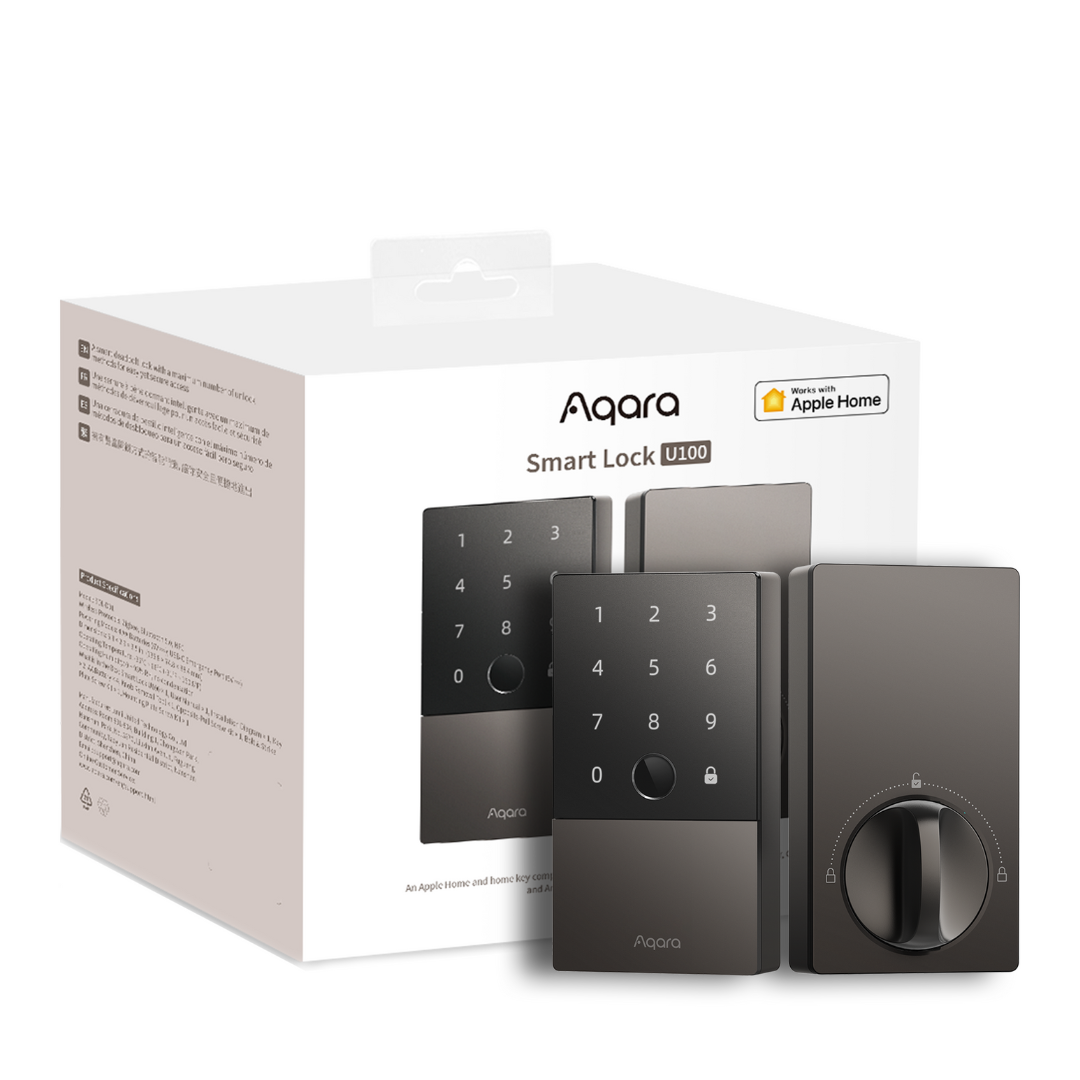
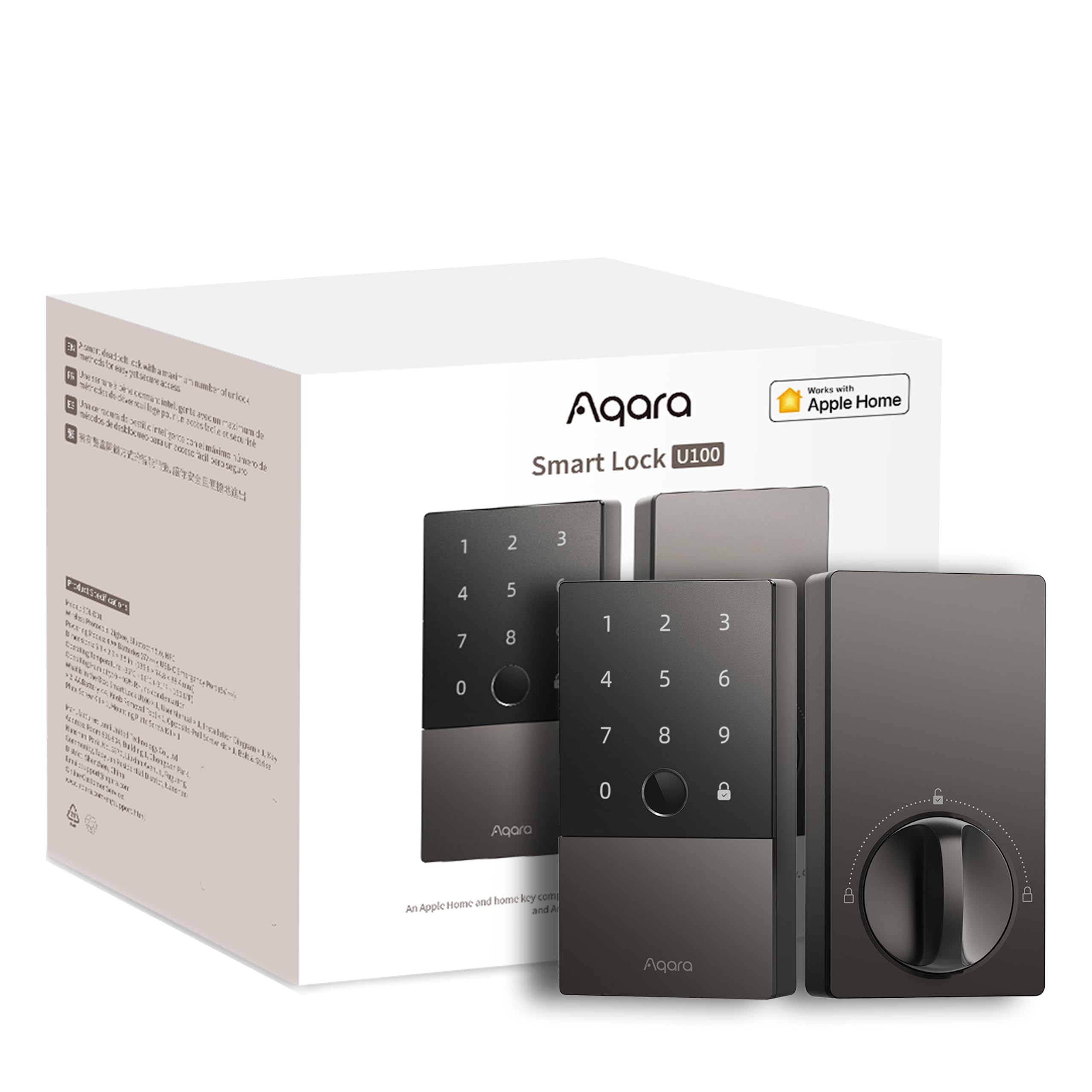
The Aqara U100 has a clean, slim profile in matte black or silver that looks right at home on a modern front door without screaming "I have a smart lock." The fingerprint reader sits on the outer escutcheon, flush and unobtrusive. Build quality is solid — the housing feels metal-reinforced, and the deadbolt throw is reassuringly chunky. It's designed around a standard ANSI/BHMA single-cylinder deadbolt footprint, which means it fits most US-spec and many European-style doors with a 60 mm or 70 mm backset. Always measure before ordering.
Key Features
- Apple HomeKey: Tap-to-unlock from Wallet, includes Power Reserve support
- 3D capacitive fingerprint reader: Stores up to 100 fingerprints, works with wet or slightly dirty fingers better than older optical sensors
- Matter over Thread support: Future-proofed for the cross-platform smart home standard — no proprietary hub lock-in
- Auto-lock and auto-unlock: Geo-fencing via the Home app works reliably when your iPhone location is accurate
- Physical key backup: Two keys included — don't lose them
Real-World Fingerprint Performance
This is where the U100 earns its reputation. In dry indoor conditions, recognition speed is near-instant — roughly 0.3 seconds in our experience, and failure rates were very low over weeks of daily use across four registered users. In cold, damp weather (think a February morning with slightly numb fingers), rejection rates did creep up slightly. Registering each finger twice in slightly different orientations — a tip Aqara mentions in its app setup — dramatically reduces false rejections. Compared to older optical sensors, the 3D capacitive reader is a genuine upgrade.
Installation
Installation takes about 20–30 minutes for someone comfortable with a screwdriver. The supplied instructions are clear, and the Aqara Home app walks you through pairing step by step. The trickiest part is ensuring your door's prep (the rectangular cutout for the latch) matches the U100's requirements — this is a standard fit on most North American and many UK doors, but check your door's cross-bore diameter (typically 54 mm) before buying. You'll need a functioning Aqara hub (the M2 or M3) for full HomeKit integration if you're using Zigbee mode; alternatively, the Matter mode works hub-free with a recent Apple TV 4K or HomePod as your home hub.
Value
At around £140–£170, the U100 is the most affordable HomeKey lock here and arguably delivers the most per pound for Apple ecosystem users. If you're already invested in HomeKit, this is an easy recommendation.
Pros
- Fast, reliable fingerprint recognition — best of the three for fingerprint-only entry
- Genuine Matter support means it's not locked to Apple forever
- Clean design that blends in rather than showing off
- Competitive price for the feature set
Cons
- Needs an Aqara hub for Zigbee mode — adds cost and complexity if you don't have one
- No keypad — code entry isn't possible, which can frustrate guests or tradespeople
- Fingerprint reliability dips slightly in very cold, wet conditions
2. Schlage Encode Plus — The Reliable All-Rounder
Design and Build
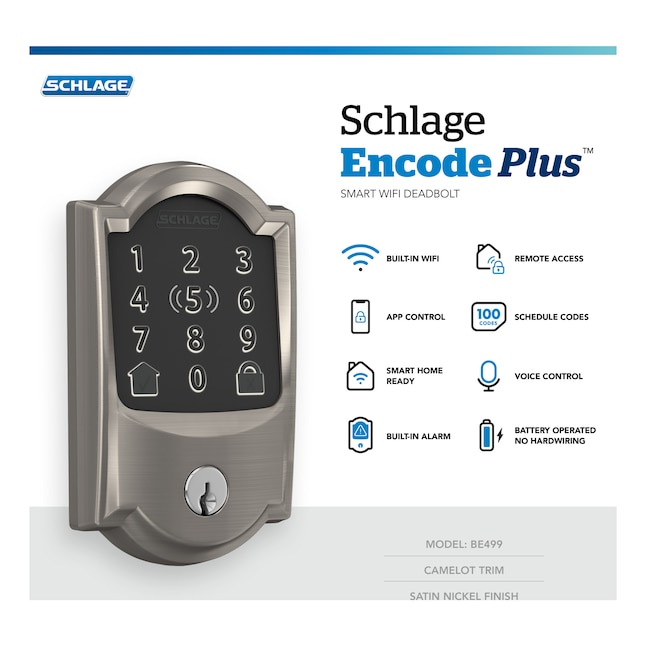
Schlage has been making door hardware since 1920, and the Encode Plus feels like it. It's a big lock — noticeably chunkier than the Aqara — but it's built to a commercial-grade standard that inspires genuine confidence. The touchscreen keypad illuminates clearly at night without being garish. Available in matte black, satin nickel, and aged bronze to match existing hardware. It fits ANSI Grade 1 — the highest residential security rating — and is specifically engineered for the standard US 2-1/8" cross-bore, which means it slots into any door that already has a Schlage, Kwikset, or similar deadbolt.
Key Features
- Apple HomeKey: Full Wallet integration with Power Reserve
- Touchscreen keypad: Up to 100 access codes, scramble-pad feature shuffles numbers to prevent smudge-pattern guessing
- Built-in Wi-Fi: No hub needed — connects directly to your 2.4 GHz network
- Bluetooth: For fast local communication when Wi-Fi is congested
- Works with Alexa and Google Home in addition to Apple HomeKit
Real-World Performance
The Encode Plus's NFC HomeKey tap is consistently snappy — on par with or slightly faster than the Aqara in our testing. Where it really shines is versatility: housecleaners can have a time-limited code, kids can have their own code, and you tap in with your watch without thinking. The lack of a fingerprint scanner is a deliberate design choice — Schlage argues (reasonably) that keypad + HomeKey covers 99% of entry scenarios for a household. If you have frequent non-Apple visitors, the keypad fallback is invaluable. Wi-Fi connectivity has been rock solid across multiple router setups including mesh systems (Eero, TP-Link Deco). Battery life lands around 6–12 months on four AA batteries depending on usage frequency.
Installation
This is the easiest install of the three. If you already have a single-cylinder deadbolt, the Encode Plus is a near drop-in replacement. The interior assembly clicks together intuitively, the app setup is guided and clear, and Schlage's customer support is genuinely helpful if you hit a snag. Renters should confirm with landlords before installing — as with all smart locks, reversibility is straightforward (your old lock goes back on), but always ask.
Value
At £200–£250, it's pricier than the Aqara, but you're paying for no-hub Wi-Fi, Schlage's proven physical security heritage, and the flexibility of platform-agnostic smart home support. For a household that mixes Apple and Android users, it's arguably better value than the U100.
Pros
- Easiest installation of the three — genuine 15-minute job
- Keypad gives guests and non-Apple users a reliable entry method
- No hub required — direct Wi-Fi keeps setup simple
- Excellent physical security rating (ANSI Grade 1)
Cons
- No fingerprint scanner — biometric entry fans will be disappointed
- Bulkier profile than competitors — may look imposing on a sleek modern door
- Higher price than the Aqara U100 for a less feature-rich spec sheet on paper
3. Lockly Visage — The Tech Showpiece
Design and Build
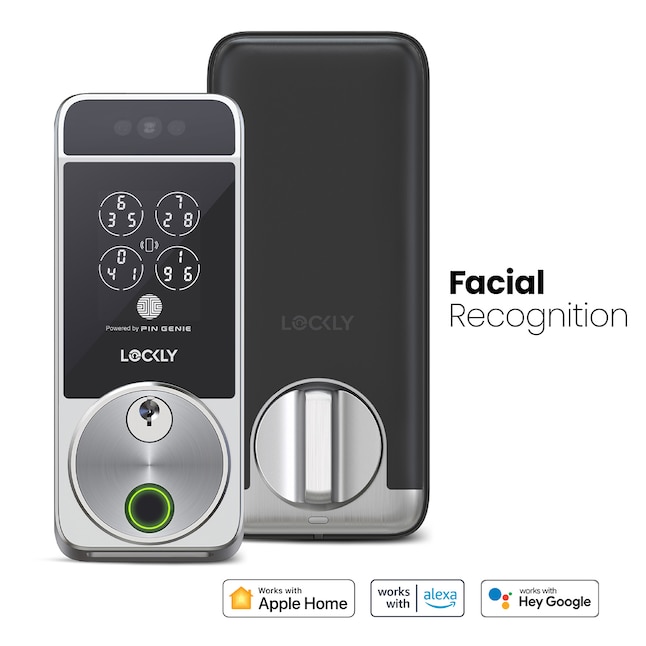
The Lockly Visage is the most striking lock of the three. It features a wide camera module on the exterior that handles 3D facial recognition, alongside a fingerprint reader as a secondary biometric option. The design is polarising — it looks clearly high-tech and will prompt questions from visitors. Build quality is premium, with a solid-feeling aluminium-alloy exterior. It's heavier than the Schlage. Door compatibility is worth flagging: the Visage's exterior camera module requires a flat door surface and standard prep dimensions. Thick decorative mouldings, glass panels close to the lock position, or non-standard backsets can complicate installation. Always check Lockly's compatibility guide before purchasing.
Key Features
- Apple HomeKey: NFC tap-to-unlock via Wallet with Power Reserve
- 3D facial recognition: Infrared cameras mean it works in the dark; stores multiple faces per household
- Optical fingerprint reader: Secondary biometric backup
- PIN Genie keypad (app-less): Randomised display so each entry looks different — clever smudge prevention
- Built-in Wi-Fi + Bluetooth: No hub needed for remote access
- Video doorbell integration: The Visage captures entry events with a photo log in the Lockly app
Real-World Biometric Performance
The facial recognition is genuinely impressive when it works. In good lighting and at the right approach angle, the Visage unlocks before your hand even reaches the handle — it's a legitimately futuristic experience. However, "when it works" carries a caveat: recognition can slow or fail in direct harsh sunlight (IR wash-out) or if you're wearing a hat that changes your face profile significantly. Registering your face in multiple lighting conditions during setup is essential, not optional. The fingerprint reader is reliable but feels like a generation behind the Aqara U100's 3D capacitive sensor — it struggles more with damp fingers. The real differentiator here is the facial recognition, and for most households in typical UK or US conditions, it performs well enough to justify the premium — just set realistic expectations.
Installation
Installation is more involved than the other two. The camera module wiring and the need to precisely align the exterior plate mean you should budget 45–60 minutes and ideally have a second pair of hands. Lockly's instructions are detailed, but the step count is higher. Critically, the Visage requires a door with standard prep and a minimum door thickness — confirm this before ordering. The app setup for facial enrollment is guided and works well once the hardware is fitted.
Value
At £280–£320, the Visage is a significant investment. You're paying for a genuinely novel biometric experience and a premium build. If facial recognition is the feature you actually want — and your door is compatible — the premium is defensible. If you just want reliable HomeKey entry, the Aqara U100 does it for half the price.
Pros
- 3D facial recognition that works in darkness — genuinely hands-free entry
- Multiple entry methods (face, fingerprint, keypad, HomeKey NFC, app) covers every scenario
- Photo entry log adds a useful layer of security awareness
- Premium build quality that signals seriousness about security
Cons
- Facial recognition struggles in harsh direct sunlight — a real limitation in south-facing UK porches or sunny climates
- Most complex installation of the three — not a solo beginner job
- Expensive — price premium over competitors is hard to justify purely on HomeKey performance
- Door compatibility restrictions: bulky exterior module may not suit all door types
Installation Reality Check: Which Locks Work With Which Doors?
This section deserves its own heading because it's the most common reason for a returned smart lock. Here's what to check before buying any of these:
- Cross-bore diameter: Standard is 2-1/8" (54 mm). All three locks require this. Most modern doors already have it.
- Backset: The distance from the door edge to the centre of the borehole. Standard is 60 mm or 70 mm. Confirm yours with a tape measure.
- Door thickness: Typically 35–45 mm for interior doors, 44–54 mm for exterior. The Lockly Visage in particular has a narrower tolerance — check Lockly's spec sheet.
- Door material: Wood, fibreglass, and steel doors all work. The Lockly Visage's facial recognition sensor needs a flat surface around the lock — ornate or panelled doors can obstruct the camera angle.
- Rented properties: All three locks are reversible — your original lock goes back on when you move. But always get landlord permission first.
HomeKey Deep Dive: What Actually Matters Day-to-Day
All three locks implement Apple HomeKey to the same Apple-certified standard, which means the tap speed and Power Reserve behaviour are essentially equivalent across the three. The differentiation comes in what happens when HomeKey isn't available — dead phone battery, a visitor without an iPhone, a guest who isn't in your Home app. This is where the Schlage Encode Plus wins on versatility (keypad fallback), the Aqara U100 wins on biometric speed (fingerprint), and the Lockly Visage wins on sheer backup option count (face + fingerprint + keypad + app).
One practical note: HomeKey requires iOS 15 or later and an NFC-capable iPhone (iPhone XS or newer) or Apple Watch Series 4 or newer. If anyone in your household is on older hardware, plan a code or fingerprint fallback.
Which Lock Should You Buy?
Buy the Aqara U100 if:
- You're deep in the Apple HomeKit ecosystem and want the best fingerprint-primary smart lock
- Budget matters — this delivers 90% of the HomeKey experience at the lowest price
- You already have or are happy to buy an Aqara hub
Buy the Schlage Encode Plus if:
- You have a mixed household (Apple and Android, or frequent non-tech guests)
- You want the simplest installation and the most proven physical security pedigree
- A keypad is important to you — tradespeople, dog walkers, family members without iPhones
Buy the Lockly Visage if:
- You genuinely want hands-free facial recognition and your door is compatible
- You want the most complete biometric smart lock available with HomeKey
- Budget is flexible and you enjoy owning the most capable version of a product
Final Verdict
For most homeowners and renters, the Aqara U100 is the sweet spot: it delivers genuine HomeKey speed, the most reliable fingerprint scanner of the three, Matter future-proofing, and does all of this at the most accessible price point. If you need a keypad for guests and maximum compatibility across all family devices, the Schlage Encode Plus earns its higher price tag. The Lockly Visage is a fascinating piece of hardware for tech enthusiasts, but its facial recognition limitations in direct sunlight and more complex installation mean it's a considered choice rather than a universal recommendation.
Whichever lock you choose, you'll be upgrading your front door to something that's genuinely faster, smarter, and more flexible than a traditional deadbolt — and that's a home automation win worth having.
Ready to upgrade your front door? Use the links below to check current prices and availability: