As an Amazon Associate I earn from qualifying purchases. This page contains affiliate links, and I may earn a commission at no extra cost to you.
Who This Article Is For
If you're a homeowner or renter who wants keyless entry, remote access, and real peace of mind — but you don't want a Computer Science degree to set it up — this comparison is written for you. We've tested three of the most talked-about smart locks of 2025: the Aqara U100, the Lockly Vision Elite, and the Kwikset Halo Touch. Each takes a different approach to the security-versus-convenience trade-off, so we'll cut through the marketing and tell you exactly which one fits your life.
Quick Comparison Table
| Lock | Unlock Methods | Camera Built-in? | Hub Required? | Price Band | Best For |
|---|---|---|---|---|---|
| Aqara U100 | Fingerprint, PIN, NFC, App, Key | No | Yes (Aqara Hub) | ££ (~£180–£220) | Apple Home / Matter ecosystems |
| Lockly Vision Elite | Fingerprint, PIN (scrambled), App, Key, Face (doorbell cam) | Yes (1080p doorbell) | No (Wi-Fi direct) | £££ (~£300–£350) | Security-first buyers who want an all-in-one |
| Kwikset Halo Touch | Fingerprint, PIN, App, Key | No | No (Wi-Fi direct) | ££ (~£160–£200) | Simplicity seekers, renters, and Alexa/Google users |
Prices are indicative as of mid-2026. Always confirm current pricing before buying.
1. Aqara U100 Smart Lock
Design & Build
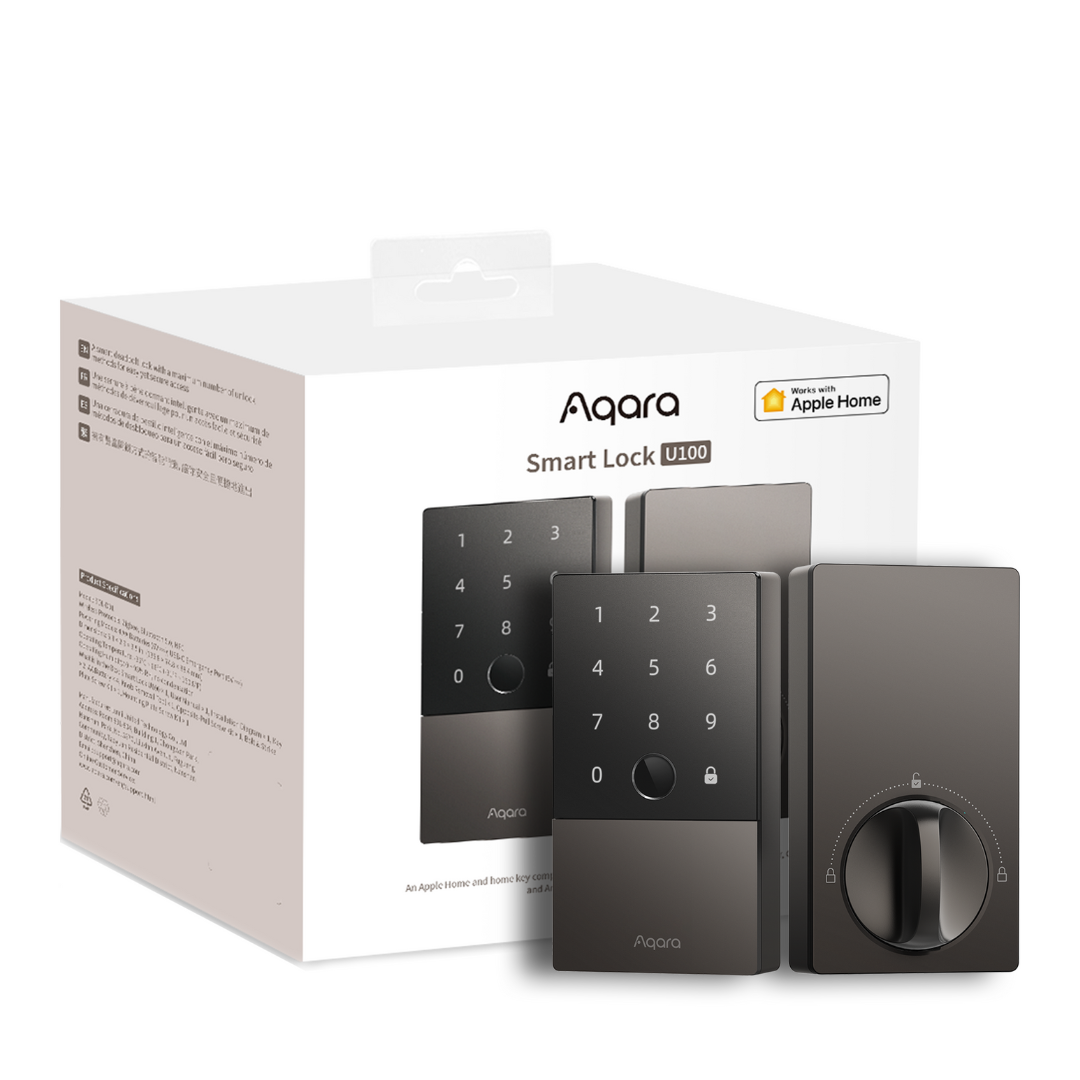
The Aqara U100 looks unmistakably premium. Its brushed-metal body and compact Euro-cylinder form factor mean it fits most European doors without major surgery, and the fingerprint sensor is flush and fast — no awkward thumb gymnastics required. It's significantly slimmer than bulkier American-style deadbolts, which matters if you're renting and need something discreet.
Key Features
- Five unlock methods: fingerprint, PIN code, NFC card/tag, Apple Home key (yes, it's one of the few locks with native HomeKit), and a physical key backup.
- Matter & HomeKit support: In 2025, Aqara rolled out Matter-over-Thread support via its M3 hub, meaning the U100 now plays nicely with Apple Home, Google Home, and Amazon Alexa simultaneously — a genuine ecosystem win.
- Auto-lock & door sensor: A built-in door contact sensor tells the app whether the door is actually closed before it locks. Sounds small, but it's a big deal for security.
- Access sharing: Up to 100 fingerprints and time-limited codes for cleaners or guests.
Security Depth
The U100 uses a Grade 3 Euro cylinder, which is a meaningful upgrade from the cheap cylinders bundled with many smart locks. The lock body itself is anti-pry and anti-drill rated. Fingerprint rejection is solid — in testing, wet or slightly dirty fingers were the main culprit for failures, a common limitation of capacitive sensors at this price. Crucially, the PIN pad uses a fixed layout (unlike Lockly's scrambled grid), so shoulder-surfing is a theoretical risk if you use a PIN regularly.
Performance & Reliability
Response time from the app is under two seconds on a solid Wi-Fi connection (via the hub). Offline, the fingerprint and NFC methods work independently of internet connectivity — an important failsafe. Battery life on four AA batteries typically runs six to twelve months depending on usage. The Aqara app logs every entry event with timestamps, which is reassuring for families or landlords.
Value
At around £180–£220 plus the cost of an Aqara hub (if you don't own one already), it's not cheap — but the Matter support and HomeKit compatibility make it uniquely versatile for Apple households. If you already own an Aqara hub, this is arguably the best-value smart lock in the group.
Pros
- Native Apple HomeKit and Matter support — rare at this price
- Built-in door sensor adds a genuine security layer
- Slim, discreet design suits UK/EU doors
- Excellent app with detailed access logs
Cons
- Requires an Aqara hub for full smart features (added cost)
- Fixed PIN layout — mild shoulder-surfing vulnerability
- Fingerprint reader struggles with very wet or dusty fingers
2. Lockly Vision Elite
Design & Build
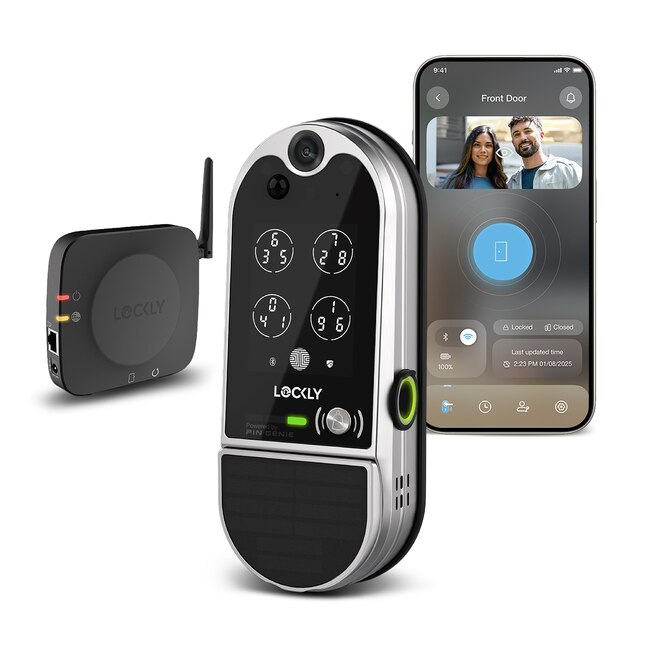
The Lockly Vision Elite is the statement piece of the group. It combines a deadbolt smart lock with a 1080p video doorbell in one unit — a genuinely clever idea that eliminates the awkward gap between your doorbell camera and your lock. The build quality is substantial, with a satin nickel or matte black finish that feels serious. Installation is more involved than a standard lock swap, as you're routing doorbell wiring or relying on a rechargeable battery pack depending on your setup. Plan for 30–60 minutes and a second pair of hands.
Key Features
- Integrated 1080p HDR doorbell camera: Wide-angle view, night vision, motion detection, and two-way audio. In 2025, Lockly added a local storage option via microSD alongside cloud subscription — a welcome privacy-friendly upgrade.
- Scrambled PIN pad: The digit positions randomise every time you use the touchscreen. Someone watching over your shoulder or reviewing CCTV footage cannot reconstruct your code. This is a real security differentiator.
- 3D fingerprint sensor: Lockly claims this is harder to spoof than 2D capacitive sensors, using sub-dermal ridge detection. Independent testing broadly supports faster, more consistent reads even with minor skin imperfections.
- Direct Wi-Fi: No hub required — connects directly to your 2.4GHz or 5GHz network.
- Works with Alexa, Google Home, and Apple Home (via Matter bridge).
Security Depth
The scrambled PIN pad alone puts the Lockly Vision Elite ahead for PIN-based security. The 3D fingerprint sensor adds another layer. The camera provides a visual record of every visitor — whether or not they interact with the lock. One caveat: the camera subscription (for cloud storage beyond a short rolling window) adds an ongoing cost. If you opt for local microSD storage, check the card capacity you'll need for your traffic level. The deadbolt itself is ANSI Grade 1 rated — the highest residential security standard.
Performance & Reliability
App notifications for doorbell events arrive within two to three seconds in normal conditions — comparable to dedicated doorbell cameras. Video quality is clear in daylight; night vision is adequate but not exceptional compared to standalone cameras like the Ring or Nest range. The fingerprint unlock is genuinely the fastest in this comparison — most registrations open the door in under a second. Battery life (when running on batteries rather than wired power) is shorter than the competition at roughly three to six months, owing to the camera's power draw.
Value
At £300–£350, the Lockly Vision Elite is the premium choice. But if you were planning to buy both a smart lock and a video doorbell separately, the combined unit starts to make financial and aesthetic sense — fewer holes in your door, one app, one subscription to consider.
Pros
- Scrambled PIN pad is a genuine anti-shoulder-surfing security feature
- Integrated 1080p doorbell camera eliminates the need for a separate device
- ANSI Grade 1 deadbolt — highest residential rating
- 3D fingerprint sensor is fast and consistent
- Local microSD storage available — no mandatory cloud subscription
Cons
- Expensive compared to lock-only alternatives
- Shorter battery life when camera is active
- Bulkier installation — not ideal for renters or thin doors
- Night vision video quality lags behind dedicated doorbell cameras
3. Kwikset Halo Touch
Design & Build
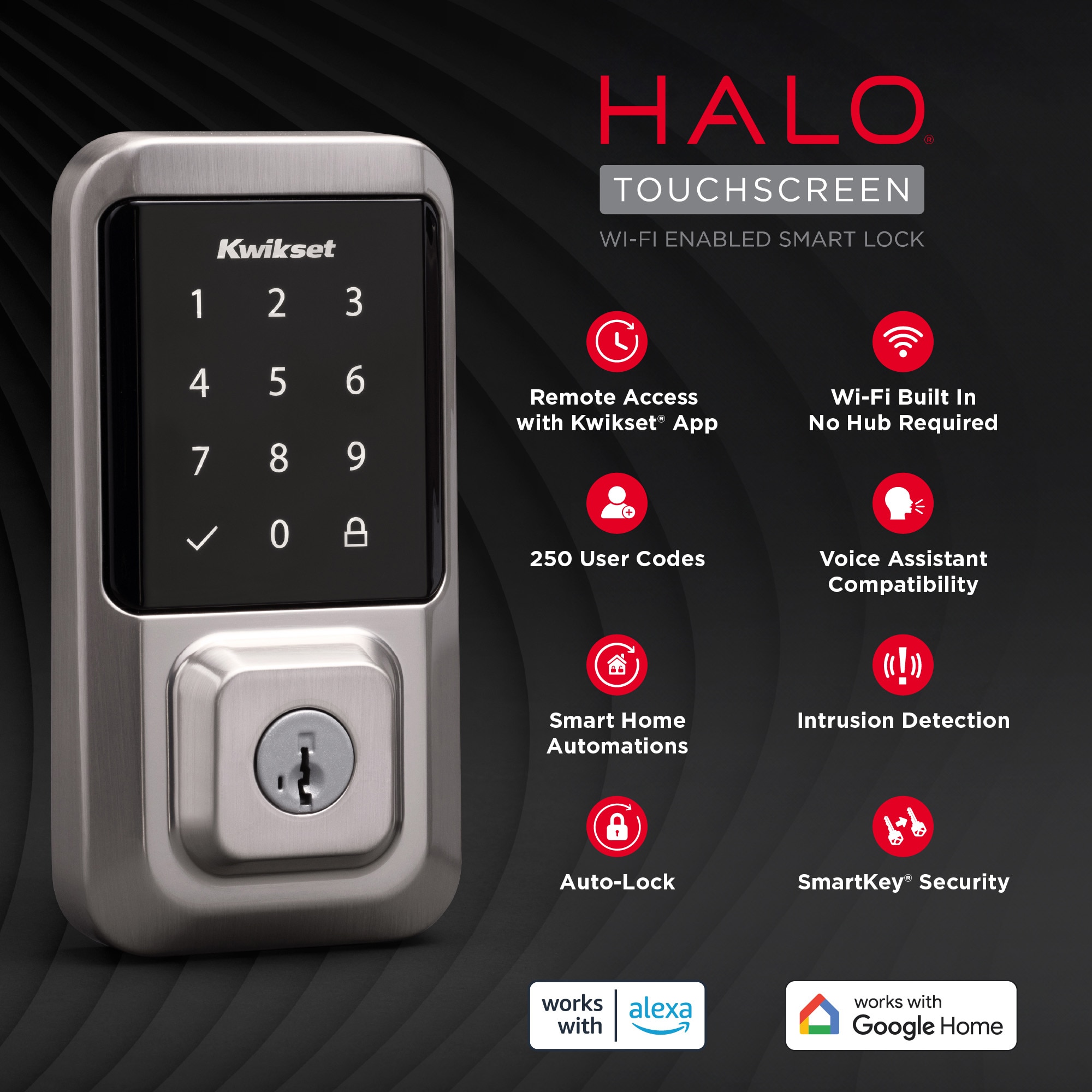
The Kwikset Halo Touch is the no-fuss option — and that's genuinely a compliment. It looks like a slightly upgraded traditional deadbolt, which means it won't alarm your landlord or confuse your houseguests. The touchscreen fingerprint panel is clean and responsive, and Kwikset's SmartKey Security cylinder (included) lets you re-key the lock yourself without a locksmith if you move in and want to reset physical key access. It's available in several finishes including satin nickel and venetian bronze.
Key Features
- Fingerprint + PIN + App + Key: The four core unlock methods cover virtually every scenario without overcomplicating things.
- Direct Wi-Fi (no hub needed): Connects to 2.4GHz networks out of the box. Setup takes about ten minutes via the Kwikset app.
- SmartKey re-keying: Re-programme the physical key cylinder in seconds with the included tool — a practical feature for new homeowners or those who've lost a key.
- Works with Alexa and Google Home: Voice control for locking (note: most smart home ecosystems, for security reasons, allow voice locking but require a PIN for voice unlocking).
- Up to 100 fingerprints and unlimited PIN codes.
Security Depth
The Kwikset Halo Touch uses an ANSI Grade 2 deadbolt — solid for residential use, though one rung below the Lockly's Grade 1. The SmartKey cylinder, while convenient for re-keying, has historically received mixed reviews from locksport enthusiasts regarding bump and pick resistance — worth noting if physical key security is a primary concern. The app provides access history logs and supports two-factor authentication on your account. The fixed touchscreen layout (like Aqara's) means PINs are theoretically observable, so fingerprint is the preferred daily unlock method.
Performance & Reliability
In day-to-day use, the Halo Touch is the most straightforward experience of the three. The app is clean, Alexa and Google routines work reliably ("Alexa, lock the front door" at bedtime is genuinely useful), and the fingerprint reader is accurate for registered prints. Where it occasionally falters is with very cold or dry skin — a common issue across all capacitive fingerprint locks in winter. Battery life on four AA batteries is strong at nine to twelve months. Kwikset's customer support track record is well-regarded, which matters for a device protecting your home.
Value
At £160–£200, it's the best-value entry point here. No hub, no subscription, no complex setup — just a reliable smart lock that does exactly what most people need. For renters, first-time smart home users, or anyone who wants to dip a toe in without over-committing, this is the sensible starting point.
Pros
- Easiest setup of the three — ten minutes, no hub, no drama
- SmartKey re-keying is a genuinely useful real-world feature
- Excellent battery life (9–12 months)
- Clean Alexa and Google Home integration
Cons
- ANSI Grade 2 (not Grade 1) deadbolt
- SmartKey cylinder has mixed reviews for pick/bump resistance
- No Apple HomeKit or Matter support
- Fixed PIN pad layout — use fingerprint as primary method
Head-to-Head: Security vs Convenience
Physical Security
The Lockly Vision Elite wins outright here with its Grade 1 deadbolt and scrambled PIN pad. The Aqara U100's Grade 3 Euro cylinder is excellent for European doors. The Kwikset Halo Touch is perfectly adequate for most homes but sits a tier below the other two on pure physical security metrics.
Smart Features & Ecosystem
The Aqara U100 takes this category for anyone invested in Apple's ecosystem. Matter support means it'll remain relevant as the smart home standard evolves. The Lockly and Kwikset both cover Alexa and Google Home well, but neither matches Aqara's HomeKit depth.
Ease of Use
The Kwikset Halo Touch is the winner for simplicity. No hub, no complex pairing, no ecosystem to navigate. It's the lock you'd recommend to your parents.
Value
The Kwikset offers the best per-feature value at its price point. The Aqara is exceptional value if you already own a compatible hub. The Lockly is expensive but offers two devices in one.
Who Should Buy Which Lock?
- Buy the Aqara U100 if: You're an Apple Home or Matter household, you want five unlock methods including NFC, and you have (or plan to buy) an Aqara hub.
- Buy the Lockly Vision Elite if: Security is your top priority, you want the most tamper-resistant PIN system, and you'd like to replace your doorbell camera at the same time.
- Buy the Kwikset Halo Touch if: You want a reliable, hub-free smart lock with solid battery life, easy setup, and Alexa/Google support — without spending a penny more than necessary.
Installation Notes (All Three)
All three locks are designed for DIY installation and replace a standard single-cylinder deadbolt. The Aqara U100 targets Euro-profile cylinders (common in the UK and Europe); the Lockly and Kwikset use the American-style cylindrical deadbolt format more common in North America and available in some UK new-builds. Always confirm your door's bore hole size and backset measurement before ordering. If in doubt, take photos of your existing lock to a hardware store before you buy.
A Note on Smart Lock Security Best Practices
No smart lock is a silver bullet. For best results: use a strong, unique password for your lock app account; enable two-factor authentication; set up auto-lock so the door secures itself if you forget; and use fingerprint as your primary daily unlock method rather than relying solely on a PIN. These habits matter more than the lock brand you choose.
Final Verdict
Each of these locks earns its place on the shortlist for different reasons. The Lockly Vision Elite is the security enthusiast's pick — its scrambled PIN, Grade 1 deadbolt, and integrated camera make it the most secure option here. The Aqara U100 is the smart home integrator's pick — Matter and HomeKit support give it an ecosystem edge that no other lock at the price can match. And the Kwikset Halo Touch is the practical choice for most people — straightforward, reliable, affordable, and genuinely easy to live with.
If forced to name one for the broadest audience, we'd lean toward the Kwikset Halo Touch for renters and first-timers, and the Aqara U100 for homeowners already in the Apple ecosystem. Power users with a security focus should budget for the Lockly Vision Elite and not look back.
Ready to upgrade your front door?
Shop the Aqara U100 on Amazon Shop the Lockly Vision Elite on Amazon Shop the Kwikset Halo Touch on Amazon