As an Amazon Associate I earn from qualifying purchases. This page contains affiliate links, and I may earn a commission at no extra cost to you.
The Streaming Stick Showdown: Picking Your Perfect 4K Companion in 2026
Let's be real: streaming devices are no longer a luxury; they're essential. In 2026, with most new TVs shipping with 4K resolution and high dynamic range (HDR) capabilities like Dolby Vision and HDR10+, you need a streamer that can keep up. But with Amazon, Google, Roku, Apple, and NVIDIA all offering compelling options, how do you decide which box or stick is right for your hard-earned cash? It's not just about 4K anymore; it's about ecosystem, speed, interface, and those little quality-of-life features that genuinely enhance your binge-watching sessions.
We've done the deep dive into the most popular and capable 4K streaming devices available right now, comparing their strengths, weaknesses, and who they're best suited for. Whether you're a casual streamer or an AV enthusiast, there's a perfect device out there.
Amazon Fire TV Stick 4K Max: The Speedy Ecosystem Player
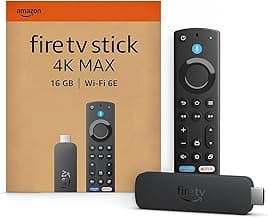
The Amazon Fire TV Stick 4K Max has consistently been a strong contender, and the latest iteration continues that trend. It’s Amazon's most powerful streaming stick to date, packing performance that often punches above its weight class. If you're already embedded in Amazon's ecosystem – perhaps with an Echo speaker or Ring doorbell – the Fire TV Stick 4K Max feels like a natural extension of your smart home.
Design and Build
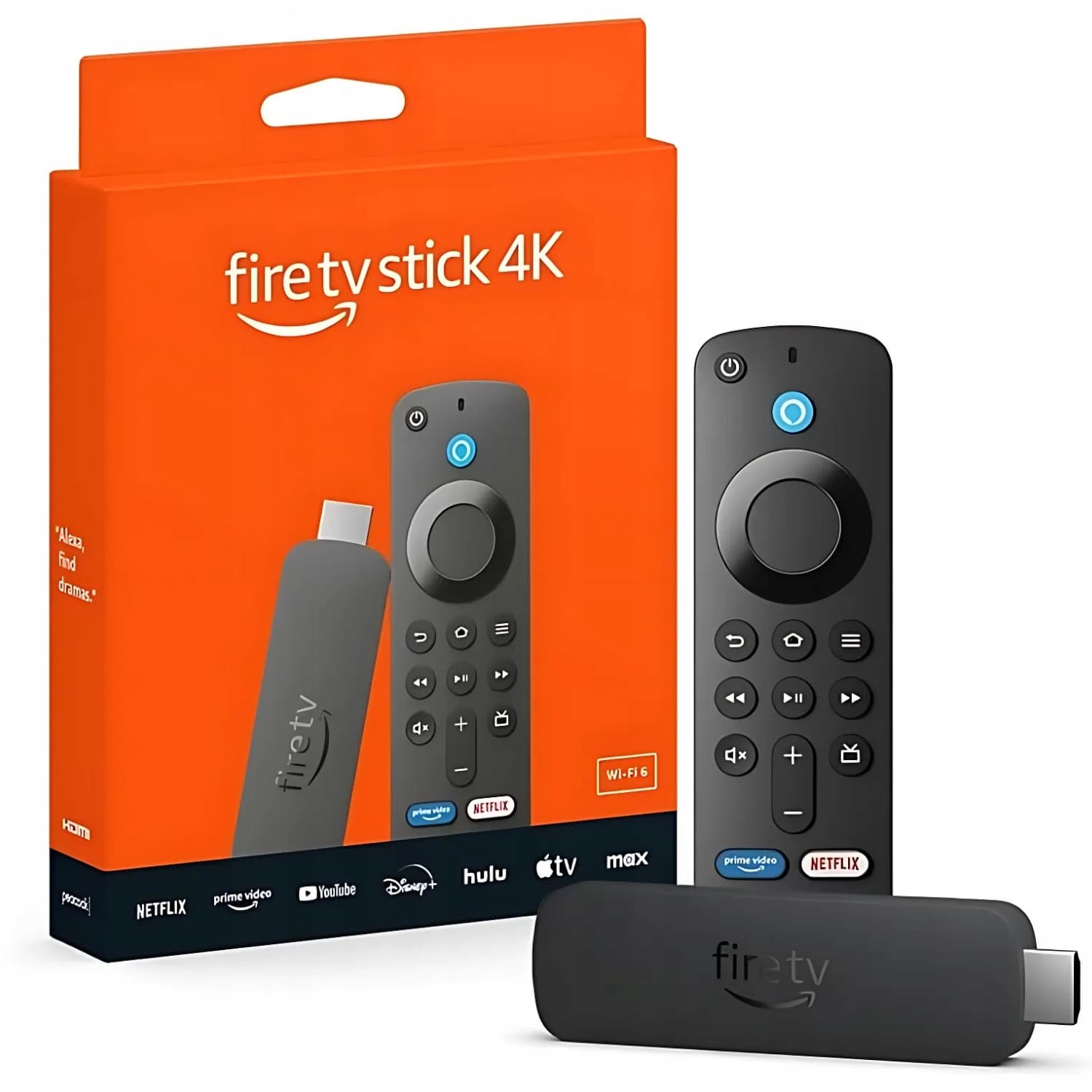
Physically, it's still a stick, discreetly plugging into an HDMI port on your TV. The remote, however, is where some of the magic happens. It’s comfortable to hold, with dedicated buttons for popular streaming services and, crucially, a prominent Alexa voice button. There are also TV controls built-in, meaning you can often ditch your TV's original remote entirely, which is a small but welcome convenience.
Key Features
- Wi-Fi 6E Support: This is a big one. If you have a Wi-Fi 6E router, the 4K Max can leverage that faster, less congested band for smoother, more reliable streaming, especially in busy network environments. Even on Wi-Fi 6, it’s remarkably stable.
- Enhanced Processing Power: Compared to the standard Fire TV Stick 4K, the Max boasts a faster processor and more RAM, translating to snappier navigation, quicker app launches, and less buffering.
- Alexa Voice Integration: Beyond just opening apps, you can ask Alexa to find content, control smart home devices, view live camera feeds, and even check the weather, all from your TV screen.
- HDR Support: It supports Dolby Vision, HDR10, HDR10+, and HLG, covering all the major HDR formats you’re likely to encounter.
- Gaming with Luna: While not a dedicated gaming console, the integration with Amazon's Luna cloud gaming service (subscription required) adds another dimension for casual gamers.
Performance
In practice, the Fire TV Stick 4K Max delivers. Navigation is fluid, apps load swiftly, and 4K HDR content streams reliably, assuming your internet connection can keep up. Reviewers and owners commonly report a noticeable speed bump over previous Fire TV models. The Alexa remote works well, generally understanding commands accurately, making content discovery a breeze.
Value
Priced in the mid-range, often around £65-£75, the 4K Max offers superb value for its performance and feature set. It frequently sees discounts during Amazon sale events, making it an even more attractive proposition. For Amazon Prime members, the integration with Prime Video is seamless, of course.
Roku Streaming Stick 4K: The Unbiased Simplicity King
Roku has always been a champion of platform neutrality, and the Roku Streaming Stick 4K is a perfect embodiment of that philosophy. If you want a streamer that just focuses on getting you to your content without pushing a specific ecosystem, Roku remains a top choice.
Design and Build
Like the Fire TV, it’s a compact stick. The remote is distinctly Roku: simple, with a directional pad, basic controls, and dedicated shortcut buttons for popular services. Some remotes also include TV power and volume controls, which is always a plus. It’s slightly less flashy than some rivals but entirely functional.
Key Features
- Fast Start-up & Wi-Fi Long Range: Roku boasts a significantly faster boot-up time, meaning you’re watching content almost instantly. It also features a new Wi-Fi receiver designed for improved range and speed, which is great if your TV isn't close to your router.
- Roku OS: This is Roku's strongest card. It’s clean, intuitive, and truly agnostic, giving equal prominence to all major streaming services. It doesn’t try to push you towards specific content providers.
- Comprehensive HDR Support: Supports Dolby Vision, HDR10, HDR10+, and HLG.
- Voice Remote: While not as deeply integrated as Alexa or Google Assistant for smart home control, the Roku voice remote is excellent for searching for movies, shows, or specific channels.
Performance
Based on published specs and verified owner feedback, the Roku Streaming Stick 4K is consistently smooth and responsive. Its strength lies in its consistency and reliability. The interface is famously easy to navigate, making it a great choice for those who want a fuss-free experience or who are new to streaming. The enhanced Wi-Fi antenna does seem to make a difference for many users, improving stream quality in weaker signal areas.
Value
Typically priced around £50-£60, the Roku Streaming Stick 4K offers fantastic value. It delivers excellent 4K HDR performance and a user-friendly interface at a very competitive price. It often goes head-to-head with the standard Fire TV Stick 4K on price, and its Wi-Fi performance often gives it an edge for many.
Chromecast with Google TV (4K): The Google Ecosystem Gateway
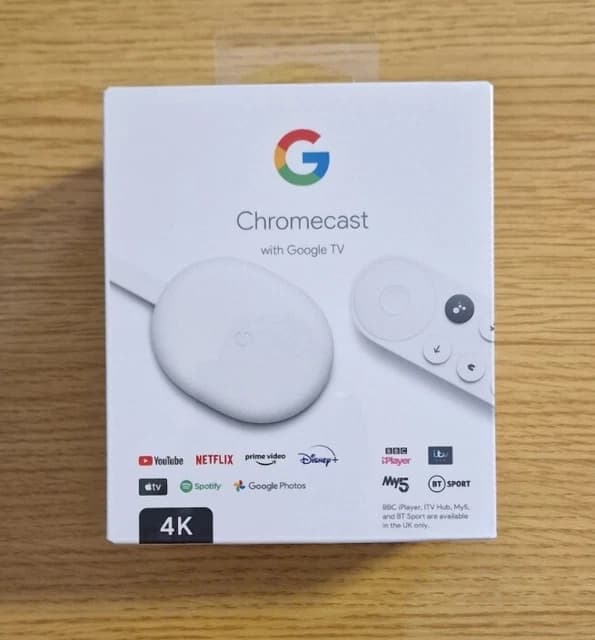
The Chromecast with Google TV (4K) brought the beloved casting functionality of old Chromecasts together with a proper remote and a full-fledged interface. If you're living in the Google ecosystem with Android phones, Google Home speakers, or YouTube Premium, this device is designed to integrate seamlessly.
Design and Build
It's a small, pebble-shaped dongle that dangles from your TV's HDMI port, rather than a stick. The remote is minimalist and comfortable, featuring a dedicated Google Assistant button and a circular navigation pad. It also includes TV power, volume, and input controls.
Key Features
- Google TV Interface: This is a major departure from previous Chromecasts. Google TV is an overlay on Android TV, focusing heavily on content discovery. It aggregates recommendations from all your subscribed services into one personalised 'For You' tab.
- Casting Functionality: While it has a full interface, it retains the core Chromecast ability to cast content directly from your phone, tablet, or Chrome browser. This is incredibly convenient for quick sharing.
- Google Assistant: Just like Alexa on the Fire TV, the Google Assistant button lets you search for content, control smart home devices, and ask questions using your voice.
- AV1 Decoding: This next-generation video codec allows for more efficient streaming, potentially saving bandwidth while maintaining quality. As more services adopt AV1, this feature becomes increasingly valuable.
- HDR Support: Supports Dolby Vision, HDR10, and HDR10+.
Performance
Based on its specs, the Chromecast with Google TV (4K) is generally responsive, though some users report it can feel slightly less snappy than the Fire TV Stick 4K Max during heavy use or after extended uptime. Content discovery via Google TV is a highlight, making it easy to jump between services without constantly opening individual apps. Casting works flawlessly, as expected.
Value
Typically priced around £60-£70, it’s squarely in the mid-range. For Android users and those deeply invested in Google services, the integration and content discovery features offer significant value. The AV1 decoding is also a future-proofing bonus.
Comparison Table: 4K Streaming Devices
| Product | Key Feature | Price Band | Verdict | Buy |
|---|---|---|---|---|
| Amazon Fire TV Stick 4K Max | Wi-Fi 6E, Alexa, Fast UI | Mid-Range (£65-£75) | Best for Amazon ecosystem users needing speed. | Check price on Amazon |
| Roku Streaming Stick 4K | Neutral Roku OS, Wi-Fi Long Range, Simplicity | Mid-Range (£50-£60) | Excellent for fuss-free, content-agnostic streaming. | Check price on Amazon |
| Chromecast with Google TV (4K) | Google TV UI, Casting, Google Assistant, AV1 | Mid-Range (£60-£70) | Ideal for Google users who love content discovery. | Check price on Amazon |
| Amazon Fire TV Stick 4K | Affordable 4K Fire TV, Alexa | Budget (£45-£55) | Solid entry into the Fire TV ecosystem, great value. | Check price on Amazon |
| Apple TV 4K | Premium tvOS, A15 Bionic, HomeKit, Apple Arcade | Premium (£150+) | Unmatched performance for Apple devotees. | Check price on Amazon |
| NVIDIA Shield TV Pro | AI Upscaling, Plex Server, GeForce NOW, Android TV | Premium (£180+) | The power user's dream for media and gaming. | Check price on Amazon |
Alternatives to Consider: Stepping Up or Dialling Back
While the three main sticks above cover the vast majority of needs, sometimes you want something a bit different. Perhaps you're on a tighter budget, or you're ready to invest in a truly premium experience.
For the Budget-Conscious: Amazon Fire TV Stick 4K
If the 4K Max is just a bit too much for your wallet, the standard Amazon Fire TV Stick 4K remains an excellent choice. It offers almost all the core features of the Max – 4K, HDR (including Dolby Vision), and Alexa voice control – but typically with a slightly slower processor and older Wi-Fi (Wi-Fi 5). For many, the performance difference isn't a deal-breaker, especially when it often costs around £10-£15 less. It's a fantastic entry point into 4K streaming and the Amazon ecosystem, proving that you don't need to spend a fortune for a quality experience.
For the Premium Experience: Apple TV 4K and NVIDIA Shield TV Pro
When money is less of a concern and top-tier performance, specific ecosystems, or advanced features are paramount, you step up to the box form factor. These devices are generally more expensive, typically costing upwards of £150, but they offer a different class of experience.
The Apple TV 4K (the latest generation) is for those fully invested in Apple's ecosystem. Its A15 Bionic chip delivers unmatched speed and responsiveness. The tvOS interface is sleek, polished, and integrates beautifully with Apple Arcade, Apple Fitness+, and HomeKit. If you value buttery-smooth operation, tight Apple integration, and don't mind the premium price tag, it's a phenomenal device. The remote is also a joy to use, although some find its touchpad-centric design a love-it-or-hate-it affair.
Then there's the NVIDIA Shield TV Pro. This is the enthusiast's choice. Running Android TV, it’s a powerhouse for local media playback (it can act as a Plex Media Server), gaming (including GeForce NOW integration), and features truly impressive AI-upscaling that genuinely makes lower-resolution content look better on a 4K TV. If you have a large personal media library, enjoy cloud gaming, or simply want the most powerful and versatile Android TV experience available, the Shield TV Pro is worth every penny of its premium price.
The Verdict: Which 4K Streamer Should You Buy?
Choosing the best 4K streaming device ultimately boils down to your priorities. Are you an Amazon household? Do you value a neutral interface? Are you deep in Google's world? Or are you ready to pay more for a truly premium experience?
For most people, the sweet spot of features, performance, and value in a stick form factor is hard to beat. The Fire TV Stick 4K Max offers an incredible blend of speed, smart home integration, and comprehensive HDR support, making it an outstanding choice for almost anyone seeking a powerful and efficient streaming upgrade.
Ready to upgrade your streaming? Grab the Amazon Fire TV Stick 4K Max today and transform your TV's capabilities!