As an Amazon Associate I earn from qualifying purchases. This page contains affiliate links, and I may earn a commission at no extra cost to you.
The Dilemma: Staying in Touch Without the Smartphone Rabbit Hole
Handing an eight-year-old an unmonitored smartphone just so you know when they have arrived safely at football practice is an enormous gamble. Social feeds, web browsers, algorithm-driven video loops, and endless notifications are engineered to capture attention, not build independence. Yet the world does not run on guesswork, and knowing your child got off the public bus at the correct stop gives parents justifiable peace of mind.
Connected kids' smartwatches have emerged as the practical compromise. Built with cellular radios (LTE) and satellite tracking (GPS), these wrist-worn communicators let parents exchange quick voice memos, text updates, and emergency SOS alerts without handing over a glowing pocket computer. The trade-offs, however, are rarely explained clearly on marketing pages. Every device locks you into distinct monthly data plans, offers drastically different battery expectations, and balances screen time in divergent ways. Some gamify physical movement, while others keep interactions utilitarian.
Based on published manufacturer specifications, teardowns, and verified owner feedback across UK networks, this guide dissects three prominent cellular wearables: the Garmin Bounce, the Fitbit Ace LTE, and the imoo Watch Phone Z1. Here is how their location accuracy, communication barriers, companion software, and long-term running costs stack up.
Quick Comparison Table
Before examining each wearable individually, review how the key technical parameters, cellular commitments, and core functions compare side by side.
| Model | Key Cellular / App Feature | Battery Claim | Price Band | Our Verdict | Where to Buy |
|---|---|---|---|---|---|
| Garmin Bounce | Garmin Jr. app, proprietary LTE plan, geofencing | Up to 2 days (48 hrs) | Mid-range (approx. £130–£160) | Best overall balance of communication and sensible screen-time boundaries. | Check today's price on Amazon |
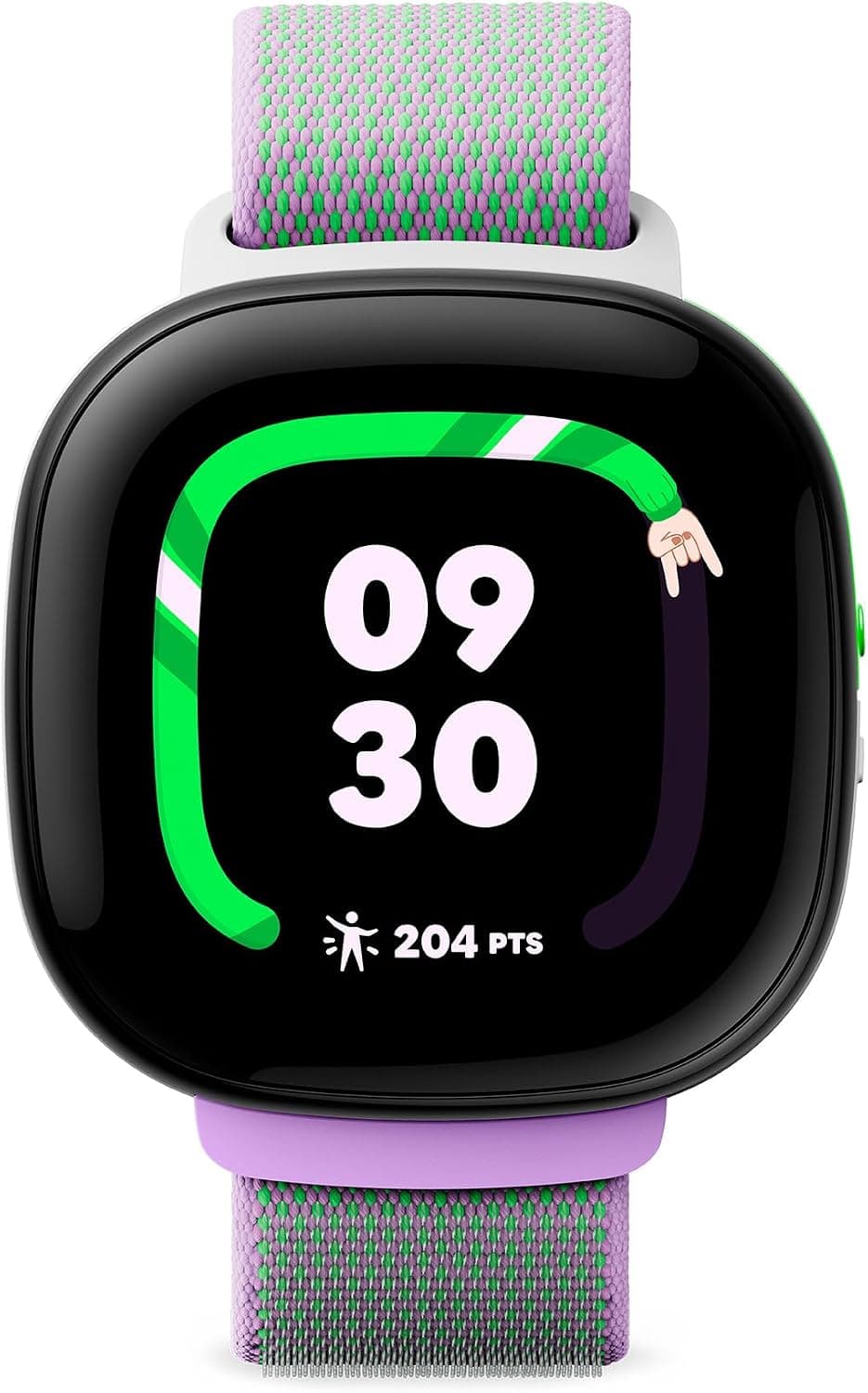
| Fitbit Ace LTE | Fitbit Ace Pass data, Fitbit Arcade, movement ring | 16+ hours (fast charge) | Premium (approx. £190–£230) | Terrific gamified fitness and display, but demands daily charging and higher subscription overhead. | Check today's price on Amazon |
| imoo Watch Phone Z1 | 2 MP front camera for HD video calls, BYO nano-SIM | Approx. 1–2 days standby | Budget (approx. £80–£100) | Best budget visual check-in, though interface and physical chassis feel bulky. | Check today's price on Amazon |
Top Pick: Garmin Bounce — Utilitarian Safety Done Right
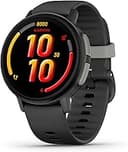
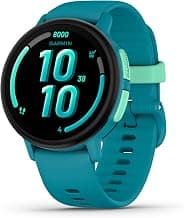
Garmin has dominated sports telemetry for decades, and that exact GPS engineering is evident in the Garmin Bounce. Rather than treating this device as a miniaturised entertainment tablet, Garmin designed it as a durable communication portal managed directly through their established Garmin Jr. app on iOS and Android.
Design and Everyday Usability
The Bounce sits securely on small wrists with a rugged, lightweight silicone strap and a tough composite polymer casing that resists playground scuffs. It is water-rated for swimming, meaning you will not be fishing it out of a puddle in panic after a rainy afternoon walk home. The display is bright enough for midday sunlight, relying on clear typography and distinct icons rather than hyperactive micro-animations.
Communication and Parent App Controls
Through the Garmin Jr. app, parents can exchange two-way voice recordings and text messages with the Bounce. Crucially, the watch restricts messaging strictly to family contacts approved within the app. There is no open dialler, no rogue spam callers, and no access to open internet channels. The assistance feature allows children to trigger an alert containing their live GPS coordinates and send an outbound notification straight to primary guardians with a simple long press.
For school days, parents can configure quiet windows remotely. The watch maintains its timekeeping and step tracking but suppresses messaging chimes and alerts during classroom hours. Built-in sports profiles allow kids to log runs, bike rides, and pool laps, and the device supports Amazon Music playback when linked with compatible wireless earphones, bypassing phone requirements entirely.
Cellular Plans and Battery Life
Garmin manages the Bounce's LTE connection internally. You do not need to negotiate with a mobile carrier or order a secondary physical nano-SIM card. Instead, parents activate an active monthly subscription directly inside the Garmin ecosystem, which typically costs around £8 to £10 per month depending on billing frequency. Garmin states the battery lasts up to two days, though frequent real-time tracking pings and regular voice memo transmissions pull real-world runtimes down closer to 24 to 36 hours. You can still expect it to comfortably clear a full school day and evening activity without sudden cut-offs.
The Gamified Contender: Fitbit Ace LTE
Google and Fitbit took an entirely different design philosophy with the Fitbit Ace LTE. Where Garmin favours utility, Fitbit aims directly at movement motivation through interactive software, colourful hardware, and interactive mechanics.
Interactive Mechanics and the Fitbit Arcade
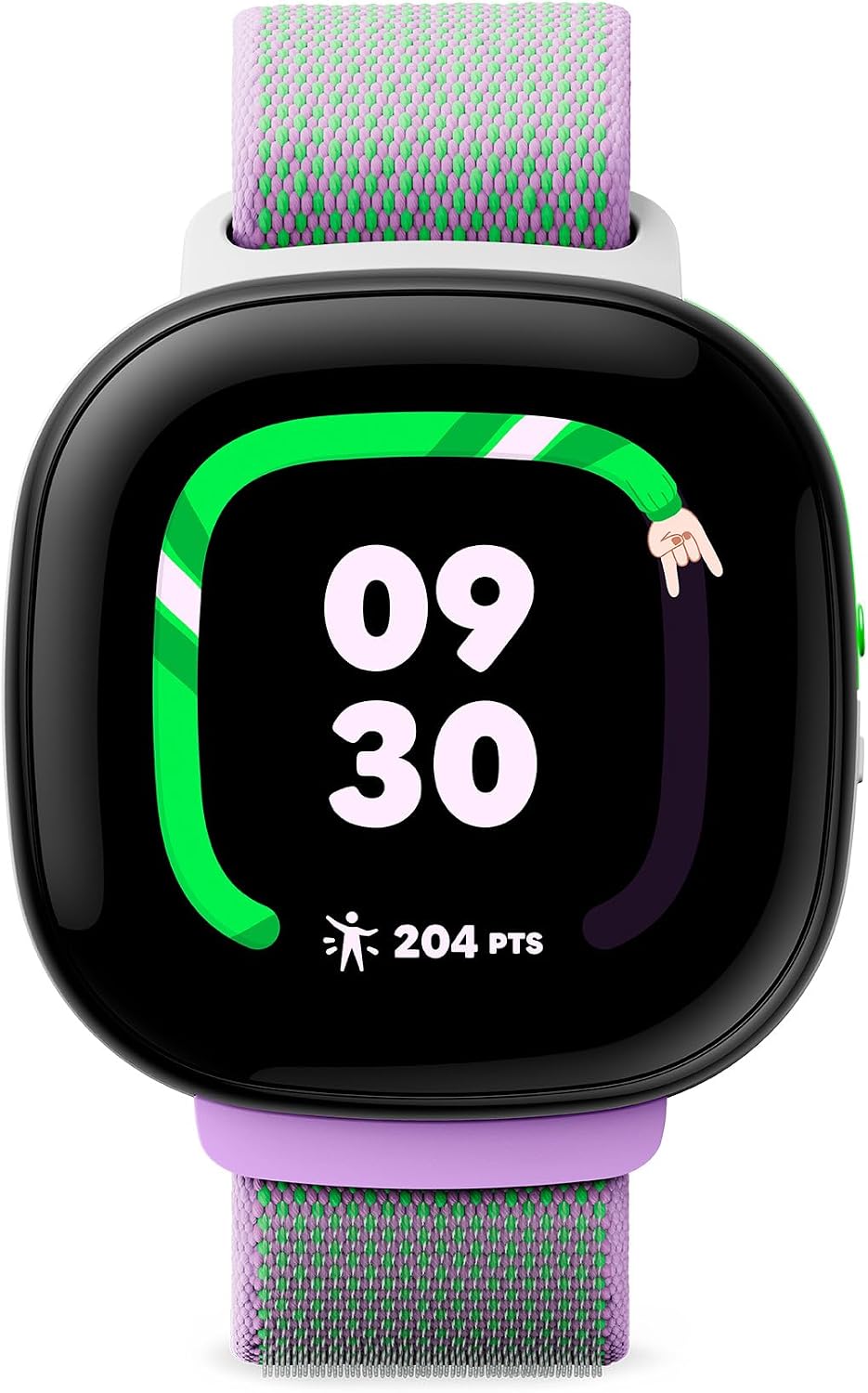
The standout characteristic of the Ace LTE is its interactive approach to movement. Rather than merely tabulating step counts, the display features the 'Noodle'—an animated ring that wriggles, bounces, and bursts into celebratory sequences as children walk, climb, and sprint throughout the day. Built-in motion sensors feed directly into the on-wrist Fitbit Arcade, giving kids access to movement-driven minigames that require physical activity to unlock play intervals.
Google also integrated proprietary physical bands that interact digitally with the watch. Snapping on a specific accessory band introduces unique digital characters (called 'eejies') and home-decorating items. While kids find this endlessly engaging, parents should be aware that it leans into a gaming mindset more heavily than traditional GPS trackers.
Calling, Messaging, and Safety Controls
Parental communication runs through the dedicated Fitbit Ace app, which works with both Android and iOS devices. The watch supports high-clarity voice calls, text messaging, and quick audio snippets back and forth. Much like the Bounce, safety boundaries are firm: children cannot freely call unapproved numbers, and kids cannot text-message other Ace LTE owners outside of parental configuration.
To prevent classroom distraction, Google included a dedicated 'School Time' feature. When toggled on manually or set on a recurring weekday schedule, games and movement animations are blocked. The watch face shows only the time, but urgent emergency calling and parental tracking remain live in the background.
Battery Realities and Subscription Structure
The energetic, high-resolution screen and responsive processor make a substantial dent in stamina. Fitbit states the battery provides more than 16 hours of daily usage. In practice, this means the watch requires charging every single evening, much like a typical adult smartwatch. Google mitigated this somewhat with fast charging, pushing an empty battery up to roughly 11 hours of life in 30 minutes on its magnetic cradle.
Cellular connectivity runs through Google's dedicated 'Fitbit Ace Pass' plan. Similar to Garmin, you do not need a third-party SIM card, but the subscription overhead remains an ongoing monthly commitment that must be factored into your household budget.
The Budget Hardware Option: imoo Watch Phone Z1
If you prefer to bring your own low-cost SIM card or prioritize seeing your child's immediate surroundings on demand, the imoo Watch Phone Z1 offers an alternative path.
Hardware, Video Calling, and Construction
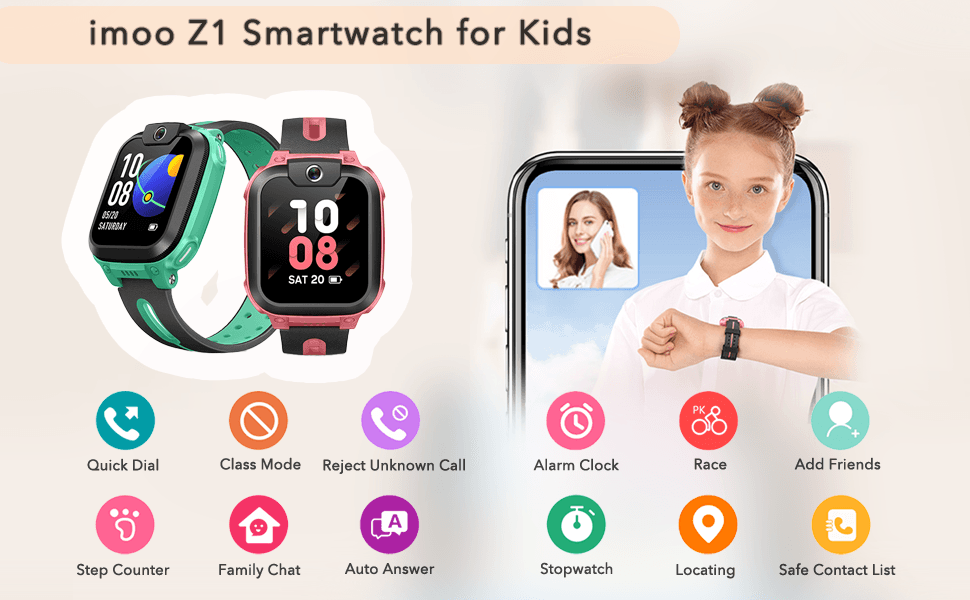
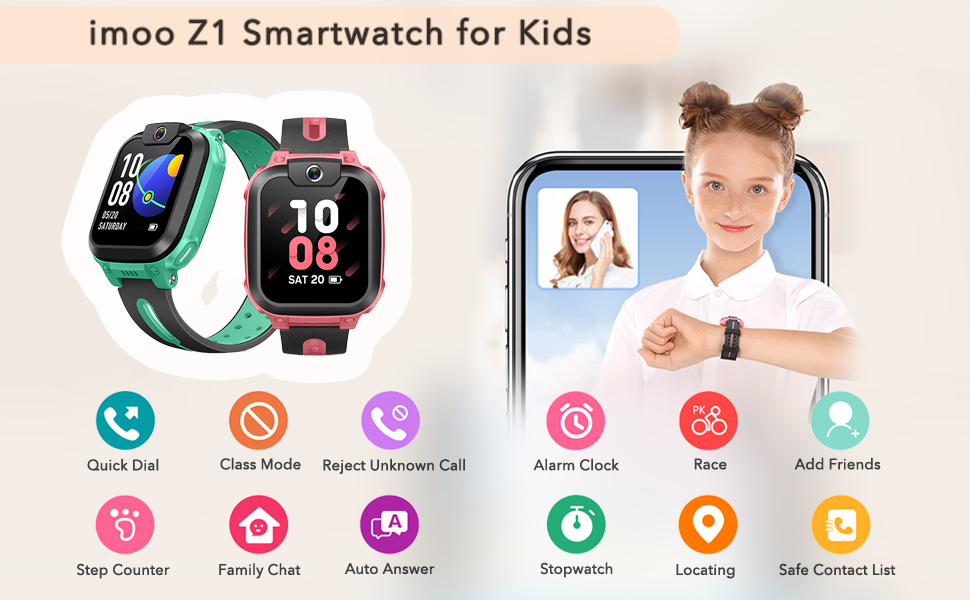
The distinctive feature of the imoo Z1 is its front-facing 2-megapixel wide-angle camera. When initiating a call through the free companion app, parents can trigger two-way HD video. This allows you to visually inspect whether your child is standing inside the school gates, waiting at a bus stop, or lingering elsewhere. Kids can also snap quick environment photos to send home.
The trade-off for housing a camera, larger speaker, and antenna array is size. The casing is noticeably thicker and more utilitarian than the Garmin or Fitbit, giving it a chunkier profile that can look oversized on slender wrists. Nevertheless, the plastic frame is impact-resistant and water-sealed for everyday splashes and rain.
Tracking, SOS, and Class Mode
Location reporting uses multi-source positioning (combining GPS, cell towers, and Wi-Fi networks). An emergency SOS feature allows children to draw a quick 'C' shape directly across the touchscreen display to broadcast their live location and dial emergency numbers automatically.
The companion app includes a comprehensive 'Class Mode' that mutes notifications and turns the screen into an ordinary digital clock during school hours. Unknown callers not stored in the parent-approved white list are rejected at network level, preventing unsolicited telemarketing calls from reaching the child's wrist.
SIM Flexibility and Running Expenses
Unlike Garmin and Fitbit, the imoo Z1 does not use a closed, manufacturer-managed e-SIM plan. It requires a physical nano-SIM card with active 4G data. This provides significant billing flexibility: parents can buy a pay-as-you-go bundle or add an affordable £5 to £8 monthly SIM-only plan from major UK mobile networks (confirming local 4G band compatibility first). While this requires an extra setup step, it lets you bypass expensive proprietary ecosystem fees.
Detailed Buyer's Guide: How to Choose Without Regrets
1. Understanding Ongoing Subscription Costs
When budgeting for a kids' smartwatch, the initial hardware purchase price is only half of the financial picture. Cellular watches require live 4G LTE data connections to transmit GPS coordinates, ping parent apps, and carry two-way voice traffic when outside of home Wi-Fi range.
- Proprietary Ecosystems (Garmin, Fitbit): These models rely on internal e-SIM hardware. Setup is effortless because you manage the billing directly within the parent app, but you are locked into their rates. Expect to pay between £8 and £11 per month. Over two years, the cellular subscription will easily exceed the initial cost of the watch itself.
- Open Carrier Models (imoo): Requiring a physical nano-SIM, these allow you to search for the best rolling mobile broadband deal. You can select a low-data monthly contract or family add-on, giving you control over long-term costs.
2. Location Accuracy: GPS vs. Cell Tower Triangulation
Smartwatches rely on a combination of technologies to plot coordinates. When a child is playing outdoors under an open sky, dedicated satellite GPS can pinpoint their location to within a few metres. However, inside dense concrete school buildings or underground shopping precincts, satellite lines of sight degrade.
In those scenarios, watches switch to Wi-Fi triangulation and 4G cell mast pings. These indoor readings can show a wider estimated radius rather than an exact classroom door. The companion apps for the Garmin Bounce and imoo Z1 both let you configure geofenced boundaries (safe zones), triggering automated push notifications to your smartphone when the wearable crosses into or out of defined geographic perimeters.
3. The Distraction Index: Utility vs. Gamification
Decide early what you want the wearable to accomplish:
- If you want your child to perceive the device as a safety tool, the Garmin Bounce balances this naturally. It rewards physical activity with badges and progress charts without turning the watch face into a pocket video game console.
- If your child is reluctant to go for walks or struggles with sedentary habits, the Fitbit Ace LTE leverages motion-driven gaming to get them moving. The trade-off is higher engagement with the screen itself.
- If you simply want direct check-ins and visual confirmation of safety, the imoo Watch Phone Z1 prioritises audio-video contact without an arcade layer.
4. School Policies and Quiet Modes
British schools maintain strict policies regarding personal electronics in classrooms. A smartwatch that rings during a maths lesson will be confiscated immediately. Ensure whichever watch you choose offers a robust 'School Time' or 'Class Mode' that can be scheduled automatically through the parent app. In this state, notifications must be entirely silenced, games locked out, and the screen restricted to displaying the time of day, while keeping passive tracking operational in the background.
Alternatives to Consider
Depending on your budget tolerance and communication requirements, you might want to consider alternative options within these two specific directions:
The Budget-Conscious Alternative: imoo Watch Phone Z1
If you baulk at the recurring £10 monthly ecosystem fees charged by major fitness brands, the imoo Watch Phone Z1 remains the most sensible alternative. By pairing low upfront hardware pricing with your choice of an inexpensive UK rolling nano-SIM contract, it substantially reduces your two-year total cost of ownership while adding two-way video calling that neither Garmin nor Fitbit provides.
The Motivation Alternative: Fitbit Ace LTE
If your primary goal is encouraging an active lifestyle rather than purely monitoring commutes, the Fitbit Ace LTE stands out. Its custom haptic feedback, interchangeable smart bands, and arcade integration turn physical exercise into an interactive game. Just be prepared to place it on its magnetic charger beside their bed every single night.
Final Verdict
For most parents searching for a connected gift that builds real-world independence without spawning screen fixation, the Garmin Bounce strikes the most balanced compromise. It treats communication as an essential utility rather than an entertainment hub, offers dependable location updates, keeps parental controls tightly locked within the Garmin Jr. app, and delivers a realistic two-day battery life that avoids daily charging anxiety.