As an Amazon Associate I earn from qualifying purchases. This page contains affiliate links, and I may earn a commission at no extra cost to you.
Renting a flat or house comes with a specific set of security headaches. You cannot drill large mounting holes into the walls without risking your deposit, you probably share entryways or communal hallways with neighbours, and the thought of an indoor camera streaming private moments of your living room or hallway to a corporate cloud server is rightly off-putting. The smart home industry spent years pushing monthly subscriptions for basic cloud clip recording, but local-first and hybrid hardware has completely changed the equation.
If you want clear video monitoring, instant motion alerts, and zero monthly fees, you do not need to wire up an industrial CCTV rig. Today, compact indoor cameras can store encrypted 2K or 3K footage directly to high-capacity microSD cards, stream locally over your home Wi-Fi via RTSP/ONVIF protocols to Network Attached Storage (NAS), or integrate with end-to-end encrypted platforms like Apple HomeKit Secure Video. This guide breaks down the architecture differences between local, cloud, and hybrid recording, evaluates three standout renter-friendly indoor cameras, and explains which model fits your specific living situation.
Local Storage vs Cloud vs Hybrid: What Renters Need to Know
Before picking hardware, it helps to understand where your footage actually lives and who holds the decryption keys. Security cameras generally fall into three architectural categories:
- Pure Cloud Storage: Video clips are triggered by motion and uploaded immediately to an off-site server (such as AWS). While convenient for off-site backup if someone steals the camera, pure cloud models almost always require an ongoing monthly subscription (often £3 to £10 per month) and introduce latency and privacy concerns. If your internet goes down, these cameras stop recording entirely.
- Pure Local Storage: Video is recorded directly onto a removable microSD card inside the camera body or streamed to a local Network Attached Storage (NAS) / NVR drive within your home network. No footage ever leaves your local area network unless you actively stream a live feed via peer-to-peer connection. There are zero monthly subscription fees, and recording continues uninterrupted even if your broadband cuts out. The trade-off: if an intruder takes the physical camera, they take the memory card with it.
- Hybrid & Encrypted Ecosystems: These systems capture footage locally first, but offer encrypted remote notifications, local AI processing, and optional secure syncing. Examples include Apple HomeKit Secure Video (where on-hub Apple hardware analyzes video locally and stores end-to-end encrypted clips in iCloud) or cameras offering simultaneous microSD recording and remote RTSP network streams.
For most renters, a hybrid or local-first camera is the sweet spot: it gives you immediate phone notifications when a parcel arrives or a pet moves, keeps running costs at £0, and ensures private interior footage remains under your control.
Quick Comparison Table
| Camera Model | Resolution | Storage Architecture | Pan & Tilt | Smart Ecosystems | Buy Link |
|---|---|---|---|---|---|
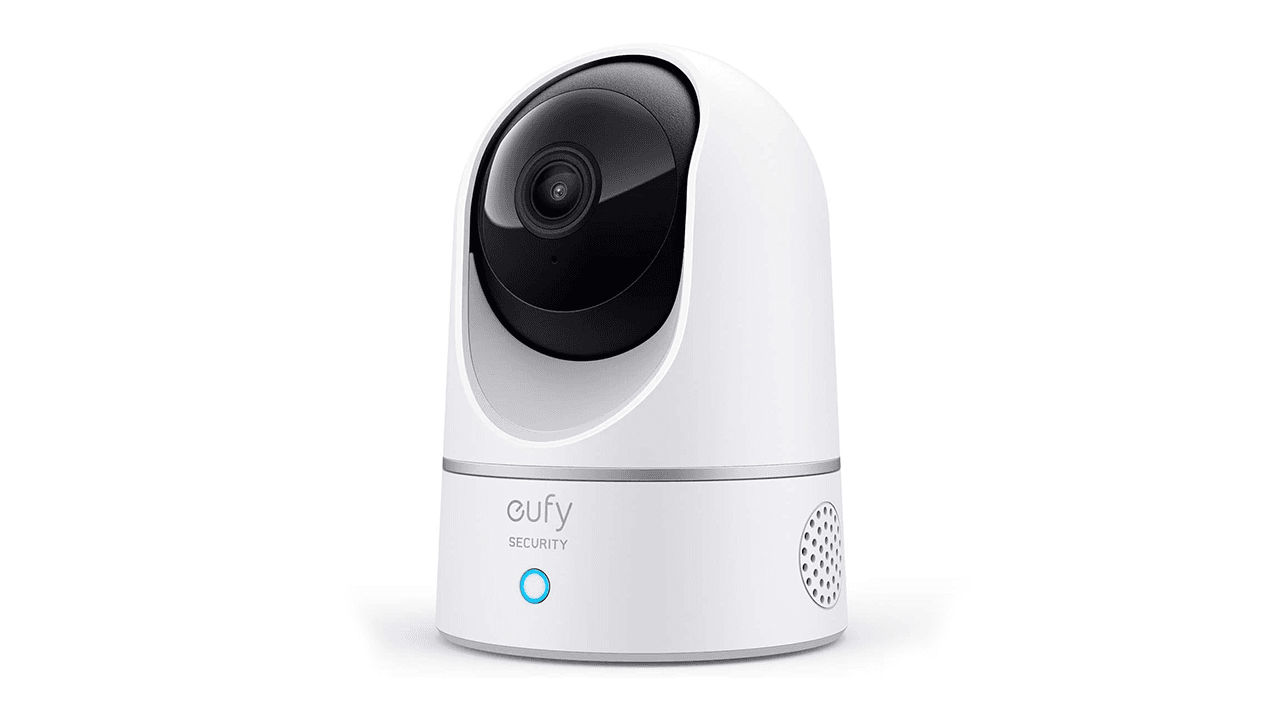
| eufy Security Indoor Cam E220 | 2K (1080p in HomeKit) | microSD / NAS (RTSP) / Cloud optional | Yes (360° pan / 96° tilt) | Apple HomeKit, Alexa, Google | Check today's price on Amazon |
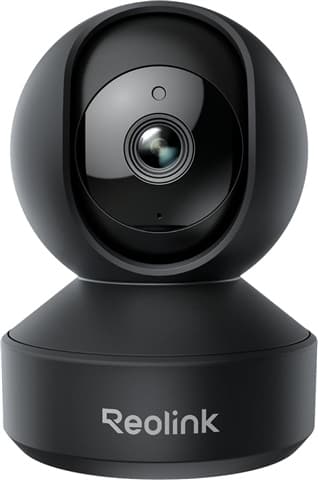
| Reolink E1 Pro | 5MP 3K (2880x1616) | microSD (up to 512GB) / NVR / FTP / RTSP | Yes (360° pan / tilt) | Alexa, Google Assistant | Check today's price on Amazon |
| Aqara Camera Hub G2H Pro | 1080p Full HD | microSD (up to 512GB) / NAS / HomeKit Secure Video | No (Fixed 146° wide-angle) | Apple HomeKit, Alexa, Google, IFTTT | Check today's price on Amazon |
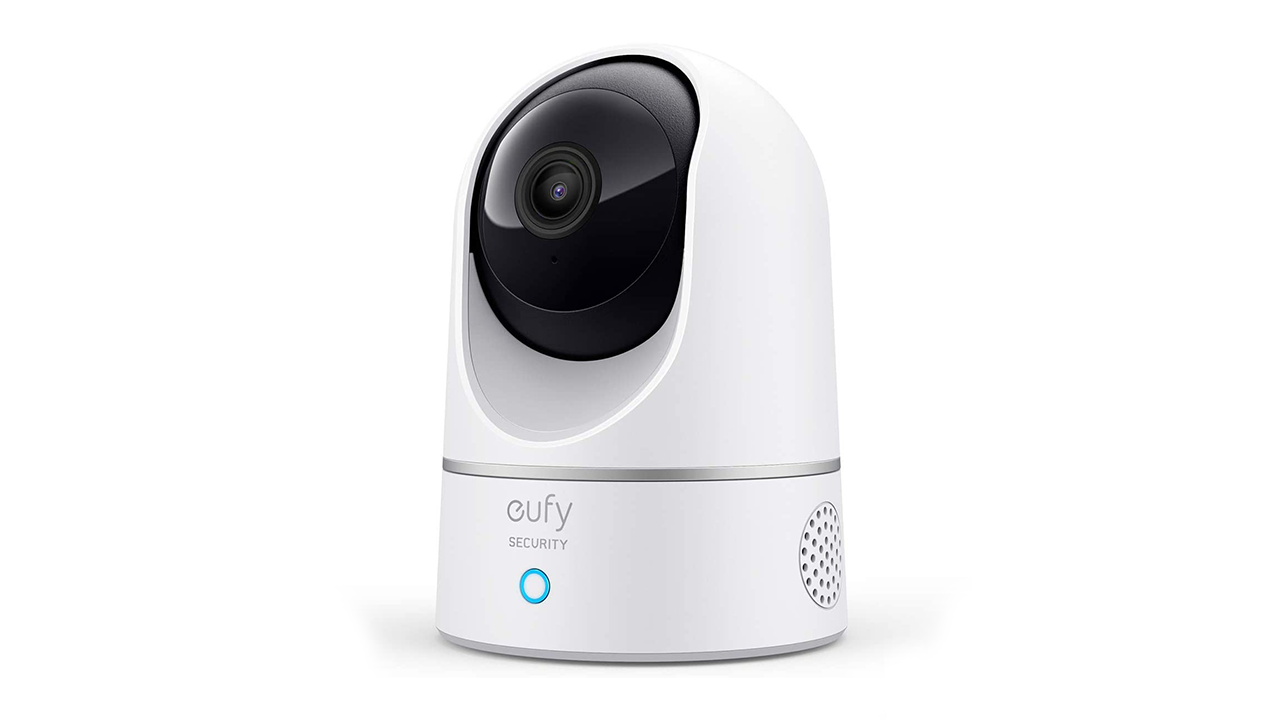
1. eufy Security Indoor Cam E220: The Best All-Rounder for Smart Ecosystems
The eufy Security Indoor Cam E220 has long been a staple recommendation for interior monitoring, and for good reason. It delivers a sharp 2K resolution sensor, motorized pan-and-tilt mechanics, and versatile smart platform compatibility at an accessible budget-friendly price point (usually under £45).
For renters, the physical setup requires no drilling. The lightweight, freestanding dome sits comfortably on any bookshelf, mantelpiece, or entertainment unit. If you do wish to corner-mount it, it comes with an adhesive-friendly mounting bracket. Mechanically, the camera lens pans 360 degrees horizontally and tilts 96 degrees vertically, allowing you to monitor an entire open-plan living and dining space from a single vantage point.
Key Features and Privacy Architecture
The standout feature of the E220 is its on-device AI processing. Rather than sending raw video frames up to an external server to determine what caused a motion trigger, the camera’s internal chip analyses the feed locally to differentiate between humans, pets, and general ambient motion. When motion is detected, the camera can automatically pan and tilt to track the subject across the room.
Footage can be saved to a local microSD card (supporting up to 128GB), streamed over RTSP to a private local NAS setup, or integrated directly into Apple HomeKit. Note that when connected to Apple HomeKit, video stream resolution caps at 1080p due to Apple's framework specifications, but running natively in the eufy app provides the full 2K feed.
Performance and Daily Use
Daytime image quality is crisp with reliable dynamic range, ensuring you can clearly distinguish faces even in front of bright windows. Night vision uses standard 850nm infrared LEDs, delivering solid monochrome visibility across typical room distances (up to roughly 10 metres). The built-in two-way audio allows clear communication through the internal speaker and microphone, which is ideal for telling pets to get off the sofa while you are at work.
Who Should Buy It:
- Renters looking for an affordable, motorized camera that integrates seamlessly across Apple HomeKit, Amazon Alexa, or Google Assistant.
- Pet owners who need automatic motion tracking to monitor active dogs or cats across large rooms.
Who Should Skip It:
- Users wanting multi-gigabit or 5GHz Wi-Fi support (the E220 operates exclusively on 2.4GHz networks).
- Advanced home server enthusiasts looking for native ONVIF profile compliance beyond basic RTSP streaming.
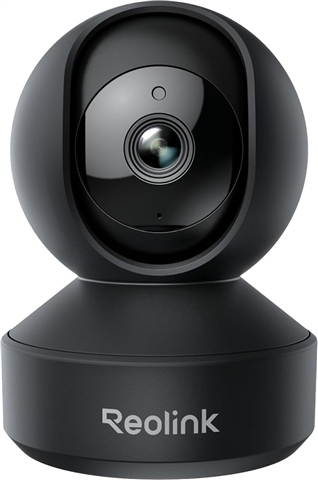
2. Reolink E1 Pro: The Standout Pick for Local Recording and High Resolution
If your primary goal is maximizing video clarity while keeping your footage strictly local, the Reolink E1 Pro is arguably the most capable standalone indoor camera in the sub-£50 category. Boasting a 5MP (3K) sensor delivering a 2880x1616 resolution paired with a bright F1.6 aperture lens, it pulls in noticeably more detail and light than standard 1080p or basic 2K units.
Storage Freedom and Network Versatility
Where the Reolink E1 Pro thoroughly outclasses its competition is in storage flexibility. While many indoor cameras restrict local storage to 128GB or 256GB cards, the E1 Pro supports massive microSD cards up to 512GB. At its default high-quality 3072kbps bitrate, a 512GB card holds up to 8 days of continuous, 24/7 uninterrupted video recording—not just short motion clips. This continuous recording capability persists even if your home Wi-Fi drops out entirely.
Furthermore, the E1 Pro supports dual-band Wi-Fi (2.4 GHz and 5 GHz). In dense rental blocks and flats where the 2.4 GHz spectrum is heavily congested by dozens of neighbouring routers, the ability to jump onto a clear 5 GHz channel ensures smooth, lag-free live streaming. Setup is streamlined via Bluetooth initialization, eliminating the awkward QR-code scanning dances common to older smart cameras.
Local AI and Smart Detection
Reolink embeds local AI algorithms directly onto the device, offering dedicated detection for people, pets, and crying sounds. The crying sound detection makes the E1 Pro an effective, cost-efficient dual-use nursery baby monitor. Video can be piped simultaneously to a Reolink NVR, Reolink Home Hub, personal FTP server, or third-party platforms via RTSP and ONVIF protocols—giving advanced users complete data sovereignty.
Who Should Buy It:
- Users living in busy apartment blocks needing 5 GHz dual-band Wi-Fi to cut through wireless interference.
- Homeowners and renters who demand true 24/7 continuous recording without monthly fees, backed by large 512GB card support.
- Power users wanting full ONVIF/RTSP compliance for integration into private Synology, QNAP, or Home Assistant servers.
Who Should Skip It:
- Apple HomeKit households (the E1 Pro works with Alexa and Google Assistant, but lacks native HomeKit / HomeKit Secure Video support).
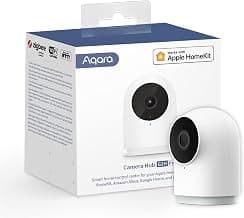
3. Aqara Camera Hub G2H Pro: The Compact Smart Hub with Native HomeKit Encryption
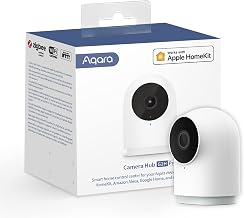
The Aqara Camera Hub G2H Pro takes a completely different approach to indoor monitoring. Rather than employing a motorized rotating base, it features a tiny, ultra-compact form factor with a heavy magnetic base that can instantly stick to radiators, metal door frames, or fridge doors without leaving a single mark or screw hole—making it exceptionally renter-friendly.
Dual-Purpose Hardware: Camera and Zigbee 3.0 Hub
What sets the G2H Pro apart from standard standalone cameras is that it also functions as an Aqara Zigbee 3.0 smart home hub. This means you can pair Aqara door/window sensors, motion detectors, temperature sensors, and wireless buttons directly to the camera without buying a separate bridge. If a door sensor trips while you are away, the camera can automatically start recording, activate its built-in siren, and send a priority alert to your phone.
Privacy Credentials and Apple Ecosystem Dominance
For dedicated Apple users, the G2H Pro is one of the most cost-effective gateways to Apple HomeKit Secure Video (HKSV). When configured with HomeKit, your live video is processed directly on your local Apple TV or HomePod hub. The encrypted stream is stored in your personal iCloud account without counting against your base iCloud storage tier, and not even Apple has the decryption keys.
For local-only operation without Apple hardware, the G2H Pro accommodates microSD cards up to 512GB, supports local NAS storage over Samba/SMB shares, and features custom privacy masking zones so you can block out private areas (like a work computer monitor or bedroom door) from being captured.
Who Should Buy It:
- Renters invested in the Apple Home ecosystem who want native HomeKit Secure Video support out of the box.
- Anyone wanting a tool-free magnetic mounting system and an integrated Zigbee hub for building out a broader rental-safe alarm system.
Who Should Skip It:
- Buyers needing motorized 360-degree pan-and-tilt tracking (the G2H Pro relies on a static, albeit wide, 146-degree lens).
- Users who demand resolutions above 1080p Full HD.
Buyer’s Guide: Key Criteria for Renter-Friendly Security Cameras
When selecting an indoor security camera for a rental property, prioritise these five technical and practical criteria before making a purchase:
1. Non-Destructive Mounting Options
Landlords and letting agents are notoriously strict regarding wall damage. Avoid cameras that require complex junction boxes or heavy wall anchoring. Look for cameras with stable desktop footings (like the eufy Security Indoor Cam E220), strong magnetic bases (like the Aqara Camera Hub G2H Pro), or baseplates that adhere securely with non-marking Command strips.
2. Local Storage Capacity & Continuous vs Event Recording
Decide whether you need event-based recording (capturing 10–60 second clips only when motion occurs) or 24/7 continuous recording. Event recording saves card space and makes reviewing footage quick, but it can occasionally miss the first second of an incident. If you require continuous recording, pick a camera supporting large storage capacities—such as the Reolink E1 Pro with its 512GB capacity—and ensure the camera’s firmware supports automated loop recording (overwriting the oldest files when full).
3. Network Protocols (RTSP, ONVIF, and SMB)
If you want to keep your video entirely independent of proprietary manufacturer mobile apps, verify that the camera supports standard local streaming protocols. RTSP (Real-Time Streaming Protocol) and ONVIF compliance allow you to stream feeds directly to platforms like Home Assistant, Scrypted, Synology Surveillance Station, or Blue Iris without any internet connection required.
4. Physical Privacy Controls
When you are relaxing at home, you should not have to wonder whether a camera lens is watching you. Look for models with physical privacy modes. Motorized cameras can rotate their lenses physically downward into their casing when set to "Home" mode, providing an unmistakable visual confirmation that monitoring is deactivated.
5. AI Processing Location
Always verify where object detection calculations occur. On-device local AI (found on all three recommended models) identifies people, pets, or crying sounds directly on the camera’s internal processor. This keeps your private footage off third-party computational cloud servers and eliminates processing lag.
Alternatives to Consider
If you find that our top picks do not entirely match your setup, consider these alternatives depending on your budget and ecosystem goals:
- For Budget Simplicity: If you only need a basic, fixed-lens indoor camera for occasional pet check-ins on a strict sub-£35 budget, the eufy Security Indoor Cam E220 remains the most balanced entry point due to its included motorized panning.
- For Full Smart Home Automation: If you are planning to add door sensors and smart radiator valves without adding multiple power-hungry bridges to your router, pick the Aqara Camera Hub G2H Pro to serve as both your security camera and Zigbee base station.
Verdict: Which Privacy Camera Should You Buy?
For the vast majority of renters seeking total data privacy, crystal-clear imaging, and zero recurring subscription fees, the Reolink E1 Pro is our top overall recommendation. Its combination of a 5MP 3K sensor, dual-band 5 GHz Wi-Fi, support for 512GB microSD cards (yielding over a week of continuous local recording), and comprehensive ONVIF/RTSP protocol support makes it an unbeatable standalone surveillance device for the price.
If your smart home is built strictly around the Apple Home ecosystem, the Aqara Camera Hub G2H Pro offers the smoothest HomeKit Secure Video integration and doubles as a Zigbee hub. Meanwhile, if you want an affordable motorized tracking camera that balances Apple, Google, and Alexa integration equally well, the eufy Security Indoor Cam E220 delivers dependable performance.