As an Amazon Associate I earn from qualifying purchases. This page contains affiliate links, and I may earn a commission at no extra cost to you.
The Multi-Gigabit Reality Check
Buying a Wi-Fi 7 mesh network right now is an expensive proposition. If your home broadband tops out at 300Mbps and your household devices consist of standard smartphones, a couple of tablets, and a streaming stick, spending high-end cash on the latest wireless standard makes little financial sense. A competent Wi-Fi 6 or 6E setup handles those everyday demands effortlessly without draining your savings.
Where Wi-Fi 7 earns its keep is in bandwidth-starved, multi-gigabit households. If you subscribe to a 2Gbps, 5Gbps, or 10Gbps fibre connection, older wireless standards create an immediate bottleneck. The same applies if you regularly move massive local files across a Network Attached Storage (NAS) system, juggle simultaneous VR gaming sessions, or struggle with heavy wireless interference in dense neighbourhoods. Wi-Fi 7 introduces 320MHz ultra-wide channels and Multi-Link Operation (MLO), allowing compatible devices to send and receive data across multiple frequency bands (2.4GHz, 5GHz, and 6GHz) simultaneously. That means dramatically reduced latency and real-world speeds that rival physical Ethernet cables.
To help you decide which hardware is genuinely worth the investment, this guide analyses the top Wi-Fi 7 mesh systems currently dominating the market: the Check today's price on Amazon, the Check today's price on Amazon, and the ultra-premium Check today's price on Amazon.
Wi-Fi 7 Mesh Systems at a Glance
Before diving into detailed breakdowns, here is how the primary contenders stack up across key specifications, pricing bands, and hardware capabilities:
| Product | Key Specs | Price Band | Verdict | Check Price |
|---|---|---|---|---|
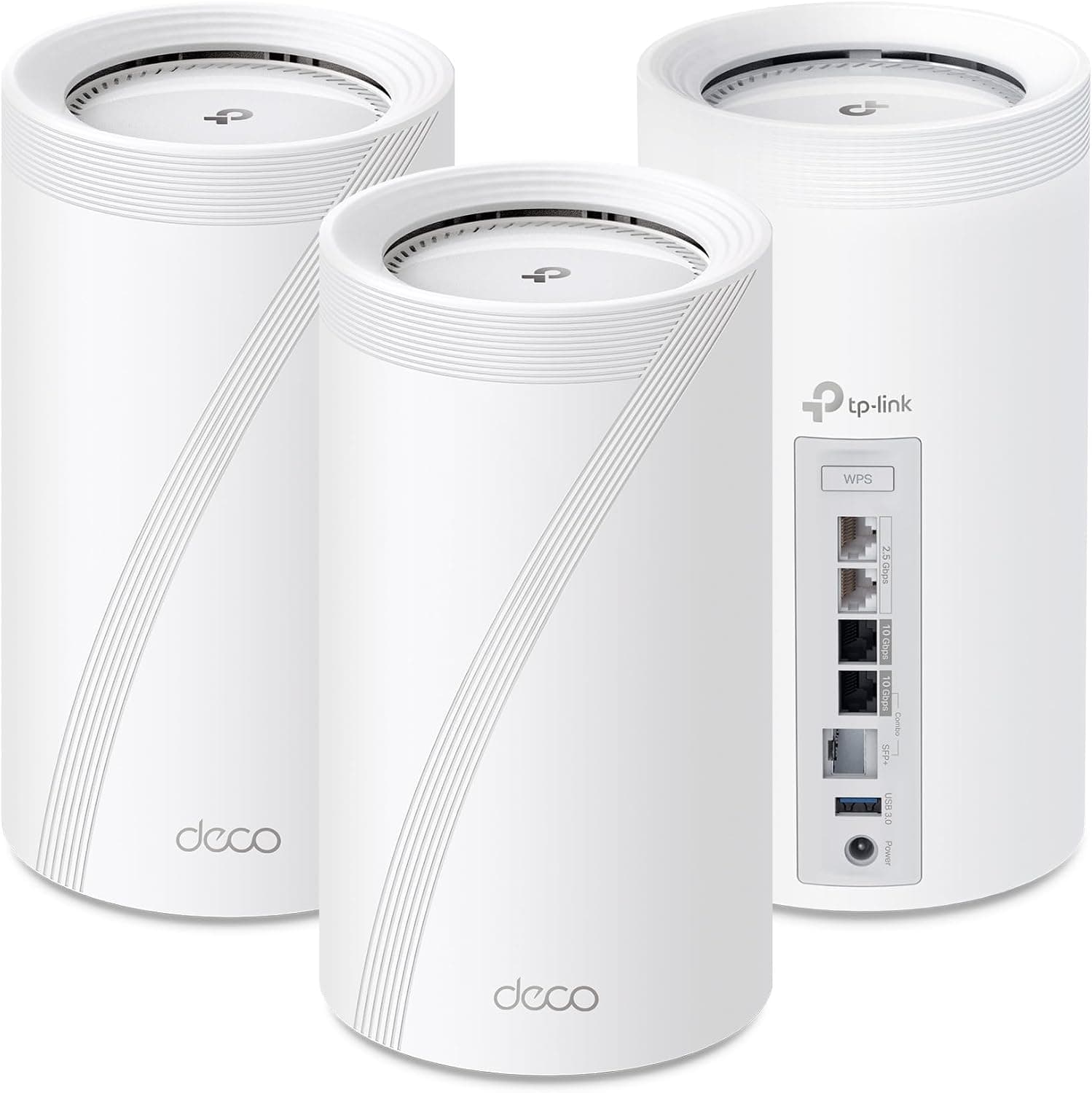
| TP-Link Deco BE85 | Dual 10G ports, Dual 2.5G ports, SFP+ combo, Tri-Band BE22000 | Premium (roughly $1,000 for 2-pack) | Best balance of massive wired bandwidth and flexible software controls. | Check today's price on Amazon |
| Amazon eero Max 7 | Dual 10GbE + Dual 2.5GbE, Tri-Band BE20800, Built-in Smart Hub | Premium (roughly $1,150 for 2-pack) | Seamless smart home integration and effortless set-and-forget reliability. | Check today's price on Amazon |
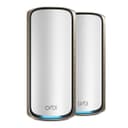
| NETGEAR Orbi 970 | 10GbE WAN/LAN, Quad-Band BE27000, Dedicated Wireless Backhaul | Ultra-Luxury (roughly $1,700 for 2-pack) | Unrivalled raw throughput for expansive luxury properties with deep pockets. | Check today's price on Amazon |
1. TP-Link Deco BE85: The Versatile Hardware Heavyweight
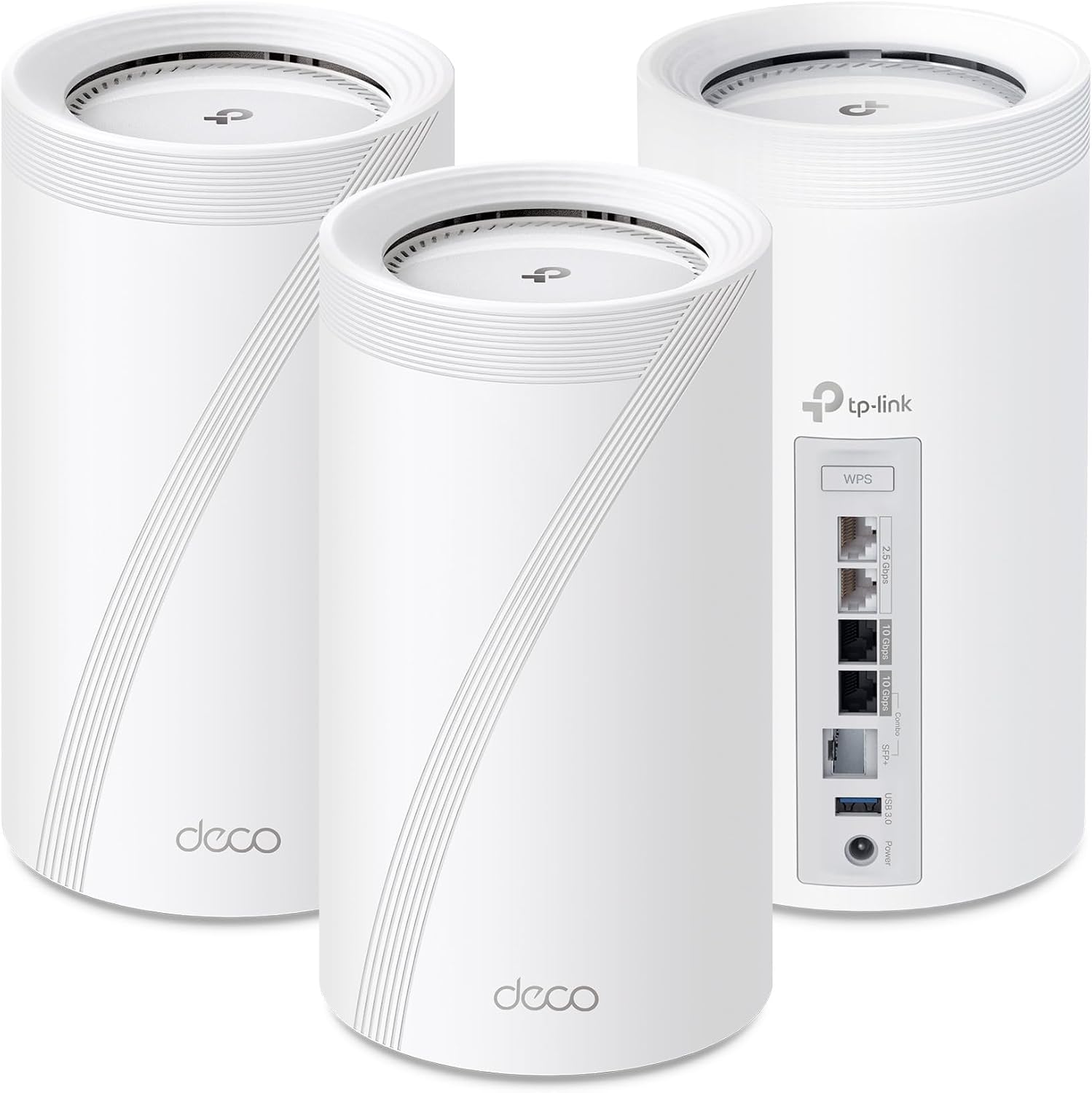
TP-Link engineered the Deco BE85 to solve the primary complaint power users have had with early mesh systems: poor port selection. Each cylindrical BE85 unit is built like a proper piece of networking hardware rather than a decorative ornament. You get two 10Gbps ports (one standard RJ45 Ethernet and one SFP+/RJ45 combo jack for direct fibre connections), two 2.5Gbps Ethernet ports, and a USB 3.0 port for network-attached storage sharing.
That port layout makes a monumental difference. Many competing mesh nodes offer a single multi-gigabit WAN port and drop everything else down to standard gigabit speeds, instantly neutering your local network performance. With the BE85, you can run a 10Gbps wired backhaul between nodes while still having ultra-fast physical ports open for gaming PCs, local media servers, or fast switches.
Under the hood, TP-Link utilizes simultaneous wireless and wired backhaul technology. The system dynamically combines wired and wireless pathways to maximise throughput and minimise packet loss. Its AI-driven roaming engine continually evaluates client signal quality and device movements, shifting devices between bands without the brief signal drops that plague cheaper systems.
Software and Everyday Management
Management runs through the free Deco mobile application. Basic security features, including basic network scans, IoT device isolation, and foundational parental controls, are included at no extra charge via TP-Link HomeShield. However, advanced parental filtering and extended real-time threat protection require an ongoing HomeShield Pro subscription—a recurring cost that feels cheeky on hardware in this price bracket.
On the upside, the BE85 supports both VPN Client and VPN Server functionality directly on the router. You can route specific home devices through a private VPN tunnel without installing third-party apps on individual hardware, all while running standard traffic side-by-side.
- Pros: Outstanding port selection with dual 10G ports and SFP+ fibre support; simultaneous wired and wireless backhaul; built-in VPN server/client; straightforward mobile setup.
- Cons: Nodes are physically bulky; full advanced security suite requires a recurring subscription.
2. Amazon eero Max 7: The Smart Home Conductor
Amazon took a streamlined, user-friendly approach with the eero Max 7. While previous eero iterations sacrificed wired connectivity in favour of compact enclosures, the Max 7 embraces serious throughput. Each node features two 10GbE ports alongside two 2.5GbE ports, delivering up to 9.4Gbps wired capacity and wireless theoretical speeds topping 4.3Gbps.
Where the eero Max 7 stands apart is in smart home orchestration. Amazon has embedded a multi-protocol smart home hub into every unit. The hardware acts as a Thread Border Router, Matter controller, and Zigbee hub. If your household is filled with smart bulbs, door locks, and motion sensors, the Max 7 consolidates those disparate protocols into a unified mesh without cluttering your entertainment centre with separate bridge hardware.
Amazon relies heavily on proprietary TrueMesh algorithms alongside TrueRoam and TrueChannel. Rather than forcing you to configure separate SSIDs or manually tweak channel widths, the software continually scans radio environments, steering traffic away from congested frequencies in real time. The three-year warranty included on new units is also an industry-leading perk in a market where one year is standard.
The Trade-Offs
Simplicity comes with deliberate limitations. Power users will find the eero app frustratingly stripped of granular networking tools. You cannot split 2.4GHz, 5GHz, and 6GHz bands into distinct network names, and manual channel selection is completely absent. Furthermore, advanced digital security and content filtering remain locked behind the optional eero Plus subscription tier.
- Pros: Integrated Thread, Matter, and Zigbee hub; seamless TrueMesh background optimisation; two 10GbE plus two 2.5GbE ports; generous 3-year warranty.
- Cons: Lacks advanced manual configuration options; unified SSIDs cannot be split; full security requires eero Plus subscription.
3. NETGEAR Orbi 970 Series: Uncompromising Quad-Band Power
If budget is genuinely no barrier and you demand the fastest possible wireless speeds across vast square footage, the NETGEAR Orbi 970 sits alone at the peak of consumer networking. Unlike tri-band systems that share wireless capacity between client traffic and backhaul communication, the Orbi 970 utilizes an extraordinary Quad-Band BE27000 architecture.
NETGEAR dedicates an entire wireless spectrum specifically to inter-node communication. Even if your household is simultaneously streaming multiple 8K video feeds, downloading massive 100GB game patches, and running virtual reality streams, the satellites communicate with the primary router over a clear, uninhibited wireless lane. The system offers a massive 10Gbps WAN/LAN port on the main router along with multi-gigabit satellite ports, pushing theoretical combined network speeds up to 27Gbps.
The industrial design is tall and imposing, housing custom internal antenna arrays engineered to eliminate dead zones across homes spanning up to 6,000 to 10,000 square feet depending on pack size. Adding extra satellites requires just a single button push, instantly expanding high-bandwidth coverage across expansive multi-storey properties.
The Reality of the Price Tag
The Orbi 970's primary stumbling block is its staggering price. A two-pack routinely hovers around $1,700, and a three-pack climbs well past $2,000. Unless you inhabit a palatial residence with extreme local bandwidth needs and a multi-gigabit internet plan, the Orbi 970 represents a degree of overkill that is hard to justify for everyday consumer use.
- Pros: Quad-band design with dedicated high-speed backhaul; exceptional wireless range and signal penetration; 10GbE connectivity throughout.
- Cons: Exorbitant price tag; exceptionally large physical nodes; NETGEAR Armor security features rely on an ongoing annual plan after the initial trial.
What to Look for in a Wi-Fi 7 Mesh System
Navigating the technical jargon of modern networking gear can feel overwhelming. Focus on these practical criteria when deciding where to put your money:
1. Port Speed and Backhaul Flexibility
Never judge a mesh system solely by its wireless ratings. Look at the physical ports on both the router and the satellite nodes. A system advertising 20Gbps wireless capabilities is severely bottlenecked if it only includes 1Gbps Ethernet ports. Aim for at least one 10GbE WAN port and multiple 2.5GbE LAN ports if you plan to link nodes via physical Ethernet cabling.
2. Tri-Band vs Quad-Band Architecture
Tri-band systems provide 2.4GHz, 5GHz, and 6GHz bands. When using wireless backhaul, client devices share bandwidth on those bands with the mesh units themselves. Quad-band systems add an extra dedicated band specifically for node-to-node chatter. If you cannot run physical Ethernet cables through your walls, quad-band offers noticeable throughput improvements at long ranges.
3. Subscription Paywalls
Nearly every networking manufacturer has adopted subscription models for advanced parental controls, historical reporting, and automated threat detection. Factor these recurring costs into your purchasing decision if you require deep content filtering for children.
Alternatives to Consider
If investing over $1,000 on a mesh setup feels excessive for your current requirements, consider these strategic options:
- For Budget-Minded Upgrades: Stick with a capable Wi-Fi 6E mesh system if you want clean 6GHz connectivity without early-adopter premiums. Look at mid-tier solutions from TP-Link's earlier Deco lines.
- For Smart Home Enthusiasts on a Budget: If you only need a single powerful node for a modest apartment or townhouse rather than a multi-node pack, buying a standalone Check today's price on Amazon provides high-speed Wi-Fi 7 routing alongside integrated Zigbee/Matter control for substantially less outlay than a multi-pack.
- For Maximum Port Versatility: The Check today's price on Amazon remains the most complete all-rounder for users who want multi-gigabit wired connections throughout their workspace without paying the extreme premium commanded by quad-band flagships.
Final Verdict: Which Wi-Fi 7 Mesh Router Should You Buy?
For most households upgrading to multi-gigabit infrastructure, the Check today's price on Amazon represents the smartest overall choice. It delivers the most sensible balance of cutting-edge hardware, featuring two full 10Gbps ports, SFP+ fibre flexibility, robust simultaneous backhaul, and built-in VPN controls at a price point substantially below ultra-luxury competitors.
Choose the Check today's price on Amazon if you prioritise frictionless background management and want your mesh nodes to double as a unified smart home controller. Reserve the formidable Check today's price on Amazon strictly for sprawling estates where quad-band dedicated backhaul is mandatory and cost is secondary.