Teaching children to code early isn't just about future careers; it's about fostering critical thinking, problem-solving, and creativity. Coding robots offer a fun, tangible way for kids to grasp these concepts, moving beyond abstract screen time to physical interaction. But with so many excellent options on the market today, which one genuinely stands out for different age groups in August 2026?
Whether your child is a budding engineer, an artistic programmer, or just starting their journey into logical thinking, there's a robot designed to meet them where they are. We've dug into the most popular and well-regarded models to help you pick the perfect electronic companion for your child's learning adventure.
As an Amazon Associate I earn from qualifying purchases. This page contains affiliate links, and I may earn a commission at no extra cost to you.
Understanding Coding Robots: More Than Just Toys
At their core, coding robots are educational tools disguised as fun. They introduce fundamental programming concepts like sequencing, loops, conditionals, and debugging in an age-appropriate, hands-on manner. This isn't about memorising syntax; it's about understanding logic and cause-and-effect. Younger children might use physical buttons or directional cards, while older kids transition to visual block-based programming on an app, eventually even dabbling in text-based languages.
The best coding robots are engaging, durable, and offer a clear progression path. They should spark curiosity, not frustration, and provide challenges that grow with your child's abilities. With that in mind, let's dive into some of the leading contenders.
Learning Resources Botley 2.0 Coding Robot Activity Set: Screen-Free Fun for Younger Coders
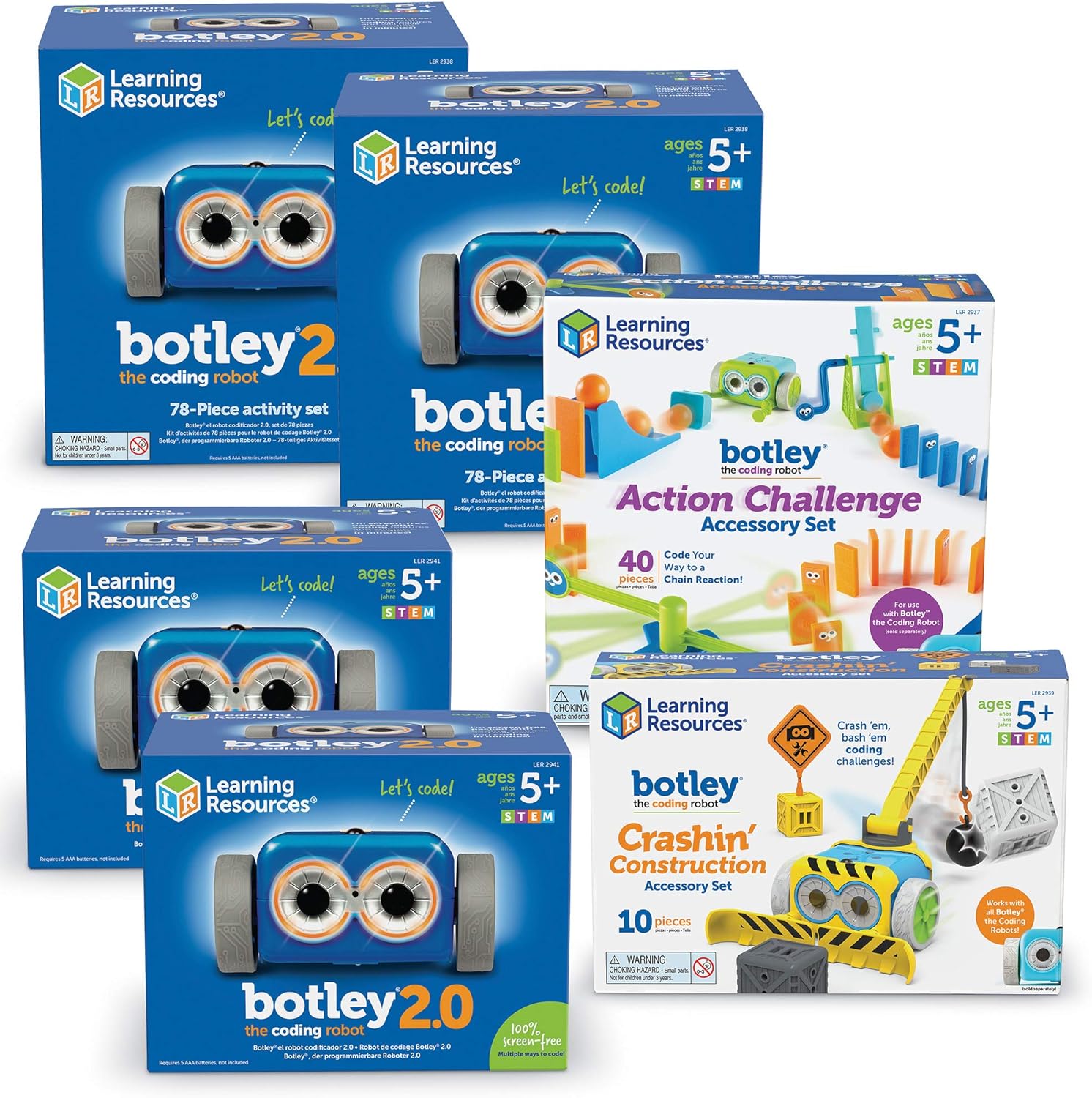
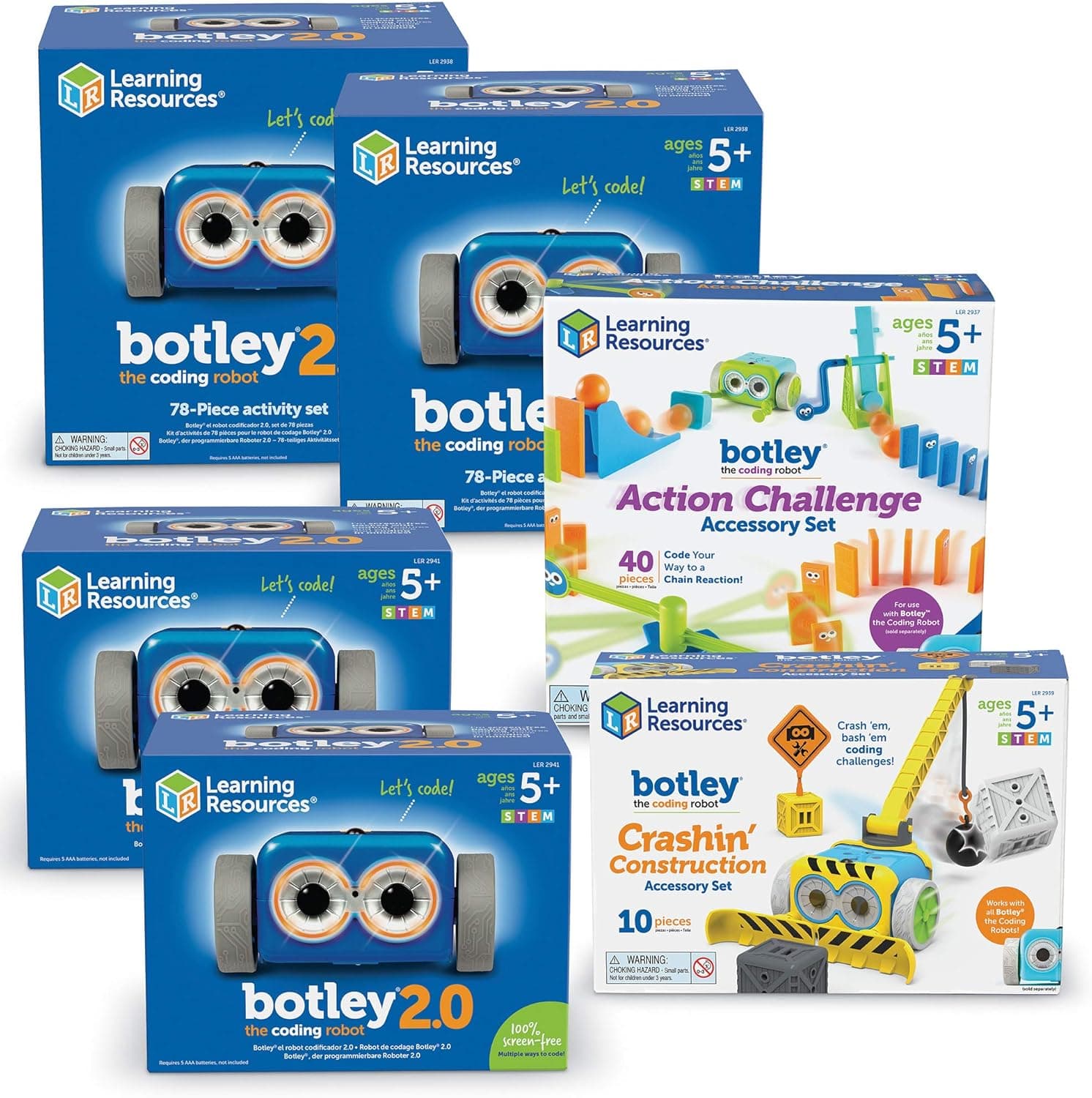
For children aged around 5-8, the Learning Resources Botley 2.0 Coding Robot Activity Set remains a fantastic entry point into the world of programming without needing a screen. It's chunky, colourful, and immediately inviting, making it perfect for little hands.
Botley 2.0 works by using an intuitive remote programmer. Kids input up to 150 steps – movements, turns, object detection, and even custom sequences with lights and sounds – and Botley executes them. The robot itself has various sensors allowing it to detect objects and react, adding another layer of challenge. The set often comes with obstacle course pieces, activity cards, and even glow-in-the-dark stickers, which genuinely enhances the play experience. It's incredibly durable, designed to withstand the inevitable bumps and tumbles from enthusiastic young learners.
Based on published specs and verified owner feedback, Botley 2.0 excels at teaching basic sequential programming, spatial reasoning, and problem-solving. It's robust and reliable, providing consistent feedback. The biggest strength here is the complete lack of screen time, which is a major win for many parents. However, its simplicity means older, more advanced children might outgrow its core functionality relatively quickly. It's a stepping stone, not a long-term coding platform.
- Pros: Totally screen-free coding, extremely durable design, easy for young children to grasp, teaches fundamental sequencing and logic.
- Cons: Limited complexity, less scalable for older children, can become repetitive once basic concepts are mastered.
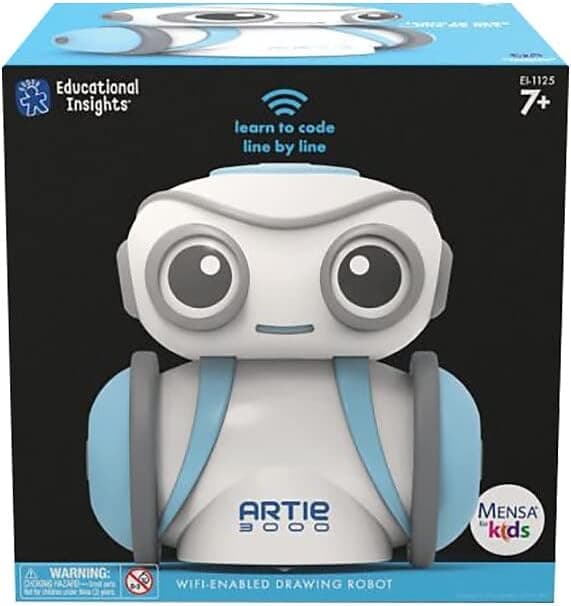
Educational Insights Artie 3000 The Coding Robot: Where Art Meets Code
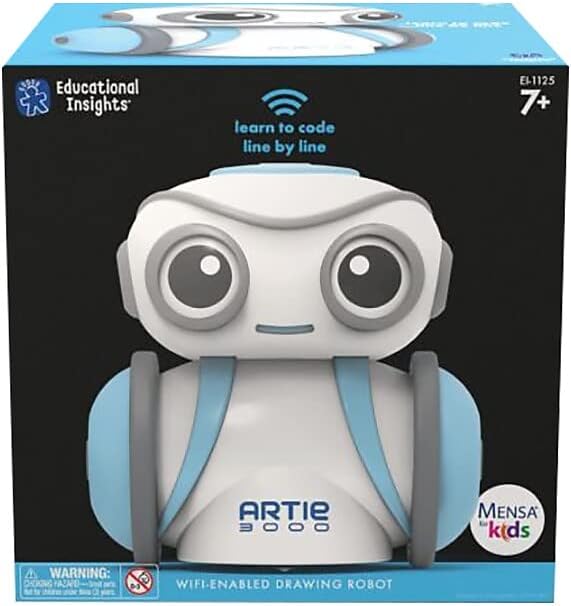
The Educational Insights Artie 3000 The Coding Robot offers a brilliant creative twist on coding, making it ideal for children aged 7-12 who enjoy art and design. Artie isn't just about moving; it's about drawing what you code. You essentially program Artie to draw lines, shapes, and patterns on a piece of paper, bringing abstract code to life visually.
Artie connects wirelessly to a tablet or computer, where kids use a drag-and-drop visual programming interface, similar to Scratch or Blockly. This means they're not just moving a robot, but seeing immediate artistic results. What's clever about Artie is its progressive learning path; it starts with simple pre-programmed shapes, moves to Blockly, and for the truly ambitious, even supports Python and JavaScript. This scalability is a huge plus, allowing children to grow their coding skills over several years.
Reviewers and owners commonly report that Artie can be a bit finicky with setup initially, particularly with Wi-Fi connections, but once it's up and running, the creative possibilities are vast. Its ability to bridge the gap between digital code and physical output is genuinely engaging, and it's a refreshing change from robots that only move or make sounds. The accuracy of its drawings is generally good, though expect some variation depending on the surface and paper. At roughly £70-£80, it feels like solid value for a unique educational tool.
- Pros: Unique art-based coding, excellent visual feedback, supports multiple coding languages for progression, fosters creativity and STEM skills.
- Cons: Requires a separate device (tablet/computer), initial setup can be a little temperamental, drawing accuracy isn't always perfect.
Learning Resources Code & Go Robot Mouse Activity Set: The Simplest Start
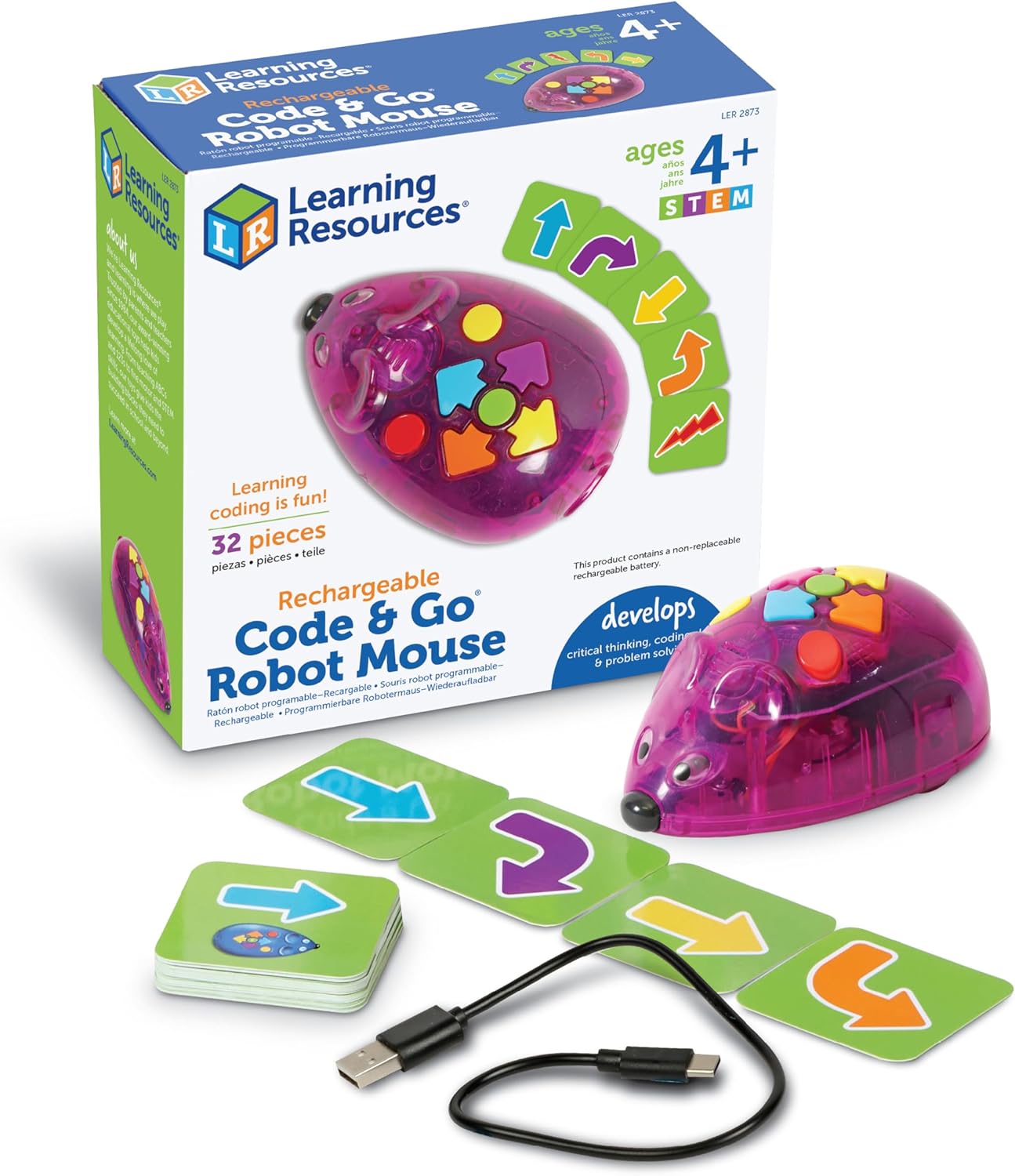
For the youngest aspiring coders, typically ages 4-7, the Learning Resources Code & Go Robot Mouse Activity Set provides an incredibly straightforward and tactile introduction to coding. This set focuses purely on sequencing and logical thinking through the creation of physical mazes.
The core of the set is Colby the Robot Mouse, who responds to simple directional button presses on his back: forward, backward, left, and right. Children arrange maze pieces to create a path for Colby to follow, then program his movements to reach a 'cheese' target. It's a simple premise, but remarkably effective at teaching basic algorithms and debugging. If Colby doesn't reach the cheese, kids immediately see where their sequence went wrong and can adjust. Like Botley, it's entirely screen-free, relying on physical interaction and visual feedback.
Compared against its specs and competitors, the Robot Mouse is excellent for its specific niche: very young children taking their absolute first steps in coding. It's incredibly durable, easy to clean, and the challenge cards help guide play. However, it is by far the most basic option here. Children will master its concepts relatively quickly, making it a short-term educational toy rather than a long-term coding platform. If you're looking for an affordable, no-frills entry, this is tough to beat at around £40-£50.
- Pros: Perfect for very young children, entirely screen-free, excellent for basic sequencing and problem-solving, highly durable, affordable.
- Cons: Very limited functionality, quickly outgrown as skills advance, not suitable for older children.
Wonder Workshop Dash Robot: The Engaging Personality
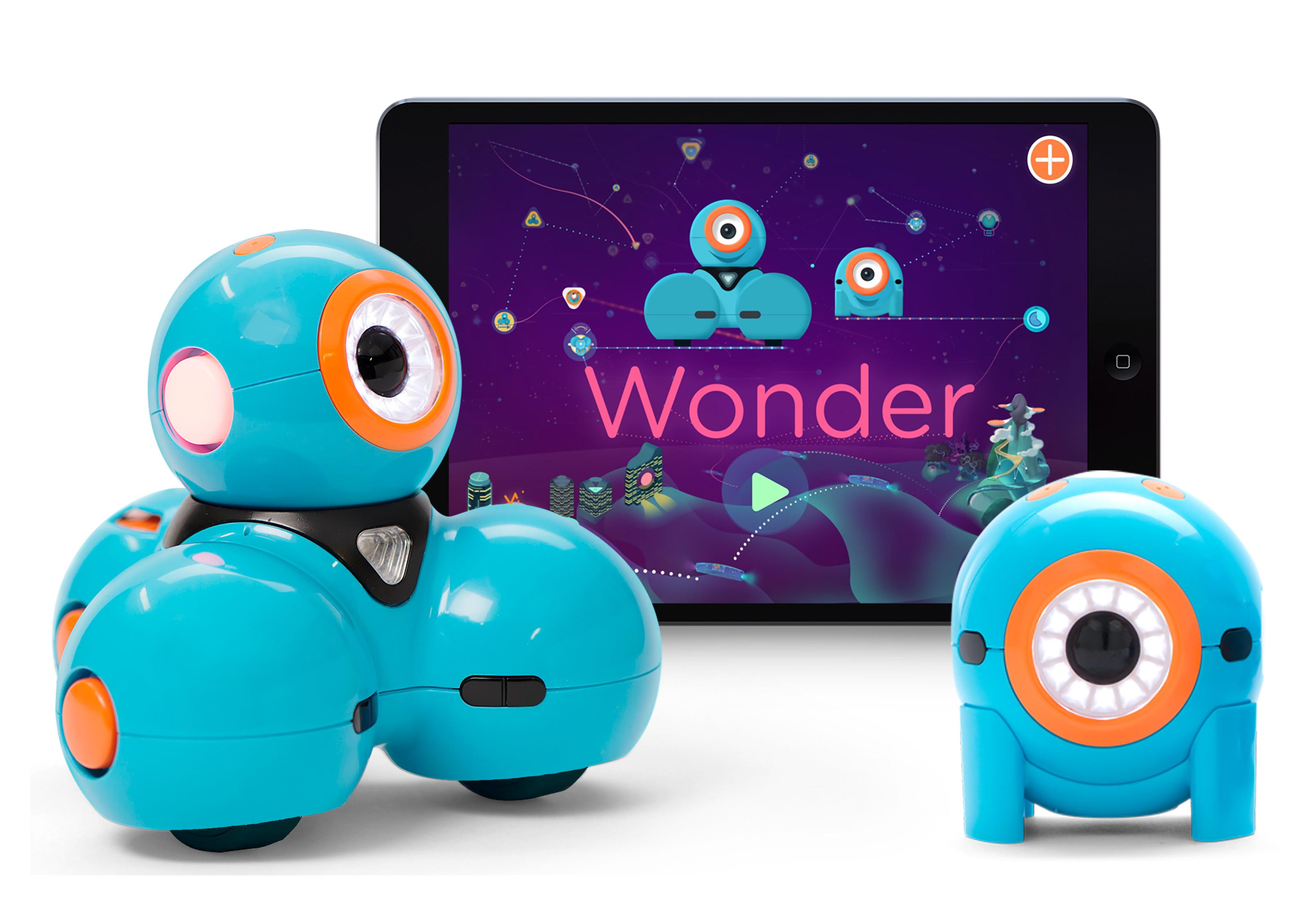
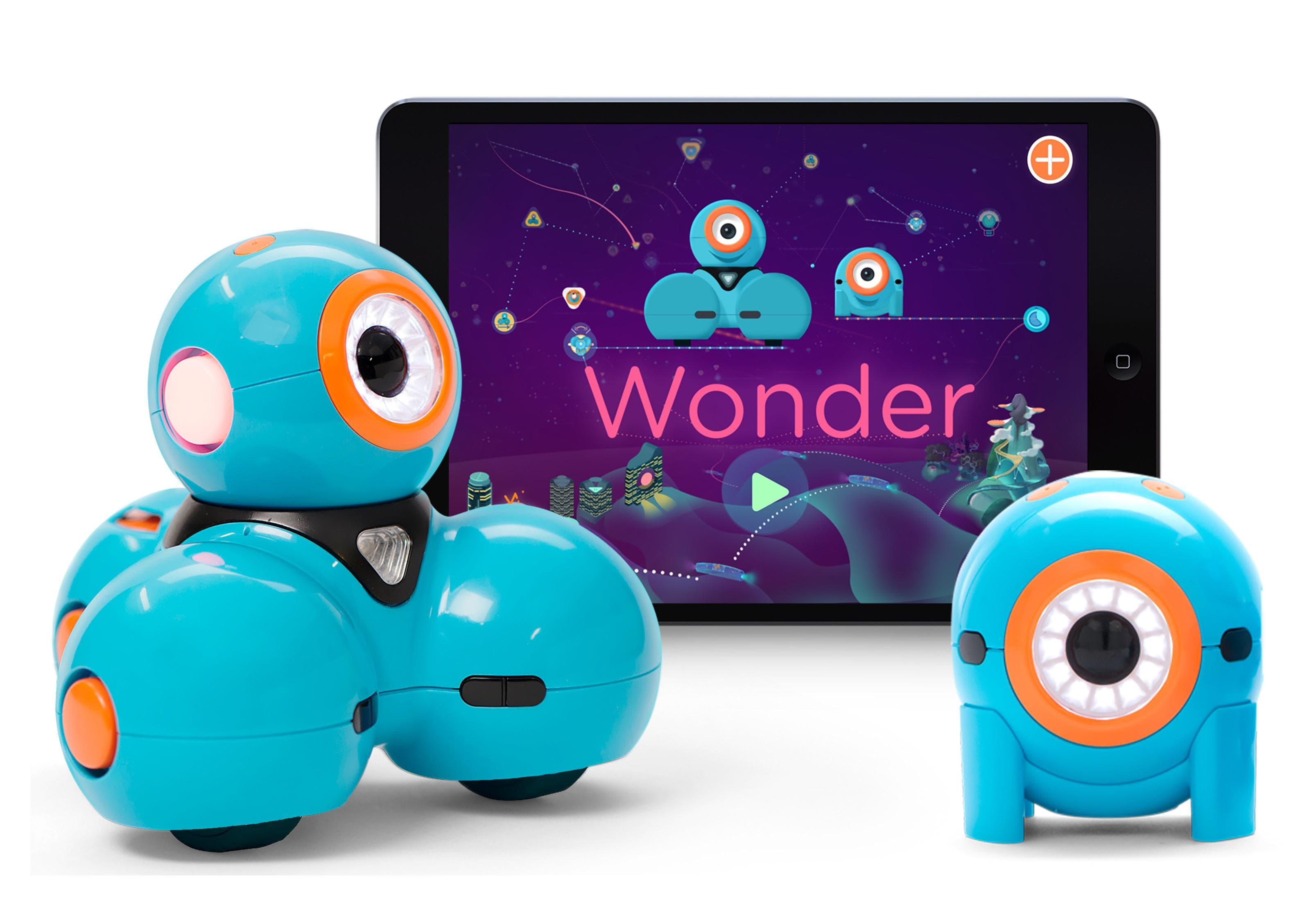
The Wonder Workshop Dash Robot has carved out a significant niche for itself as a charming, expressive, and highly capable robot for children aged 6-10. Dash is more than just a programmable vehicle; it has a personality, complete with lights, sounds, and responsive movements that make it feel like a genuine companion.
Dash is controlled via a suite of intuitive apps (Go, Path, Blockly, Wonder, and even Swift Playgrounds for advanced users), available on tablets and smartphones. This ecosystem of apps is one of Dash's biggest strengths, offering a clear progression from simple remote control to block-based visual programming and even more advanced coding challenges. It comes with built-in sensors, allowing it to detect objects, hear sounds, and respond to its environment. Add-ons like a xylophone or a launcher further expand its play possibilities.
Based on extensive owner feedback, Dash is incredibly engaging. Its whimsical design and interactive nature genuinely capture children's attention, making them eager to learn. The app interfaces are generally polished and user-friendly, providing a smooth learning curve. The main drawback is its reliance on a smart device, which might not suit every parent's preference, and its premium price tag, often around £150-£170. However, for a robot that genuinely grows with your child's coding journey and maintains engagement, Dash offers serious value.
- Pros: Engaging personality, robust and progressive app ecosystem, good build quality, wide range of activities and challenges, excellent scalability.
- Cons: Premium price point, requires a tablet or smartphone, accessories can add to the overall cost.
Makeblock mBot Robot Kit: Build, Code, and Customise
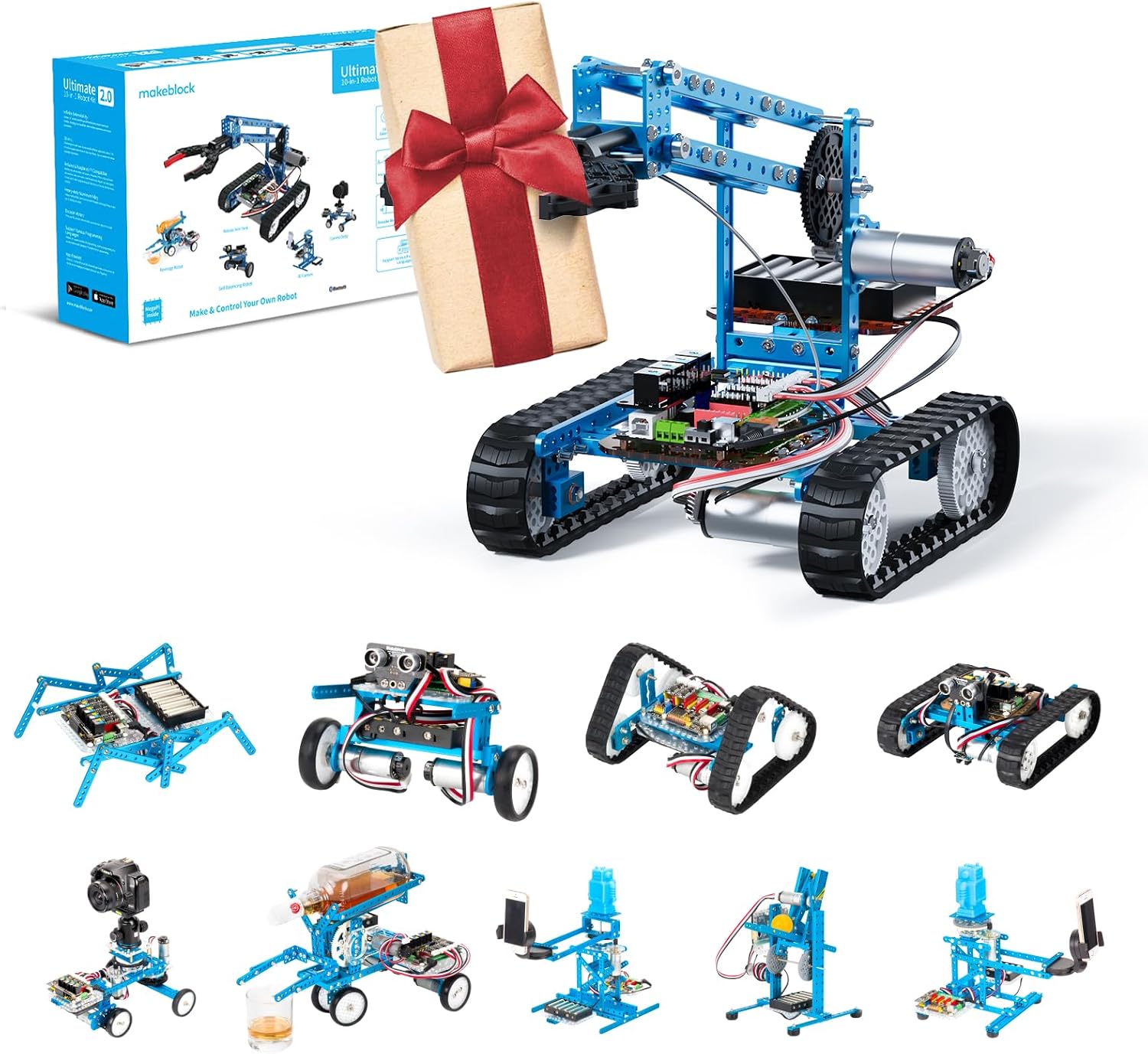
For children aged 8 and up who enjoy building and a more in-depth STEM experience, the Makeblock mBot Robot Kit is an outstanding choice. This isn't just a robot; it's a platform for learning robotics, electronics, and programming through hands-on construction.
The mBot arrives as a kit that children (with some parental guidance for younger ones) assemble themselves. This building process is educational in itself, teaching about mechanical components and simple circuits. Once built, the mBot connects wirelessly to a computer or tablet and is programmed using mBlock, a graphical programming environment based on Scratch 2.0. This allows for block-based coding, but crucially, it also has an Arduino mode for more advanced users who want to dive into text-based programming.
The mBot is equipped with various sensors, including line-following and ultrasonic sensors, allowing it to navigate mazes, avoid obstacles, and perform complex tasks. Its open-ended nature means kids can add more modules, tinker with its design, and truly make it their own. Owners frequently praise its durability and the sheer scope for learning it offers. The biggest hurdle is the assembly – while educational, it can be challenging for some, and the initial learning curve for mBlock is steeper than some of the more toy-like robots. Expect to pay roughly £100-£120 for the base kit, which is excellent value for its extensibility.
- Pros: Teaches building and electronics alongside coding, highly extensible and customisable, supports advanced coding (Arduino/Python), robust metal construction, excellent long-term value.
- Cons: Requires assembly (can be challenging), steeper learning curve for programming, less 'toy-like' initial appeal compared to others.
Coding Robot Comparison Table
| Product | Best Age Range | Coding Method | Key Features | Price Band | Verdict | Buy |
|---|---|---|---|---|---|---|
| Learning Resources Botley 2.0 | 5-8 years | Screen-free remote programmer | Object detection, light/sound sequences, durable | Mid-range (£60-£80) | Excellent screen-free starter for basic logic. | Check today's price on Amazon |
| Educational Insights Artie 3000 | 7-12 years | Visual block coding (app) | Draws code on paper, multiple coding languages | Mid-range (£70-£90) | Creative blend of art and coding, great progression. | Check today's price on Amazon |
| Learning Resources Code & Go Robot Mouse | 4-7 years | Screen-free button press | Maze building, simple sequencing, tactile learning | Budget (£40-£50) | Perfect first step for very young children. | Check today's price on Amazon |
| Wonder Workshop Dash Robot | 6-10 years | App-controlled (Blockly, Wonder, Swift) | Expressive personality, rich app ecosystem, sensors | Premium (£150-£170) | Engaging and scalable, grows with your child. | Check today's price on Amazon |
| Makeblock mBot Robot Kit | 8-14+ years | mBlock (Scratch-based), Arduino/Python | DIY assembly, modular, line-following/ultrasonic sensors | Mid-to-premium (£100-£120) | Hands-on building and advanced coding platform. | Check today's price on Amazon |
How to Choose the Right Coding Robot
With such a diverse field, picking the 'best' robot really comes down to your child's age, interests, and your family's preferences:
- Age and Developmental Stage: This is paramount. A 4-year-old needs a vastly different experience than a 10-year-old. Screen-free options like Botley 2.0 or the Robot Mouse are excellent for preschoolers, focusing on tangible actions. For primary schoolers, app-based block coding like Dash or Artie 3000 offers more complexity. Older children or those with a keen interest in building will thrive with something like the mBot.
- Screen Time Preferences: Do you want a completely screen-free experience, or are you comfortable with app-driven learning? Robots like Dash, Artie, and mBot rely on a tablet or computer, which can provide a richer, more interactive coding environment.
- Learning Style and Interests: Is your child a builder, an artist, a problem-solver, or do they love interactive characters? Artie 3000 taps into creativity, mBot appeals to builders, and Dash engages through personality and diverse challenges.
- Scalability: How much growth potential does the robot offer? Some robots, like the Robot Mouse, are fantastic for a short introduction but quickly hit their limits. Others, like Dash or mBot, provide multiple programming levels and extensibility that can keep children engaged for years.
- Budget: Prices vary significantly, from budget-friendly options to more premium kits. Consider the long-term value and how much use your child is likely to get out of it before making a decision.
Our Top Pick: The Wonder Workshop Dash Robot
After weighing all the options, for a broad age range (6-10 years) and considering overall engagement, scalability, and ease of use, the Wonder Workshop Dash Robot stands out as our top recommendation. Its unique blend of personality and robust app-based learning truly makes coding fun and accessible.
Dash's various apps ensure there's always a new challenge, from simple movement commands to complex sequences and interaction with its environment. The robot's expressive nature means kids genuinely connect with it, fostering a deeper interest in what they're doing. While it carries a premium price, the comprehensive educational experience and the years of learning potential it offers make it a worthwhile investment for most families.
Alternatives and Other Excellent Options
If Dash isn't quite the right fit for your specific needs, don't worry – there are fantastic alternatives covering different angles:
- For the Budding Engineer & Builder: If your child is hands-on and loves to build things from scratch, the Makeblock mBot Robot Kit is an unparalleled choice. It's a proper robotics platform that starts with assembly and progresses to advanced programming, offering immense long-term value for serious STEM enthusiasts.
- For Screen-Free Fundamental Learning: For younger children (5-8) or those parents specifically looking to avoid screen time, the Learning Resources Botley 2.0 Coding Robot Activity Set offers a brilliant and durable way to teach core coding concepts through physical interaction. It's an excellent first step before potentially moving to app-based robots.
Verdict
Choosing the right coding robot can ignite a lifelong passion for STEM and critical thinking in your child, and the Wonder Workshop Dash Robot offers the most engaging and scalable experience for a wide age range.
Whichever robot you choose, the real win is sparking that curiosity and giving your child the tools to explore, create, and understand the digital world around them. Happy coding!