As an Amazon Associate I earn from qualifying purchases. This page contains affiliate links, and I may earn a commission at no extra cost to you.
The 10-Year-Old Coding Dilemma: Toy or Real Engineering Tool?
Buying a tech gift for a 10-year-old sits right in an awkward developmental sweet spot. Ten-year-olds are generally too old for simplistic preschool push-button toys, yet throwing them straight into raw circuit boards, finicky jumper wires, and cryptic syntax errors in raw C++ is a guaranteed recipe for tears on Christmas morning. What parents actually want is a kit that offers an engaging physical build, intuitive graphical coding out of the box, and a genuine runway into real text-based programming like Python or Arduino C when their child is ready for the next challenge.
The market for educational robotics splits down the middle into two distinct philosophies: curated, polished modular ecosystems (led by brands like Makeblock and Wonder Workshop) and open-source hobbyist platforms (like Freenove and Arduino-compatible makers). A modular kit ensures seamless software integration, aluminium structural parts, and guided curriculum, but at a slightly higher cost. An open-source hobby car offers incredible value per sensor and exposes kids to genuine electronics, but demands significant patience, careful wire routing, and technical troubleshooting from an adult.
To help you decide which path makes sense for your child's temperament and coding experience, this guide breaks down four leading educational robot kits available today, assessing build difficulty, software longevity, and real educational value.
Quick Comparison: Top Coding Robots for 10-Year-Olds
| Robot Kit | Primary Age Band | Build Type | Programming Languages | Price Band | Amazon Link |
|---|---|---|---|---|---|
| Makeblock mBot Ranger 3-in-1 Robot Kit | 9–14 years | Anodised Aluminium (3 configurations) | Scratch (Block), Arduino C | Mid-to-Premium | Check today's price on Amazon |
| Freenove 4WD Smart Car Kit for Arduino | 10–16 years | Acrylic Chassis & Raw PCB Wiring | Arduino C, Python (PC-side) | Budget / Great Value | Check today's price on Amazon |
| Makeblock Codey Rocky | 6–11 years | Ready to Play (Lego-compatible) | Scratch, MicroPython | Mid-Range | Check today's price on Amazon |
| Wonder Workshop Dash Robot | 6–11 years | Pre-assembled (Tough Plastic) | Blockly, Wonder App | Premium | Check today's price on Amazon |
Detailed Breakdown of the Leading Coding Robots
1. Makeblock mBot Ranger 3-in-1 Robot Kit — The Top All-Rounder
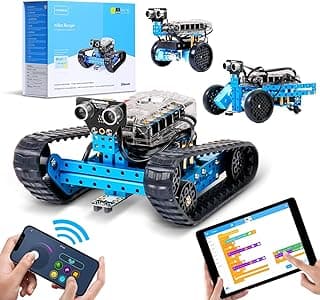
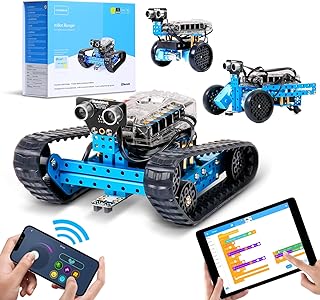
If you want a kit that combines genuine mechanical engineering with structured computer science education, the Makeblock mBot Ranger 3-in-1 Robot Kit stands out as the benchmark. Unlike entry-level plastic bots, the Ranger is constructed from sturdy aviation-grade extruded aluminium alloy in a vibrant blue finish. It allows kids to build three distinct mechanical forms: the Land Raider (an all-terrain tracked tank), the Dashing Raptor (a fast three-wheeled racer), and the Nervous Bird (a self-balancing two-wheeled robot).
At its heart is the Me Auriga mainboard, powered by the capable ATmega2560 microcontroller. It comes loaded with built-in sensors, including dual light sensors, an ultrasonic distance sensor, a line-follower module, a gyroscope for balance, a sound sensor, and a temperature sensor. Connecting these modules is foolproof thanks to colour-coded RJ25 modular cables—meaning young builders can wire up complex sensors without dealing with loose breadboard pins or bent header wires.
Software & Coding Progression
Makeblock's mBlock software ecosystem (available on Windows, macOS, iPad, and Android) is based on Scratch 3.0. Children begin by snapping together logical visual blocks to create line-following algorithms, ultrasonic obstacle avoidance routines, or light-reactive behaviours. When they outgrow visual coding, mBlock allows a direct side-by-side view of generated Arduino C code, giving them an accessible bridge to industrial text programming.
- Build Time: Roughly 45 to 90 minutes per variation.
- Strengths: Highly durable metal construction; three diverse forms prevent boredom; polished, child-friendly visual software.
- Limitations: Requires 6 AA batteries (or a compatible rechargeable pack) which are not included; tracked treads require flat surfaces or low carpet.
2. Freenove 4WD Smart Car Kit for Arduino — The Authentic Maker Experience
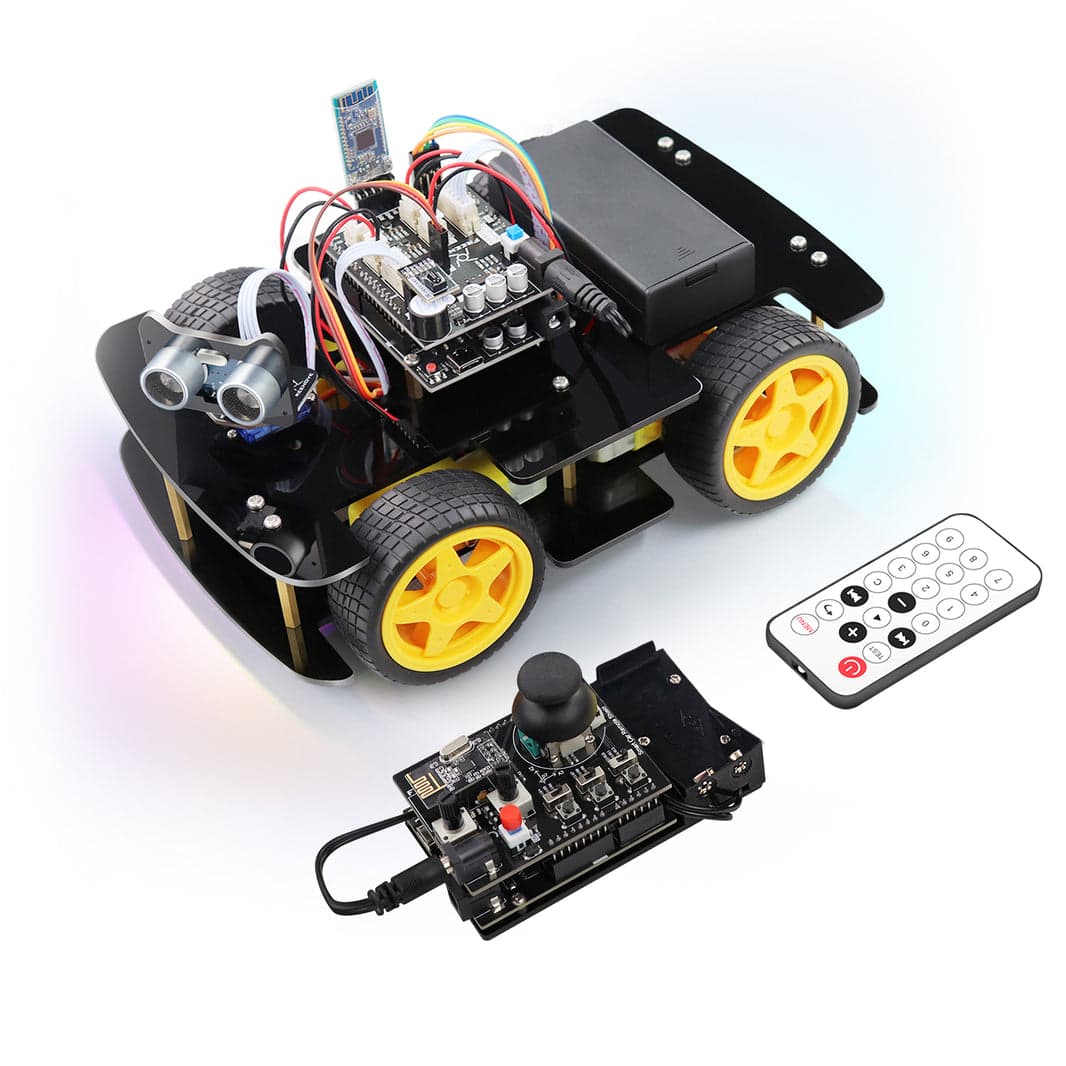
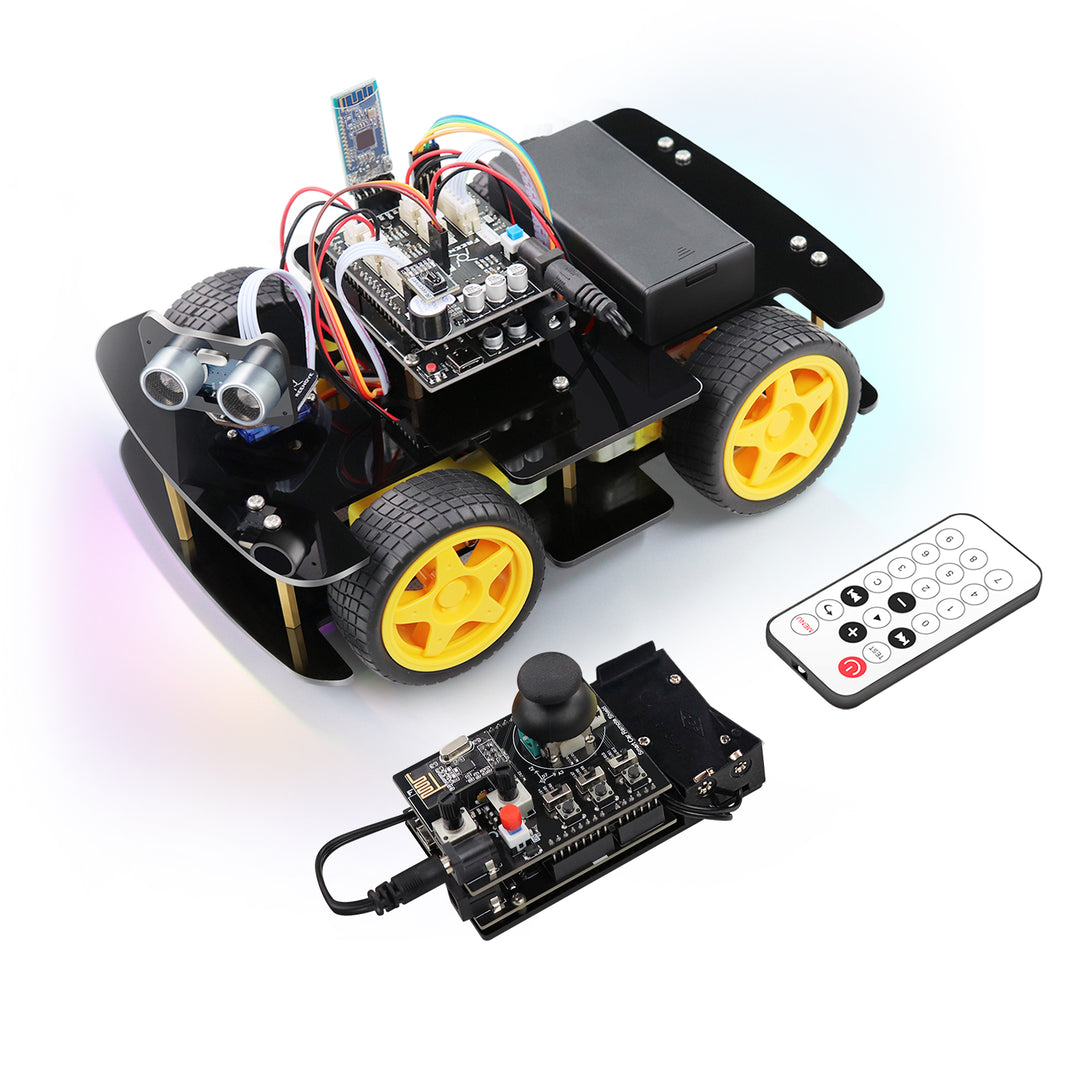
For children who show a deep curiosity about electronics, circuit boards, and real-world tinkering, the Freenove 4WD Smart Car Kit for Arduino delivers unbeatable value. Unlike the modular plug-and-play approach of Makeblock, Freenove embraces genuine DIY electronics. Kids assemble an acrylic chassis, mount four independent DC drive motors, screw down individual sensor boards, and route Dupont jumper wires manually.
The car features ultrasonic obstacle avoidance, optical line tracking, 10 independently addressable multi-colour RGB LEDs, an onboard buzzer, and wireless smartphone control via the Freenove app. It teaches foundational concepts of voltage regulation, motor driver H-bridges, and signal pins in a hands-on way that polished consumer toys simply cannot replicate.
Software & Coding Progression
Freenove provides comprehensive downloadable PDF tutorials spanning hundreds of pages with clear schematics. Programming is handled directly through the official Arduino IDE using C/C++. While Freenove does provide support for graphical block programming via secondary utilities, its core strength is teaching text-based programming and authentic micro-controller architecture. This is not a quick 15-minute unboxing toy; it is an authentic introductory robotics course.
- Build Time: 2.5 to 4 hours of focused assembly with an adult.
- Strengths: Exceptional value for money; teaches real-world electronics wiring; highly customisable using standard Arduino accessories.
- Limitations: No printed manual in the box (requires downloading large PDF manuals); requires two 18650 lithium batteries and a dedicated charger (sold separately); delicate jumper wires can disconnect if mishandled.
3. Makeblock Codey Rocky — The Creative AI & Python Gateway
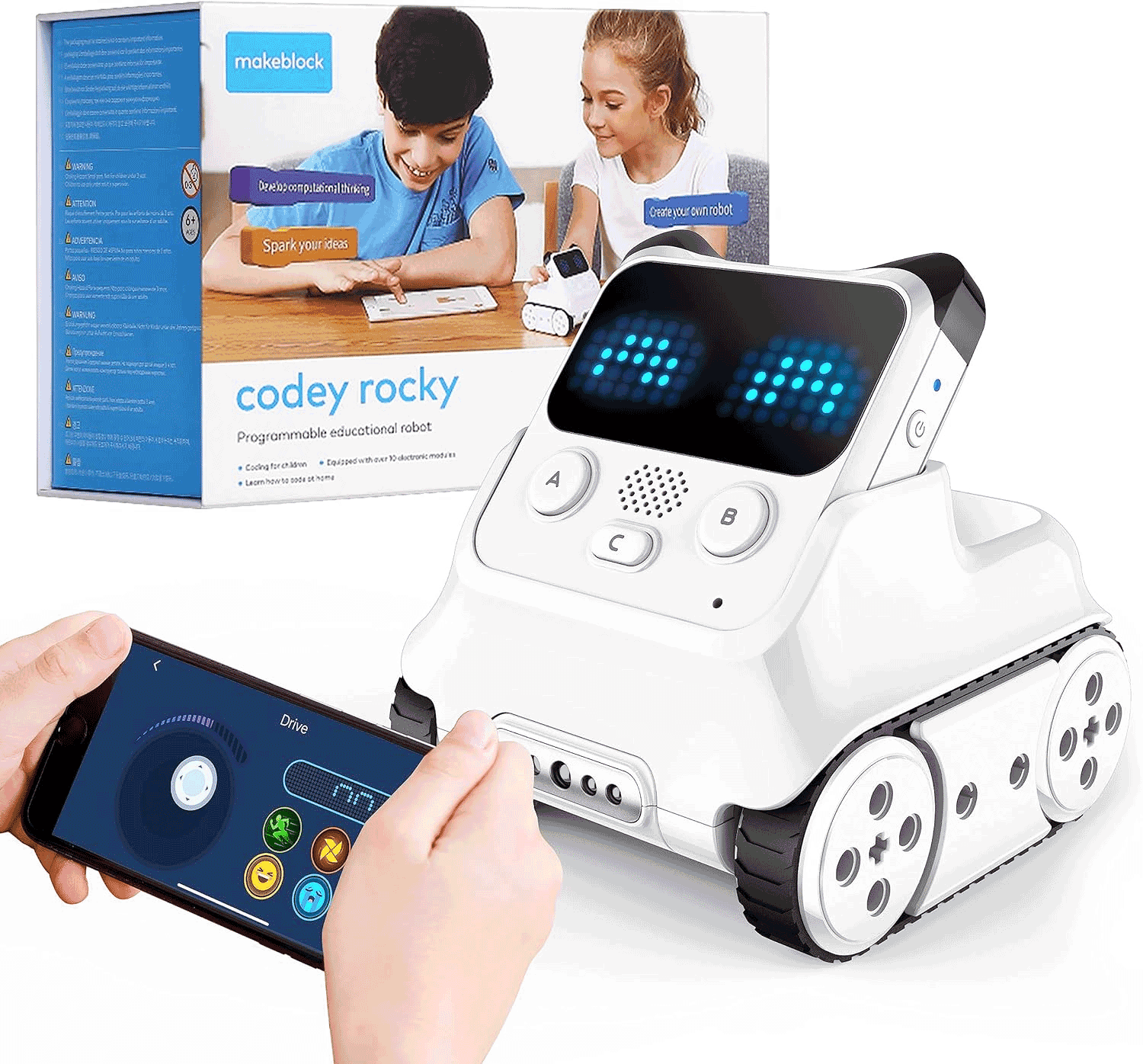
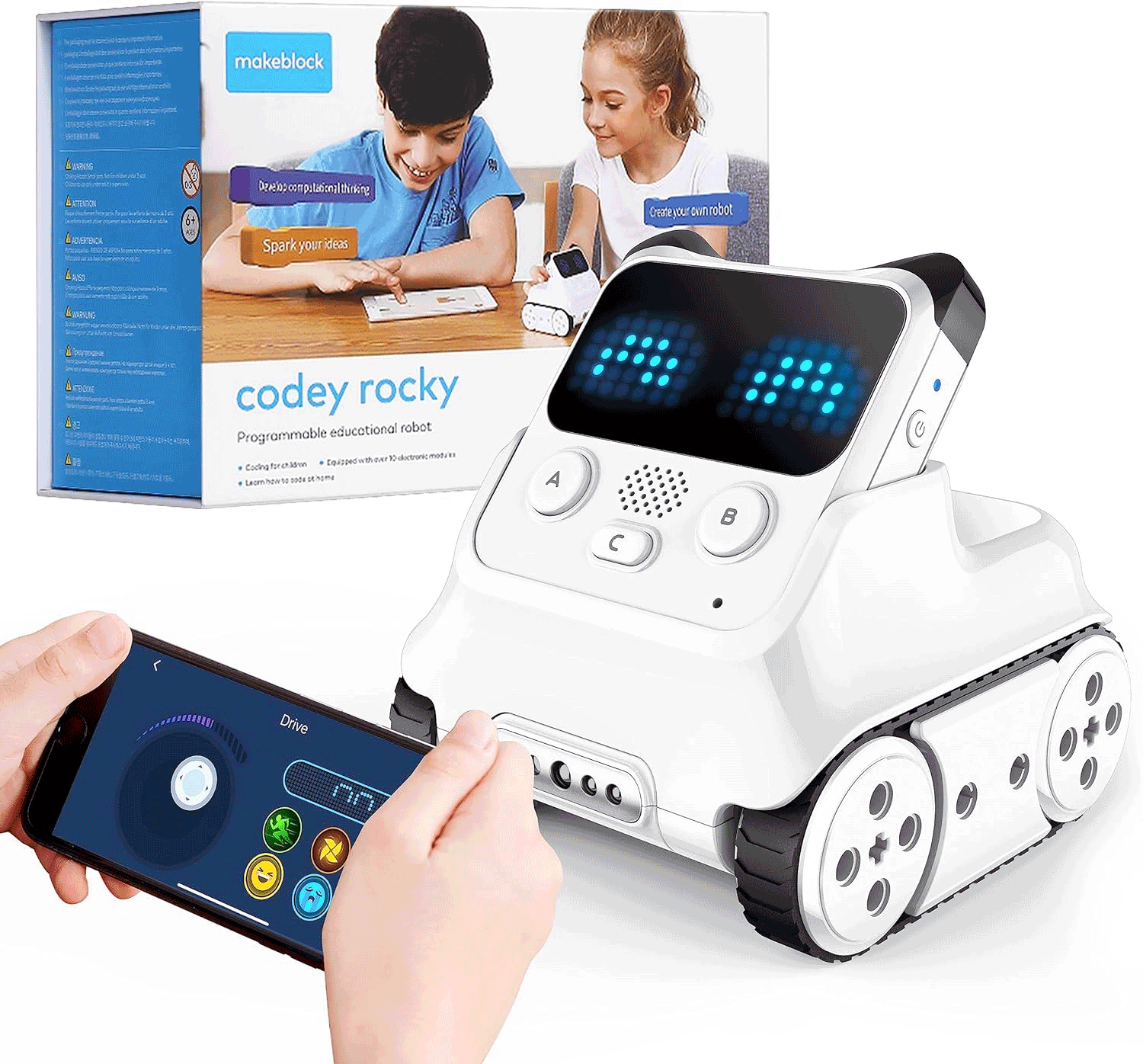
For a 10-year-old who prefers software experimentation, gaming logic, and animations over mechanical wrenching, the Makeblock Codey Rocky is an ingenious hybrid. It consists of two detaching parts: 'Codey', the detachable handheld controller containing an LED matrix screen, speaker, light sensor, voice sensor, gyroscope, and infrared transmitter; and 'Rocky', the motorised tracked chassis with an optical colour and proximity sensor.
Because it comes fully assembled out of the box, there is zero initial build friction. Children can begin coding animations, virtual pets, mini-games, and smart home infrared remote controls within minutes of opening the box.
Software & Coding Progression
Codey Rocky is one of the smoothest gateways to real Python on the market. Within Makeblock's mBlock 5 platform, a single click switches the interface from graphical drag-and-drop Scratch blocks into genuine MicroPython syntax. Advanced modules allow kids to experiment with cloud connectivity (IoT), facial recognition, and voice recognition through integrated AI services on a computer. It is also physically compatible with standard building bricks, allowing children to mount structural creations directly to its body.
- Build Time: Zero (ready to play immediately).
- Strengths: Integrated rechargeable battery; LED matrix screen makes programming immediate and expressive; seamless one-click switch to real Python.
- Limitations: Little mechanical engineering involved; relies on software engagement rather than physical building.
4. Wonder Workshop Dash Robot — The Classroom-Proven Beginner Favourite
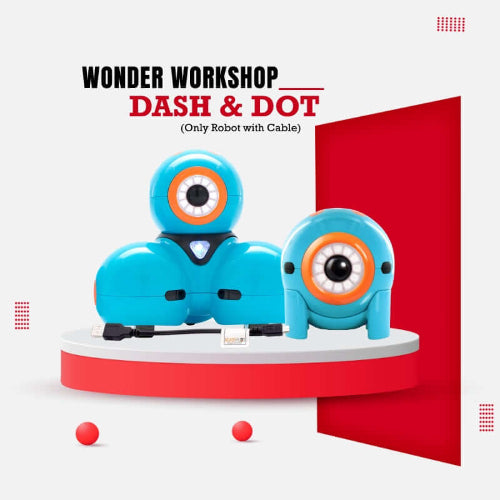
The Wonder Workshop Dash Robot is a familiar sight in primary schools worldwide, and for good reason. Its distinct three-wheeled spherical design, expressive moving head, dual eye lights, and playful voice personalities make it instantly approachable. Dash arrives fully assembled and ready to charge via standard USB.
Using a suite of free apps (including Wonder, Blockly, and Go), children program Dash to navigate obstacle mazes, dance, sing, and react to clapping or obstacle detection. Its heavy-duty construction withstands drops and knocks that would shatter standard acrylic kits.
Software & Coding Progression
Dash excels at establishing foundational computational thinking—loops, conditions, variables, and event triggers—in a completely gamified, frustration-free format. However, its runway is narrower than Makeblock or Arduino kits. Dash does not transition to text-based Python or C++, meaning an ambitious 10-year-old may hit its ceiling within 12 to 18 months unless expanded with physical add-ons like the launcher or sketch kit.
- Build Time: Zero (fully assembled).
- Strengths: Incredibly durable; highly engaging personality and audio; exceptional guided story-based challenges in the app.
- Limitations: Does not support text-based coding (Python/C++); higher price point for limited hardware expandability; closed proprietary system.
Buying Guide: How to Pick the Best Kit for Your 10-Year-Old
1. Build Style: Modular Metal vs Acrylic Electronics vs Pre-Built
Consider your child's patience with mechanical assembly:
- Modular Metal (Makeblock mBot Ranger): Uses real screws, nuts, and aluminium brackets. It provides the tactile joy of building without the fiddly danger of loose wiring. Ideal for kids who love Meccano or Lego Technic.
- Raw Maker Electronics (Freenove 4WD): Involves acrylic plates, standoff pillars, individual circuit modules, and bare header wires. Best for parent-child project weekends where learning the anatomy of a circuit is part of the goal.
- Pre-Built (Codey Rocky, Dash): Eliminates building entirely, directing 100% of the child's attention toward programming, logic puzzles, and game design from day one.
2. The Scratch-to-Python Transition
Most 10-year-olds in the UK have encountered basic block programming (like Scratch) at school. A gift should challenge them without causing immediate frustration. The Makeblock Codey Rocky and Makeblock mBot Ranger 3-in-1 Robot Kit offer a smooth gradient: start in visual blocks, inspect the converted Python/C code side-by-side, and gradually edit text commands directly. Kits that only support block coding risk being outgrown quickly by keen learners.
3. Batteries and Power Management
Pay close attention to power requirements before gifting:
- Rechargeable Built-in: Codey Rocky and Dash charge simply via standard USB cables, saving hassle and recurring battery costs.
- Standard AA Batteries: Makeblock Ranger requires 6 AA batteries (high-capacity rechargeable NiMH batteries like Panasonic Eneloop are strongly recommended to handle motor draw).
- Specialist Lithium Cells: Freenove kits frequently require unprotected 18650 flat-top lithium-ion batteries and an external charger, which must be purchased separately and handled responsibly by adults.
Alternatives to Consider
If you are torn between raw DIY tinkering and instant coding play, consider these two alternative routes:
- For an instant, zero-friction coding experience: Pick the Makeblock Codey Rocky. It removes all mechanical assembly roadblocks, features an expressive programmable face, and provides an immediate bridge to real Python scripting on a rechargeable platform.
- For a budget-conscious, pure electronics project: Choose the Freenove 4WD Smart Car Kit for Arduino. It delivers an authentic introduction to real microcontrollers and circuit wiring at roughly half the price of branded modular kits, provided you are happy to assist with initial assembly and battery procurement.
Final Verdict & Recommendation
For a 10-year-old child stepping into robotics, the Makeblock mBot Ranger 3-in-1 Robot Kit hits the sweet spot between mechanical durability, educational depth, and software sophistication. Its aviation-grade aluminium frame gives a satisfying engineering challenge, its 3-in-1 reconfigurability keeps the hardware fresh, and mBlock provides a seamless path from beginner Scratch blocks all the way to Arduino C.