As an Amazon Associate I earn from qualifying purchases. This page contains affiliate links, and I may earn a commission at no extra cost to you.
Makeblock mBot2 vs. Wonder Workshop Dash: Which Coding Robot is Best for Your Child's First Steps in STEM?
It’s August 2026, and the world of STEM education for kids is buzzing with more innovative tools than ever. For parents eager to introduce their children to the exciting world of coding and robotics, the choice can be overwhelming. Two robots consistently stand out in the mid-to-premium range for offering genuinely robust learning experiences: the Makeblock mBot2 and the Wonder Workshop Dash. Both promise to make coding accessible and fun, but they approach this goal with slightly different philosophies, targeting different age groups and skill progression paths. Deciding which one is the right fit for your child's initial foray into STEM isn't just about features; it's about matching their age, learning style, and your long-term educational goals.
The core question isn't just 'which robot is cooler?' but 'which robot lays the strongest foundation for future learning?'. We're going to dive deep into what makes each of these robots tick, comparing their design, programming environments, educational depth, expandability, and overall value. By the end, you'll have a clear picture of whether the mBot2's more structured, Python-ready approach or Dash's playful, app-driven engagement is the superior choice for your child's STEM journey.
Makeblock mBot2: The Engineering Playground
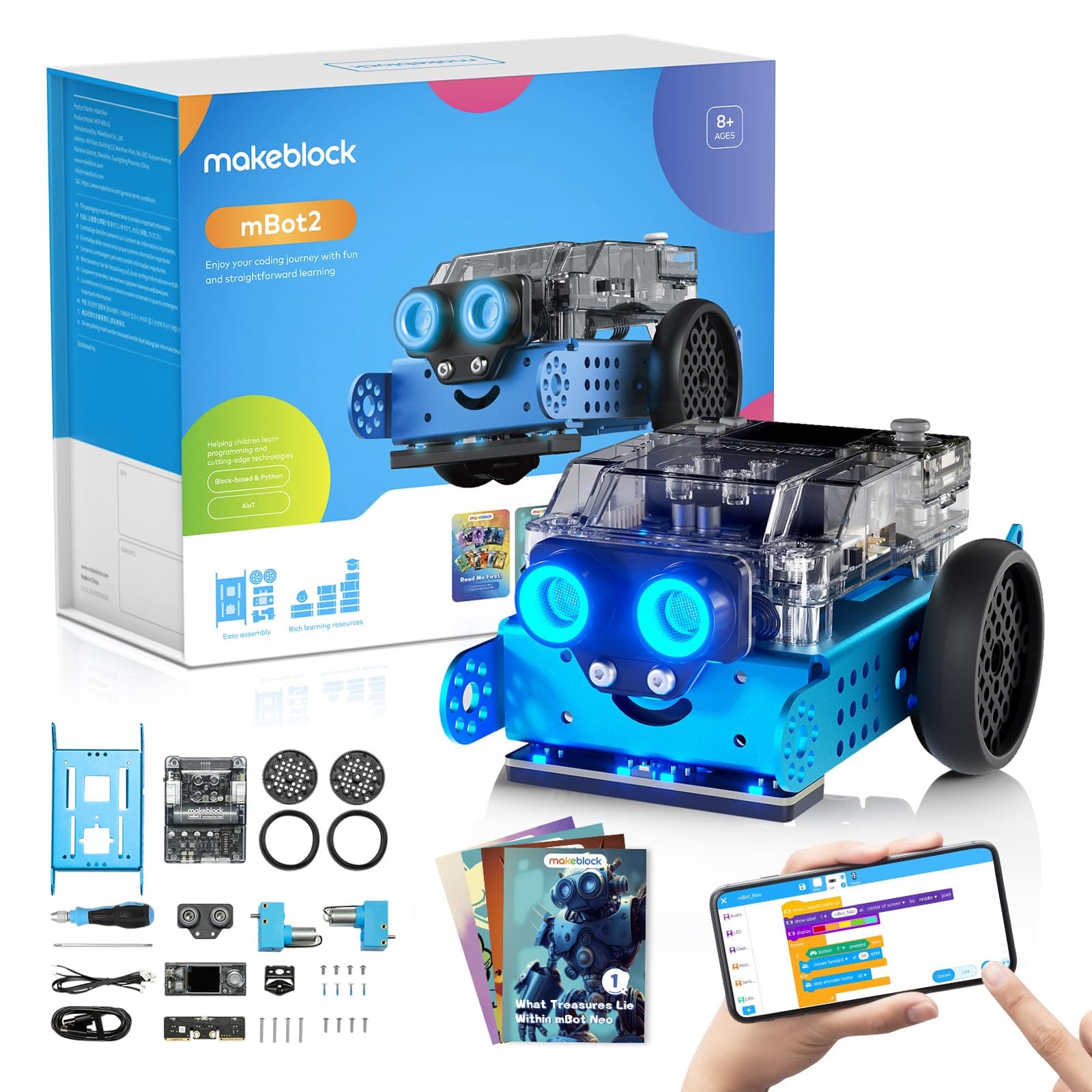
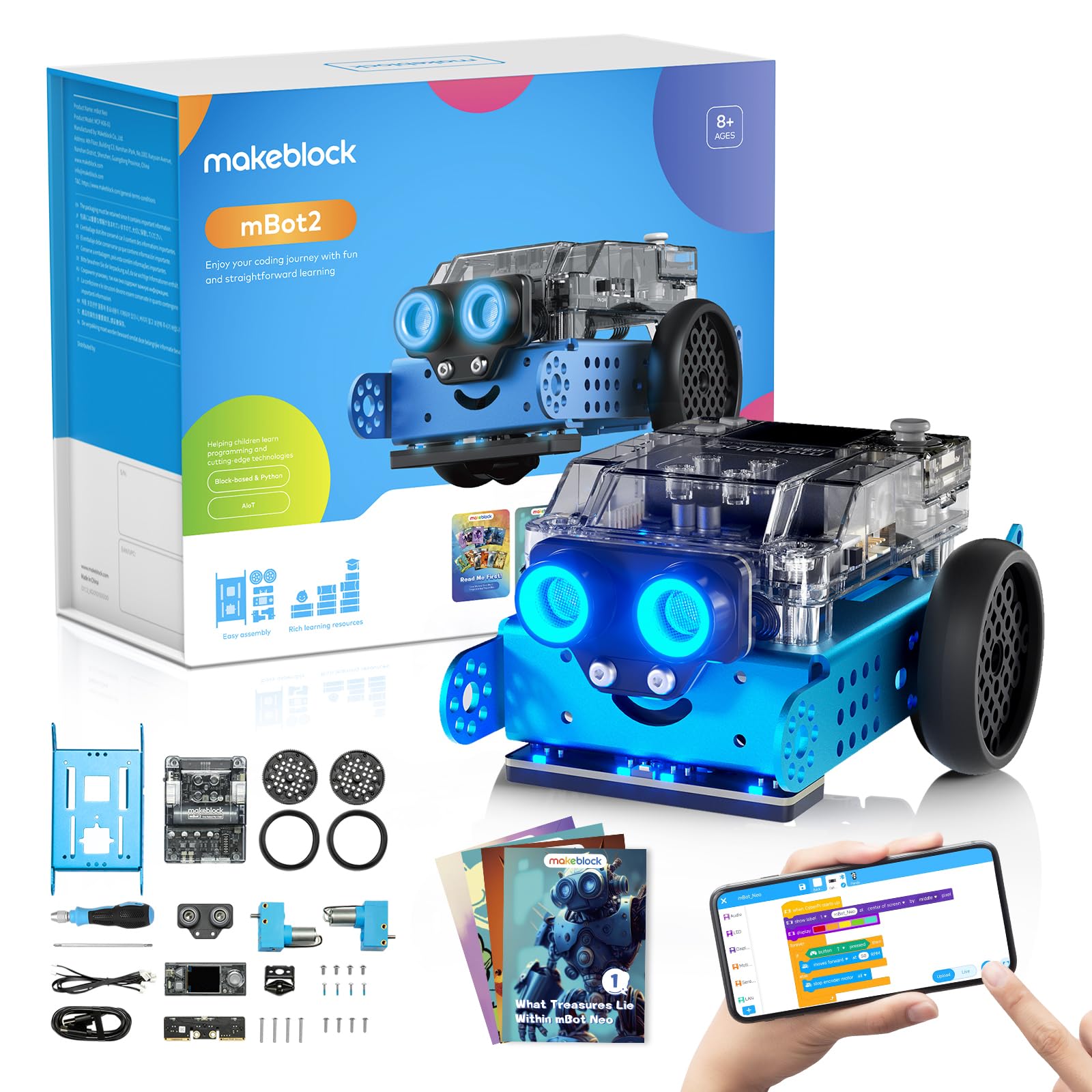
The Makeblock mBot2 is, at its heart, a fantastic blend of robotics, electronics, and coding. It builds upon the legacy of its predecessor, the original mBot, by introducing more advanced components and capabilities while retaining that friendly, buildable aesthetic. Right out of the box, the mBot2 feels like a serious piece of kit. Its chassis is largely metal, giving it a reassuring heft and durability that suggests it can withstand the inevitable tumbles and experiments of an enthusiastic young engineer. Assembly is part of the learning curve here; while not overly complex, it requires following instructions and understanding how components fit together, which is an educational experience in itself for kids typically aged 8 and up.
Design and Build: The mBot2 features a modular design based on a sturdy metal frame, a hallmark of Makeblock's ecosystem. This isn't a toy that feels flimsy; it’s designed for sustained engagement. The robot arrives unassembled, requiring children (with some parental help for younger ones) to put it together, fostering mechanical understanding and problem-solving. This hands-on construction process alone provides valuable engineering exposure before any coding even begins. Its sleek, open design also means kids can see and understand the internal components, making the abstract concepts of robotics more tangible.
Key Features and Performance: At the core of the mBot2 is the powerful CyberPi microcontroller, an ESP32-based board that offers impressive processing power and connectivity. This isn't just a simple brain; it's a versatile computing platform that supports Wi-Fi and Bluetooth, opening doors to more complex projects and IoT integration. The mBot2 comes equipped with precise encoder motors, which allow for accurate movement and speed control – a significant upgrade from simpler DC motors found in many beginner robots. Its built-in ultrasonic sensor, quad RGB sensor for line-following and colour detection, and an LED display provide rich interactive possibilities. These sensors are not just for basic tasks; they enable complex programming challenges like obstacle avoidance, advanced line-following, and custom display animations. Based on published specs and verified owner feedback, the encoder motors offer reliable and repeatable movements, which is crucial for precise coding tasks where small errors can lead to big deviations. Battery life is solid, typically offering several hours of active use, allowing for extended coding sessions without constant recharging interruptions.
Programming Environment and Educational Value: Makeblock uses its mBlock software, which offers a block-based coding interface visually similar to Scratch. This makes the transition from visual programming to text-based coding much smoother. Crucially, mBlock also supports direct Python coding, a huge leap forward for children ready to tackle more advanced concepts. This dual-language support means the mBot2 has significant longevity; a child can start with drag-and-drop blocks and gradually transition to real-world Python syntax as their skills grow. Reviewers and owners commonly report that the curriculum materials and online resources provided by Makeblock are comprehensive, guiding children through projects that increase in complexity. The ability to switch between block and Python code within the same environment is a killer feature, giving children a tangible link between what they understand visually and what they need to learn for industry-standard programming. It truly prepares them for next-level STEM challenges.
Expandability: This is where the mBot2 truly shines. As part of the Makeblock ecosystem, it’s designed for expansion. Children can add a variety of modules and sensors – from LED matrices to servos, cameras, and even more complex electronics. This modularity ensures that the robot can grow with your child's skills and interests, preventing it from quickly becoming obsolete. The CyberPi also supports extensions for AI and IoT projects, pushing the boundaries of what a beginner robot can teach.
Wonder Workshop Dash: The Expressive Companion
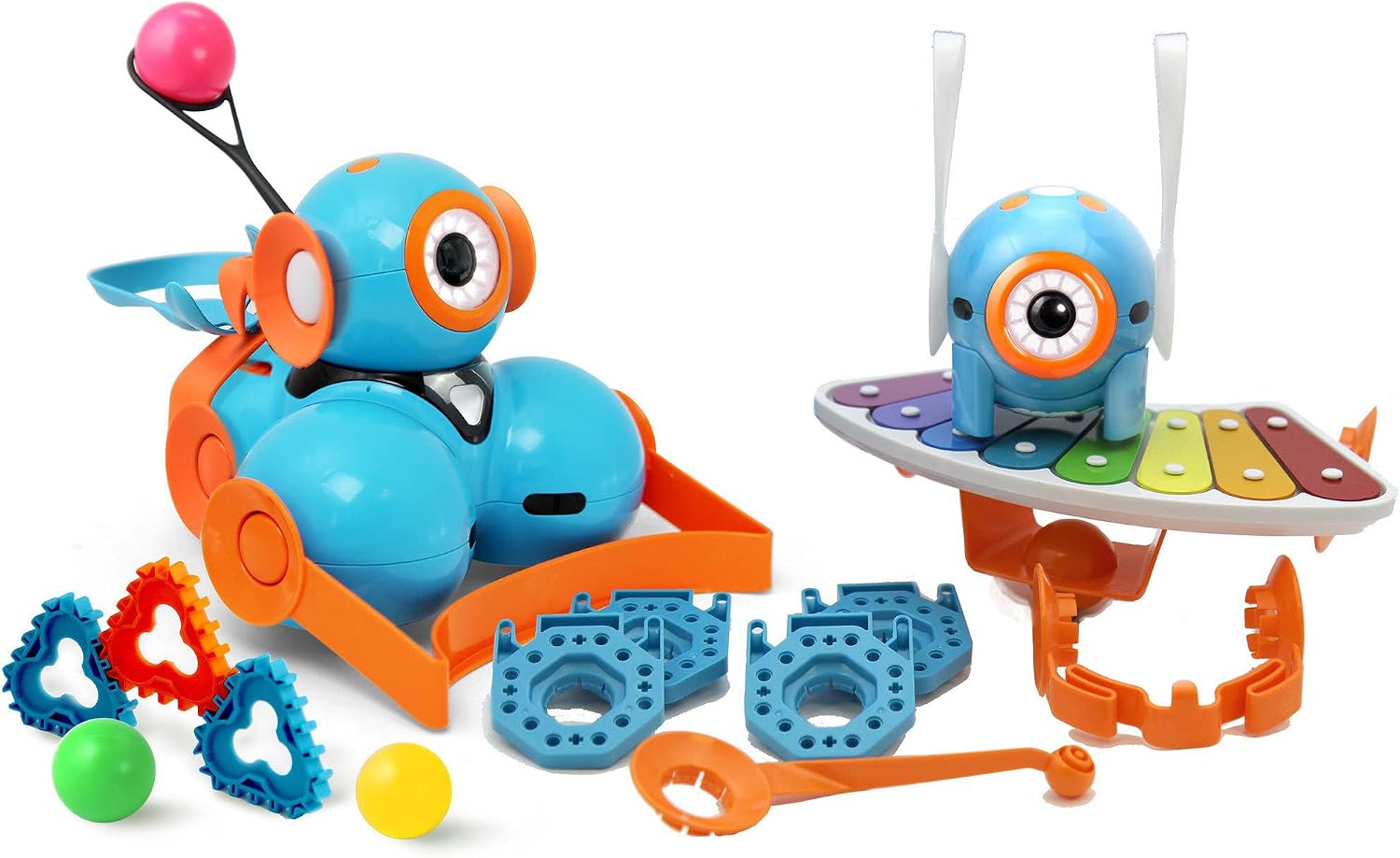
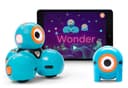
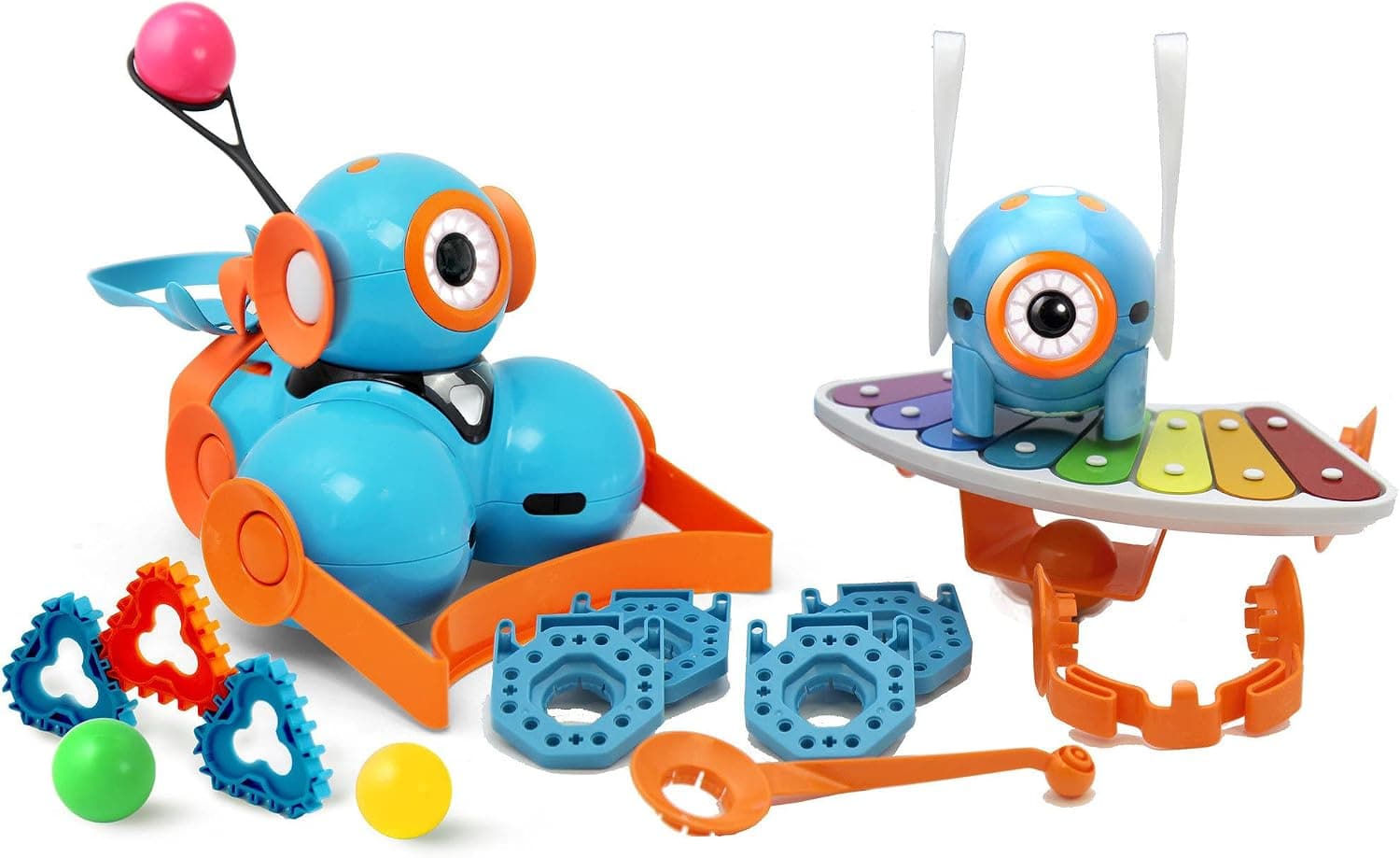
The Wonder Workshop Dash takes a decidedly different approach, focusing on personality and immediate engagement. Aimed at a slightly younger audience, typically 6+, Dash is designed to be a friendly, interactive companion that makes coding feel like play. It’s ready to roll straight out of the box (after a quick charge), with no assembly required, making it an instant hit for eager hands. Dash's vibrant blue exterior and distinct 'eye' make it approachable, almost like a character from a cartoon, which is excellent for capturing and holding a young child's attention.
Design and Build: Dash has a distinct, playful aesthetic. Its rounded plastic body feels robust enough for typical kid play, though it might not withstand the same level of deliberate modification or heavy-duty use as the mBot2's metal chassis. The appeal here is its friendly appearance and ready-to-play nature. It's designed to be a companion, with lights, sounds, and head movements that give it character, making it feel less like a cold piece of tech and more like a pet that can be programmed.
Key Features and Performance: Dash is equipped with a range of sensors, including an infrared sensor for obstacle detection, accelerometers, and microphones, allowing it to respond to its environment. It can move, make sounds, light up, and even turn its head, all programmable through intuitive apps. While its motors aren't encoder-driven like the mBot2's, they are sufficient for the types of activities Dash is designed for, offering smooth enough movement for navigating obstacle courses or performing choreographed dances. Reviewers and owners commonly report that Dash’s performance is consistent within its intended scope. Its battery life is respectable, often lasting 3-5 hours on a single charge, which is plenty for several play sessions. The ability to detect and respond to voice commands adds another layer of interaction that younger children often adore.
Programming Environment and Educational Value: Wonder Workshop excels at providing a suite of highly engaging, age-appropriate apps, each designed to teach different coding concepts. Apps like 'Go' (for basic remote control), 'Path' (drawing paths for Dash to follow), 'Blockly' (the main block-based visual programming interface), and 'Wonder' (more project-based coding) offer a progressive learning path. The block-based coding in these apps is incredibly intuitive, making it easy for children as young as six to grasp concepts like sequencing, loops, and conditionals without feeling intimidated. The emphasis is on creative problem-solving and immediate feedback, with Dash acting out the commands in real-time. While it doesn't offer direct text-based coding like Python, its strength lies in solidifying fundamental computational thinking skills through a playful, low-barrier-to-entry experience. Many parents find Dash's approach less overwhelming for true beginners.
Expandability: Dash offers some expandability through accessories like a launcher, a xylophone, and building brick connectors that allow integration with LEGO bricks. These add-ons enhance play and introduce new coding challenges without requiring deep electronic modifications. While not as open-ended as the mBot2's modular electronic system, Dash's accessories provide engaging ways to extend its playtime and learning potential.
Direct Comparison: mBot2 vs. Dash
Ease of Use and Learning Curve
For sheer out-of-the-box simplicity, Dash takes the lead. There's no assembly, and its companion apps are designed for immediate engagement by children as young as six. The visual cues, friendly sounds, and expressive movements make it feel less like learning and more like playing with a new friend. This low barrier to entry is perfect for genuine 'first steps' in coding.
The mBot2, on the other hand, involves assembly and a slightly more technical setup with the mBlock software. Its target age of 8+ reflects this. While still accessible, the initial hurdles are a bit higher. However, this early investment in understanding hardware and software configuration pays dividends in the depth of learning it offers down the line. If your child is on the younger end of its recommended age (8-9) or easily frustrated by initial setup, Dash might offer a smoother start. If they're a bit older or already show an aptitude for building and problem-solving, the mBot2's initial challenge is a valuable part of the experience.
Programming Environment
Dash's app-based ecosystem is brilliantly designed for visual learners and young children. The progression through Go, Path, Blockly, and Wonder apps provides a structured, playful introduction to programming concepts. It teaches sequencing, events, loops, and conditionals effectively using clear, colourful blocks. The lack of direct text-based coding isn't a flaw for its target audience; it's a deliberate design choice to keep things approachable.
The mBot2, with its mBlock software, offers a more robust and versatile programming environment. Its block-based interface is comparable to Dash's in terms of ease of use for beginners, but the integrated Python editor is a game-changer. This means a child can literally see their block code translate into Python, and then eventually write Python directly. This capability provides a bridge to real-world programming languages, offering significantly more long-term educational value for a child who wants to delve deeper into computer science. For future-proofing your child's STEM education, the mBot2's programming environment clearly offers more.
Educational Depth and Curriculum
Dash excels at introducing foundational computational thinking skills in a fun, engaging way. Its curriculum, often tied into specific challenges within the apps, encourages creative problem-solving and logical thinking. It’s excellent for making abstract concepts like algorithms tangible through play. The focus is on immediate success and building confidence.
The mBot2 offers a deeper dive into robotics, engineering, and advanced coding concepts. The precision of its motors, the versatility of the CyberPi, and the ability to program in Python allow for more complex projects and a greater understanding of how hardware and software interact. Its curriculum often pushes children to explore variables, functions, and advanced control flow, preparing them for more serious coding projects or even competitive robotics. While both robots are educational, the mBot2 provides a path to higher-level learning that Dash simply doesn't offer.
Expandability and Durability
Dash's expandability is primarily through its official accessories and LEGO brick connectors, which add variety to its play patterns. Its durable plastic shell holds up well to typical kid handling. It's a self-contained, robust toy that offers defined ways to extend its use.
The mBot2's expandability is truly open-ended. Its modular design and compatibility with the wider Makeblock ecosystem mean children aren't limited to predefined add-ons. They can integrate new sensors, actuators, and even custom-built components, fostering genuine engineering and invention. The metal chassis and exposed electronics also invite more advanced tinkering and modification. For a child who might want to move beyond basic coding into custom robot design or IoT projects, the mBot2's platform is far more accommodating.
Price and Value
The Wonder Workshop Dash typically sits in the mid-range price bracket, making it an accessible entry point for many families. Given its immediate engagement and solid introduction to coding fundamentals for younger kids, it represents excellent value for what it offers.
The Makeblock mBot2 is generally a bit more premium, reflecting its more advanced hardware (CyberPi, encoder motors) and the greater depth of its programming capabilities (Python support). While a larger upfront investment, its superior expandability and longer learning runway mean it can serve a child's educational needs for a longer period, potentially providing better long-term value for aspiring coders and engineers. It's the robot that will continue to challenge and teach as your child grows.
Comparison Table
| Product | Key Programming | Age Range | Expandability | Price Band | Buy |
|---|---|---|---|---|---|
| Makeblock mBot2 | mBlock (Blockly, Python) | 8+ | High (Makeblock ecosystem, custom add-ons) | Premium | Check today's price on Amazon |
| Wonder Workshop Dash | Blockly (multiple apps) | 6+ | Moderate (Official accessories, LEGO compatible) | Mid-range | Check today's price on Amazon |
Alternatives to Consider
While the mBot2 and Dash are fantastic, they aren't the only options. Depending on your child's age, specific interests, or your budget, other excellent coding toys are available:
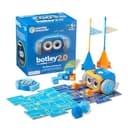
Learning Resources Botley the Coding Robot 2.0 Activity Set
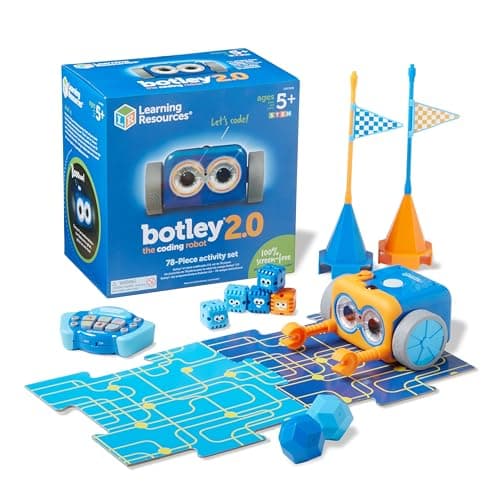
If you're looking for a completely screen-free introduction to coding, Botley the Coding Robot 2.0 is a superb choice. Aimed at younger children (typically 5+), Botley uses a remote programmer to input sequences of commands, teaching basic directional coding, loops, and object detection without requiring a tablet or computer. It’s wonderfully tactile and great for collaborative play. It offers a simpler, more direct way to learn core coding logic.
LEGO Boost Creative Toolbox
For children who love to build with LEGO, the LEGO Boost Creative Toolbox combines the joy of construction with the challenge of coding. Kids aged 7-12 can build five different multi-functional models, including a robot, a cat, and a guitar, then program them using a drag-and-drop visual coding app. It’s a fantastic way to engage both their engineering and programming brains, offering a unique blend that few other robots provide.
Osmo Coding Starter Kit
If your child already has a tablet, the Osmo Coding Starter Kit offers a brilliant, hands-on coding experience that bridges the physical and digital worlds. Using tangible coding blocks that interact with a tablet screen, children aged 5+ learn coding fundamentals through fun, adventure-based games. It's incredibly intuitive, making complex concepts accessible by allowing kids to physically manipulate code.
Verdict
Both the Makeblock mBot2 and the Wonder Workshop Dash are exceptional coding robots that provide engaging pathways into STEM. However, if I had to pick one for its long-term educational potential and comprehensive learning curve, the Makeblock mBot2 comes out on top as the superior investment for most children embarking on their first serious steps in STEM.
The Dash is undeniably brilliant for younger kids, offering an unparalleled level of immediate fun and a gentle introduction to coding principles. For ages 6-8, especially those who might be easily intimidated by more complex setups, Dash is a fantastic starting point. But for children aged 8 and above, or those who show an early aptitude and eagerness for a deeper challenge, the mBot2 offers a more robust platform. Its metal construction, precise encoder motors, the powerful CyberPi brain, and critically, its support for both block-based and real Python coding, mean it can grow with your child's skills for years. It prepares them for more advanced robotics, electronics, and industry-standard programming in a way Dash simply can't match. The initial assembly is also a valuable engineering lesson in itself.
For a first coding robot that truly establishes a foundation for future STEM exploration and provides room for significant growth, the mBot2 is the clear winner. Grab the Makeblock mBot2 today and kickstart their STEM journey!