As an Amazon Associate I earn from qualifying purchases. This page contains affiliate links, and I may earn a commission at no extra cost to you.
Unplugged Power: Why Screen-Free Coding Robots Matter for Young Minds
In August 2026, it's clear that technology isn't just a part of our lives; it's the language of the future. Giving children, particularly girls, a head start in understanding computational thinking and coding logic isn't just an advantage—it's empowering. Yet, we're all looking for ways to reduce screen time. That's where screen-free coding robots step in: they offer a hands-on, tangible way to learn the fundamentals of programming without staring at a glowing rectangle.
These engaging toys teach essential skills like sequencing, problem-solving, cause-and-effect, and even debugging, all through physical play. For parents concerned about screen saturation but eager to foster STEM skills, they're an absolute godsend. But with a growing number of options, how do you pick the one that truly delivers a robust learning experience?
Today, we're pitting some of the most popular and effective screen-free coding robots against each other: the versatile Learning Resources Botley 2.0 the Coding Robot Activity Set, the charming Learning Resources Coding Critters Ranger & Zip, the foundational Learning Resources Code & Go Robot Mouse Activity Set, the innovative Fisher-Price Think & Learn Code-a-Pillar Twist, and the premium Primo Toys Cubetto Playset. We'll break down their features, educational value, and who they're best suited for, so you can make an informed decision for your budding coder.
The Contenders: A Deep Dive into Screen-Free Coding Robots
Learning Resources Botley 2.0 the Coding Robot Activity Set
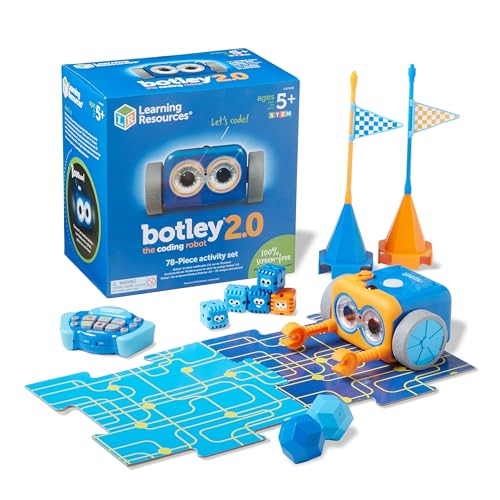
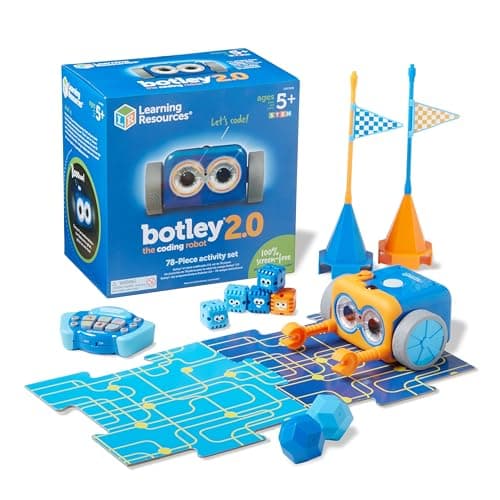
Botley 2.0 is often touted as a successor to one of the most popular screen-free coding robots, and it lives up to the hype. This robot is designed for ages 5 and up, offering a significant jump in capabilities compared to simpler models. You program Botley using an easy-to-understand remote programmer, inputting sequences of commands for movement, turns, and even object detection. What sets Botley 2.0 apart is its ability to detect objects, follow black lines, and even do some light trickery with its LED eyes, which makes the coding challenges much more dynamic.
Design and Build: Botley 2.0 feels solid and well-constructed, ready to withstand the inevitable bumps and tumbles of enthusiastic play. Its white, friendly design is gender-neutral but certainly appealing to girls. The remote is intuitive, with clear buttons for forward, backward, left, right, and special functions. The activity set comes with a hefty number of accessories, including coding cards, removable robot arms, and obstacle pieces, encouraging creative course building right out of the box.
Key Features: Beyond basic movement, Botley 2.0 boasts 16 interaction features. It can detect objects using an IR sensor, allowing for 'if/then' logic where it reacts to obstacles. The line-following mode is excellent for teaching continuous paths and sensor-based programming. It can store up to 150 steps in a single sequence, which is impressive for a screen-free robot and allows for surprisingly complex programs. There's also a 'black line mode' and 'looping' functions, which introduce more advanced coding concepts.
Performance: Owners consistently report Botley 2.0 performing reliably. The movements are precise enough for younger children to understand the direct correlation between their code and the robot's actions. The object detection is generally effective, adding a layer of problem-solving to navigation tasks. The sheer number of included accessories means children don't quickly get bored; they can continually create new challenges for Botley.
Value: Priced in the mid-range (roughly £50-£65 at time of writing), Botley 2.0 offers excellent value. The extensive feature set, durable build, and comprehensive activity kit make it a long-term investment in STEM learning. It scales well with a child's understanding, starting with simple movements and progressing to more complex challenges as their skills grow.
Learning Resources Coding Critters Ranger & Zip
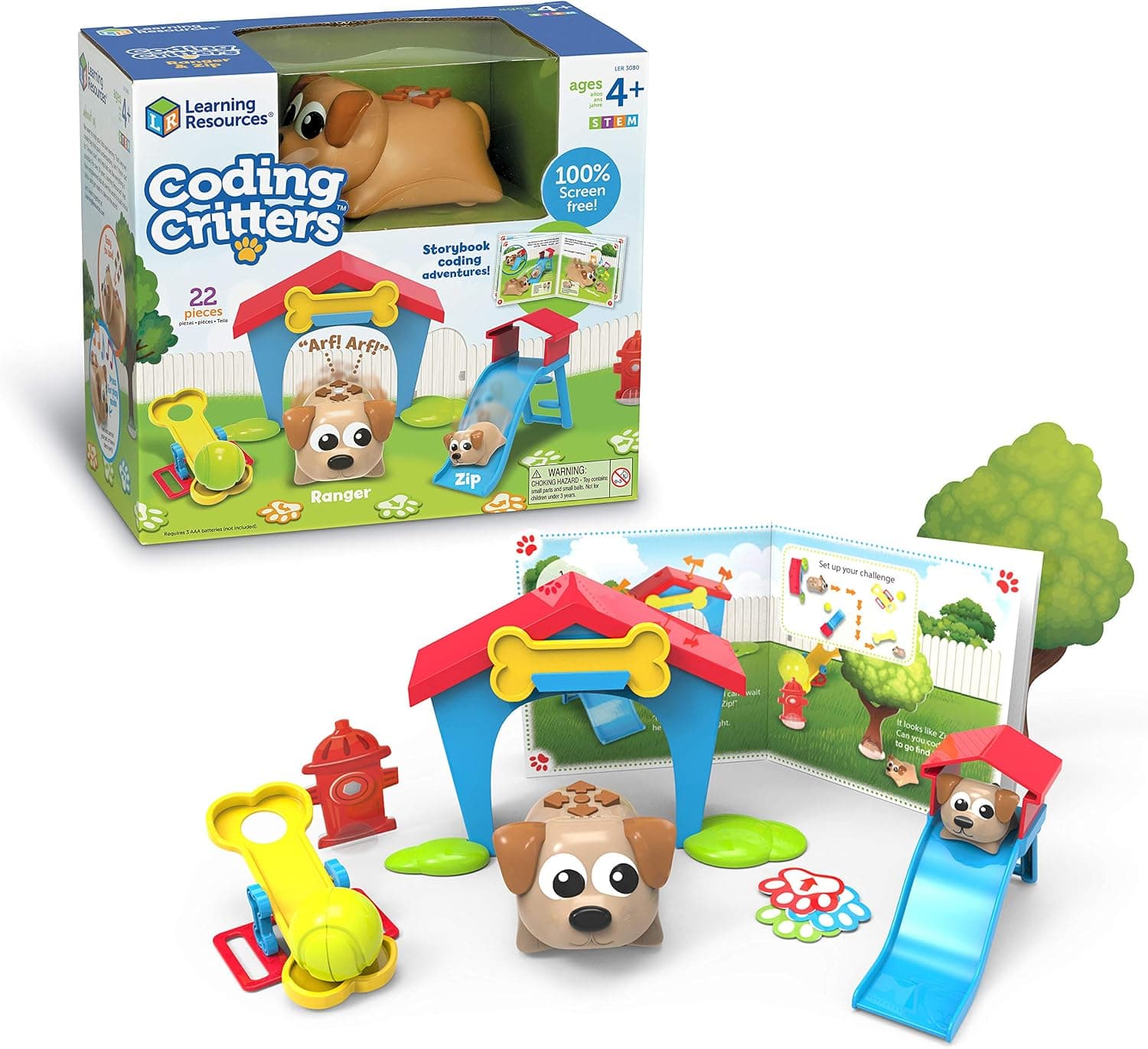
The Coding Critters line, specifically Ranger & Zip, offers a more narrative-driven and imaginative approach to screen-free coding. Aimed at slightly younger children (ages 4+), these adorable pet-themed robots are designed to be part of a story. Ranger, the main robot, can be programmed to fetch Zip, its smaller companion, or navigate through a themed playset. The focus here is on early sequencing and cause-and-effect within a playful context.
Design and Build: Ranger & Zip are charmingly designed with vibrant colours and a clear pet aesthetic. Ranger is robust, shaped like a dog, while Zip is a smaller, simpler companion. The coding inputs are on Ranger's back: a series of directional buttons (forward, back, left, right) and an 'action' button (like fetching Zip). The playset pieces, including a house and various small accessories, are colourful and durable plastic. It's a very appealing package for children who love animals and imaginative play.
Key Features: The core feature is sequence programming for Ranger using the buttons on its back. It can remember up to 30 steps, which is fewer than Botley but sufficient for its target age group. The 'play mode' allows children to simply interact with the critters, fostering an emotional connection before diving into coding. The narrative aspect, with adventure guides and story prompts, differentiates it from more abstract coding robots. There are also specific 'coding challenge' cards to guide play.
Performance: Owners generally find Ranger and Zip perform well for their intended purpose. The movements are simple and predictable, making it easy for young children to debug their sequences. The tactile buttons on Ranger's back are satisfying to press. The 'fetch' action, while basic, provides a clear goal for coding. Some reviewers note that the 30-step limit can feel a bit restrictive for children who quickly grasp the basics, but for the 4-6 age range, it's usually just right.
Value: Positioned as an entry-level coding toy (typically £30-£45), Coding Critters Ranger & Zip offers good value for introducing very young children to coding concepts through play. Its strong emphasis on imaginative storytelling makes it unique, potentially engaging children who might be intimidated by more 'technical' looking robots.
Learning Resources Code & Go Robot Mouse Activity Set
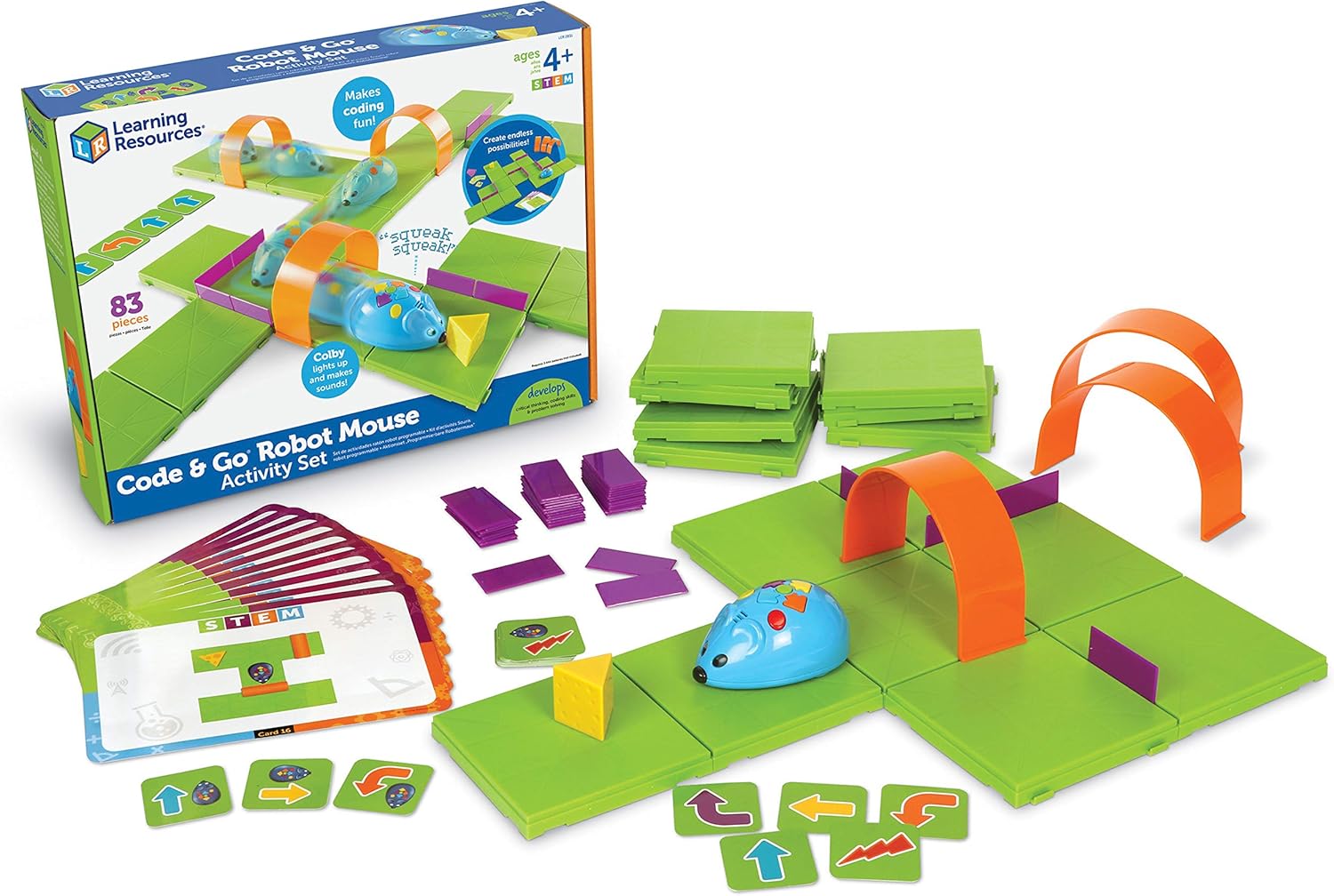
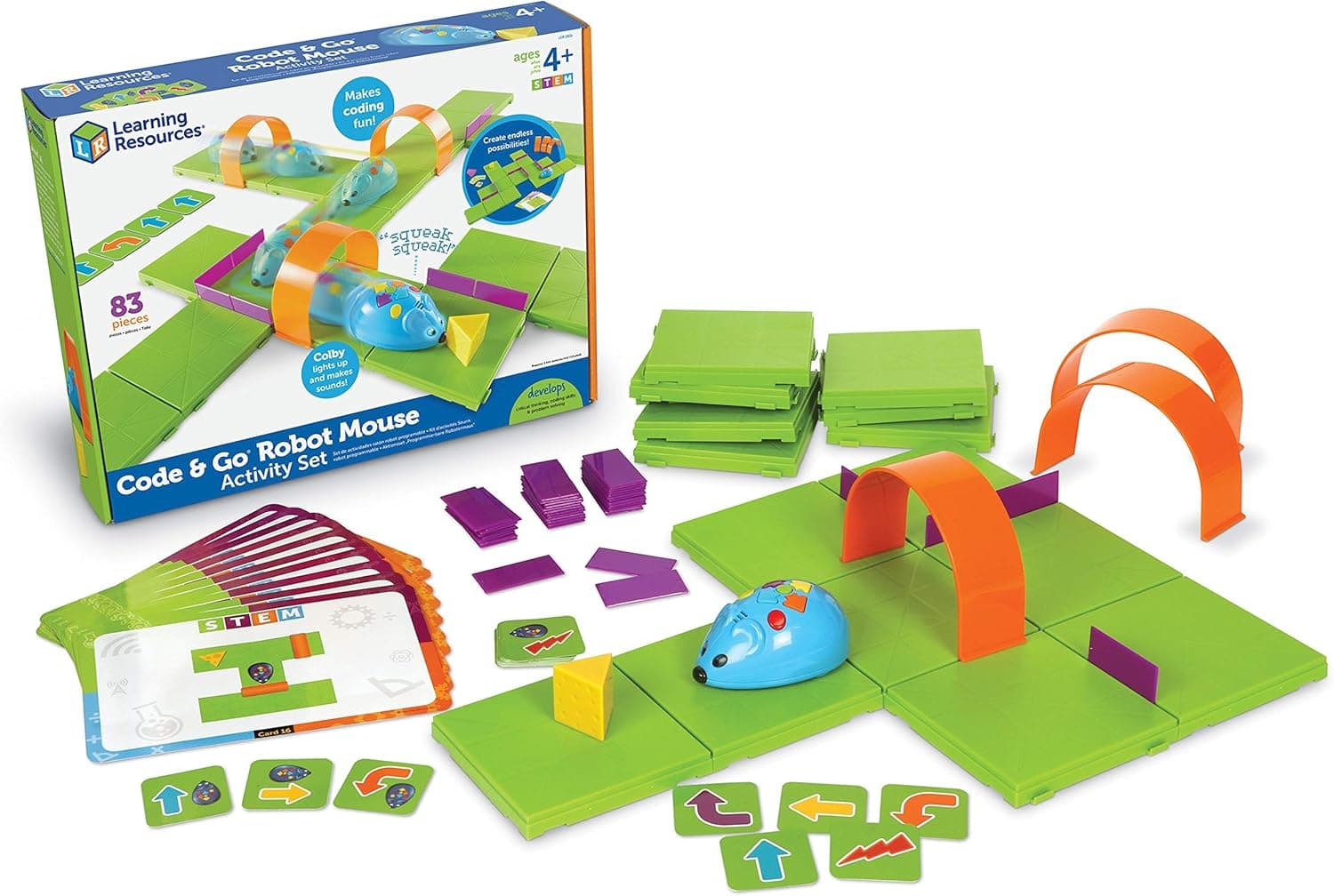
The Code & Go Robot Mouse Activity Set is a classic in the screen-free coding world, and for good reason. Designed for ages 4 and up, it’s a brilliant foundational tool for teaching basic programming logic, sequencing, and problem-solving. The goal is simple: program Colby the mouse to navigate a maze to find the cheese. This direct objective makes the learning tangible and immediate.
Design and Build: Colby the mouse is a compact, robust robot, designed to fit easily in small hands. Its movements are straightforward: forward, backward, left 90-degree turn, right 90-degree turn. The activity set includes large, colourful grid pieces that snap together to form mazes, along with walls, tunnels, and a wedge of cheese as the destination. The pieces are chunky and durable, ideal for younger children who are still developing fine motor skills.
Key Features: The core mechanism involves programming Colby using directional buttons on its back, much like the Coding Critters. It can store up to 40 steps, which is ample for most mazes you'd build with the included grid. The visual aspect of seeing Colby move across a physical grid, step-by-step, really helps cement the idea of a program sequence. The inclusion of coding cards for planning paths before inputting them into Colby encourages logical pre-computation, a key skill in programming.
Performance: Colby is known for its consistent and accurate movements. Each step covers a square on the grid, and turns are precise 90-degree rotations, making it easy for children to predict and correct its path. The simple design means there's less to go wrong, leading to a very reliable learning experience. Children often get immediate gratification from successfully guiding Colby to the cheese, which reinforces positive learning behaviours.
Value: This set typically falls into the budget-friendly category (around £25-£40), making it an accessible entry point to coding. For its price, it offers substantial educational value and robust, repeatable play. While it might lack the advanced features of Botley, its focused approach on fundamental sequencing is incredibly effective for its target age group.
Fisher-Price Think & Learn Code-a-Pillar Twist
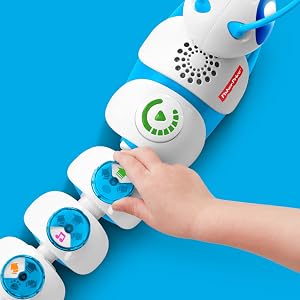
The Code-a-Pillar Twist from Fisher-Price aims at a slightly younger audience (3-6 years) than Botley 2.0, focusing on the very earliest introduction to sequencing and problem-solving through modular play. It's an evolution of the original Code-a-Pillar, adding more ways to combine its segments and creating new movement patterns. Each segment represents a command, and children physically connect them to dictate the Code-a-Pillar's path.
Design and Build: True to Fisher-Price's reputation, the Code-a-Pillar Twist is chunky, colourful, and built to withstand toddler-level enthusiasm. Its head unit lights up and makes sounds, adding sensory engagement. The segments are easily connected and disconnected, featuring different coloured arrows to indicate their command (e.g., go straight, turn left, turn right, make a sound). The 'twist' functionality comes from new segments that allow the Code-a-Pillar to turn in specific directions or perform actions, adding more variety than the original.
Key Features: The primary feature is the physical connection of segments to create a sequence of actions. This tactile approach makes the concept of programming incredibly intuitive for young children. The Code-a-Pillar can remember up to 1,000 different combinations of segments, offering plenty of room for experimentation. New to the Twist version are segments that introduce directional challenges and even simple loops or repeated actions. It introduces concepts like planning, sequencing, and debugging in a very accessible way.
Performance: The Code-a-Pillar Twist generally performs well, following the sequence of its segments accurately. The lights and sounds provide immediate feedback on its actions. Reviewers note that the connections are secure enough to stay together during movement, yet easy enough for small hands to manipulate. While it doesn't offer the precise grid-based movement of the Robot Mouse or the sensor capabilities of Botley, its free-form movement is perfect for younger kids exploring space and direction.
Value: This product sits in a similar budget-friendly category to the Robot Mouse (roughly £30-£45). For its target age group, it provides excellent value by making abstract coding concepts tangible and fun. It's a fantastic first step into computational thinking, especially for tactile learners who benefit from physically assembling their 'code'.
Primo Toys Cubetto Playset
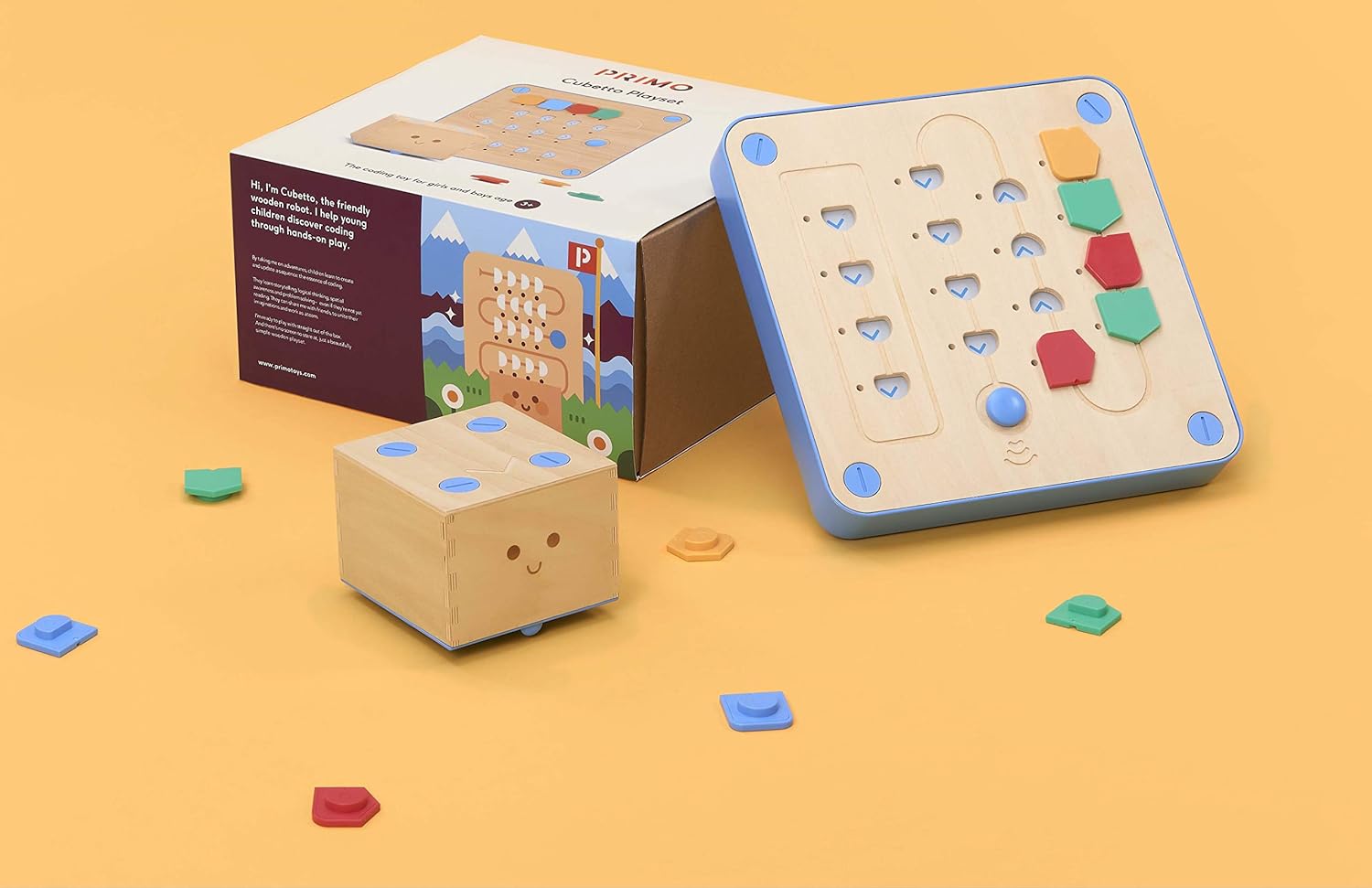
The Cubetto Playset stands out as a premium, Montessori-inspired screen-free coding robot, designed for children aged 3 and up. Its philosophy is all about hands-on, tangible programming, using a wooden robot (Cubetto) and a wooden interface board where children insert colourful coding blocks to create sequences. It’s an elegant, beautifully crafted system that emphasizes discovery and creative play.
Design and Build: Cubetto is strikingly different. Both the robot and the interface board are made from sustainably sourced wood, giving it a wonderfully tactile and high-quality feel. The coding blocks are chunky and colourful, each representing a simple command: forward, left, right, and a 'function' block for introducing subroutines. The playset includes a fabric world map and storybooks, providing rich contexts for Cubetto's adventures. The build quality is exceptional, clearly designed for longevity.
Key Features: The unique programming interface with physical blocks that children place into a board is Cubetto's standout feature. This makes the code literally tangible. The 'function' block is particularly clever, allowing children to create and call a subroutine, which is a fairly advanced programming concept presented in a wonderfully simple way. The included maps and storybooks offer open-ended play, encouraging children to invent their own solutions rather than just following prescribed challenges. It also introduces the concept of debugging by visually inspecting the block sequence.
Performance: Cubetto performs with admirable precision, navigating the included maps accurately based on the inserted blocks. The wooden components are incredibly durable. The interaction is smooth and intuitive, allowing children to focus on the logic rather than fiddly controls. Its movements are less about precision navigation and more about understanding flow and sequence across a larger play area.
Value: This is unequivocally a premium product, often costing significantly more than the other robots (typically £150+). While the price tag is substantial, it reflects the high-quality materials, thoughtful design, and deep educational philosophy. For parents seeking a durable, beautifully crafted toy that offers a profound learning experience, Cubetto provides unique value, especially for early learners.
Comparison Table: Quick Look at Screen-Free Coding Robots
| Product | Target Age | Key Differentiator | Price Band | Verdict | Buy |
|---|---|---|---|---|---|
| Learning Resources Botley 2.0 the Coding Robot Activity Set | 5-8+ | Advanced features (sensors, loops), extensive activity set | Mid-range (£50-£65) | Most versatile for growing skills, great for long-term engagement. | Check today's price on Amazon |
| Learning Resources Coding Critters Ranger & Zip | 4-7 | Imaginative, narrative-driven play with pet companions | Budget-Mid (£30-£45) | Excellent for engaging younger, story-loving kids in basic sequencing. | Check today's price on Amazon |
| Learning Resources Code & Go Robot Mouse Activity Set | 4-7 | Clear maze-solving objective, tactile grid-based programming | Budget (£25-£40) | Fantastic for foundational sequencing and clear cause-and-effect learning. | Check today's price on Amazon |
| Fisher-Price Think & Learn Code-a-Pillar Twist | 3-6 | Physical, modular segment programming, very intuitive for toddlers | Budget (£30-£45) | Best for the youngest learners, makes programming incredibly tangible. | Check today's price on Amazon |
| Primo Toys Cubetto Playset | 3-7 | Premium wooden design, unique block-based interface, subroutines | Premium (£150+) | Beautifully crafted, deep learning with abstract function calls for early learners. | Check today's price on Amazon |
Who Should Buy Which Robot?
Choosing the right robot really boils down to the child's age, existing interest, and your budget.
- For the Budding Engineer (5-8+ years): If you have a child who loves to figure things out, build, and is ready for more complex challenges, the Learning Resources Botley 2.0 the Coding Robot Activity Set is your best bet. Its advanced sensor capabilities and long programming sequences offer longevity and depth.
- For the Storyteller (4-7 years): For children who are drawn to imaginative play and characters, the Learning Resources Coding Critters Ranger & Zip will be a huge hit. It cleverly embeds coding challenges within a playful narrative.
- For the Very Young Tactile Learner (3-6 years): The Fisher-Price Think & Learn Code-a-Pillar Twist is perfect for introducing sequencing through physical manipulation of segments. It's robust and makes the concept of a program sequence incredibly concrete for toddlers.
- For a Premium, Montessori-Inspired Experience (3-7 years): If budget isn't a primary concern and you value high-quality, tactile learning with an emphasis on discovery, the Primo Toys Cubetto Playset is unparalleled. It teaches abstract concepts like functions in a beautiful, intuitive way.
Alternatives to Consider
While Botley 2.0 excels in versatility, and Coding Critters captures imagination, other options are excellent for specific needs.
If You Need a Solid Foundational Builder: Learning Resources Code & Go Robot Mouse Activity Set
Don't underestimate the Learning Resources Code & Go Robot Mouse Activity Set. It's a fantastic, often more affordable, alternative for pure sequencing and debugging skills on a grid. It's less flashy than Botley 2.0 but arguably more focused on the core logic of programming paths. If your child is good with spatial reasoning and enjoys clear objectives, this is a brilliant choice that delivers on its educational promise without complexity.
If You Want Heirloom Quality and Early Abstract Thinking: Primo Toys Cubetto Playset
For those who see this as a long-term investment in a child's learning and appreciate beautiful, sustainable design, the Primo Toys Cubetto Playset might be the primary choice rather than an alternative. Its unique function block introduces advanced concepts earlier than most, and its tactile, screen-free nature is wonderfully engaging. It's certainly a splurge, but the quality and depth of learning are truly outstanding for its age group.
The Bottom Line: Which Robot Wins?
For most families looking for the best balance of features, educational depth, and long-term engagement for children aged 5 and up, the clear winner is the Learning Resources Botley 2.0 the Coding Robot Activity Set. It's a genuinely versatile tool that grows with your child, offering advanced features and a rich activity set that keeps the learning fresh and challenging. While Coding Critters and Code-a-Pillar are excellent entry points for younger kids, and Cubetto offers a premium experience, Botley 2.0 delivers the most comprehensive screen-free coding curriculum for its price point and target age range.
Whichever robot you choose, remember that the most important thing is to make learning fun. These robots are fantastic starting blocks for building essential computational thinking skills that will serve children well in an increasingly digital world.
Ready to spark their curiosity? Grab Botley 2.0 and start coding today!